Whimsical Dragonfly Elegance - Flux.1.1 pro
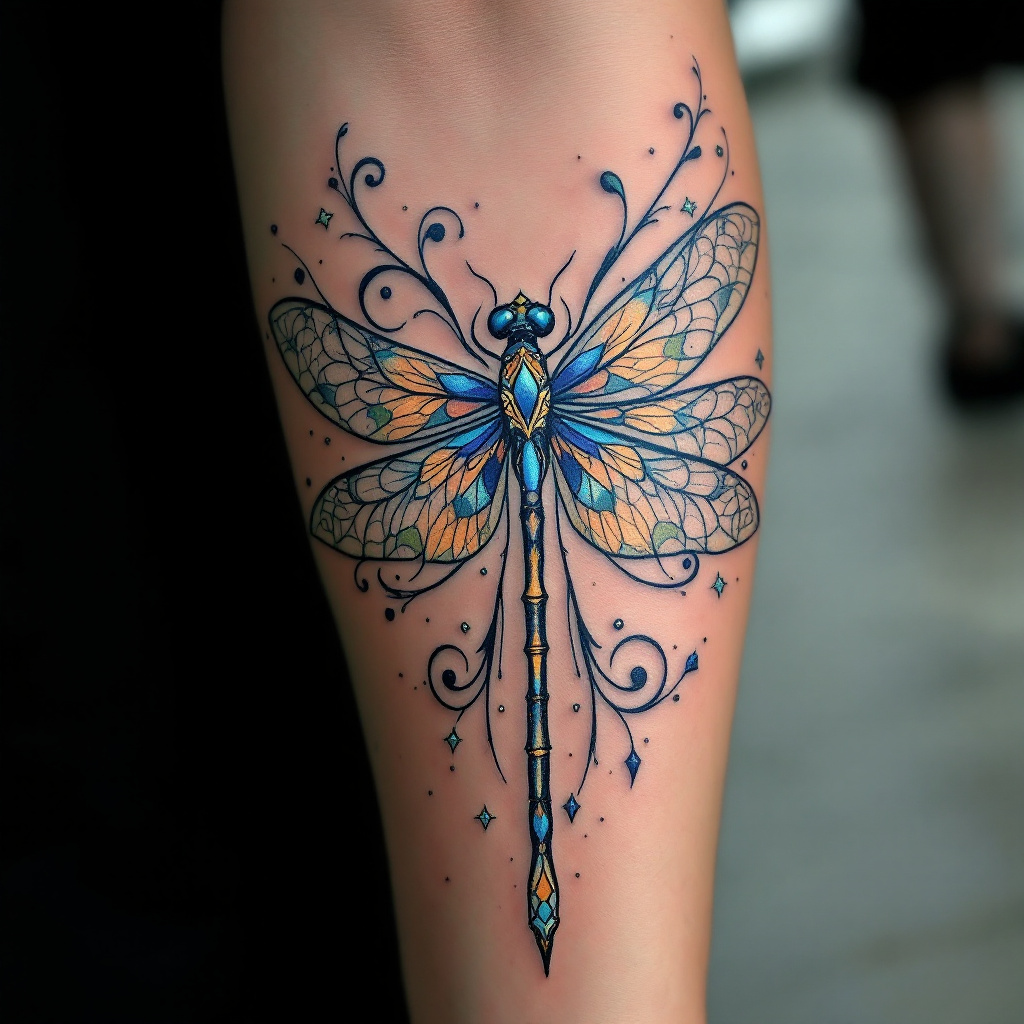
prompt
Design a tattoo for the outer forearm featuring a stylized dragonfly, its wings elegantly spread, showcasing intricate lace-like patterns that resemble delicate filigree. The artistic style should blend realism with a touch of Art Nouveau, emphasizing fluid lines and organic forms. The dragonfly's body should be slender and elongated, adorned with subtle geometric shapes that enhance its ethereal quality. The tattoo should be medium-sized, covering approximately two-thirds of the forearm, allowing for detailed examination. Opt for a vibrant color palette of iridescent blues, greens, and hints of gold, capturing the essence of sunlight reflecting off its wings. Incorporate swirling elements around the dragonfly to symbolize movement and freedom. This design embodies transformation and adaptability, drawing inspiration from the dragonfly's life cycle. The overall mood should be whimsical yet serene, inviting the viewer to appreciate the beauty of nature's artistry.
Analisi Dettagliata del Prompt Immagine Flux AI
Analizza il prompt dettagliato utilizzato per generare l'immagine con il Generatore Immagini Flux AI.
Esplora i Prompt Flux per il Generatore Immagini Flux AI
Come generare immagini con Flux.1.1 pro
Segui questi quattro semplici passaggi per creare l'immagine desiderata.
Passaggio 1: Inserisci il Tuo Testo (Sentiti libero di perfezionare il prompt per risultati migliori)
Passaggio 2: Scegli le Proporzioni dell'Immagine
Passaggio 3: Seleziona il Tuo Modello Flux:
Passaggio 4: Clicca il Pulsante Genera e Attendi Alcuni Secondi per la Tua Immagine
Strumenti Flux AI correlati per prompt su Flux.1.1 pro
Scopri strumenti avanzati di Flux AI per potenziare il tuo flusso di lavoro creativo.