Vengeance in Neon Shadows - Flux.1.1 pro
prompt
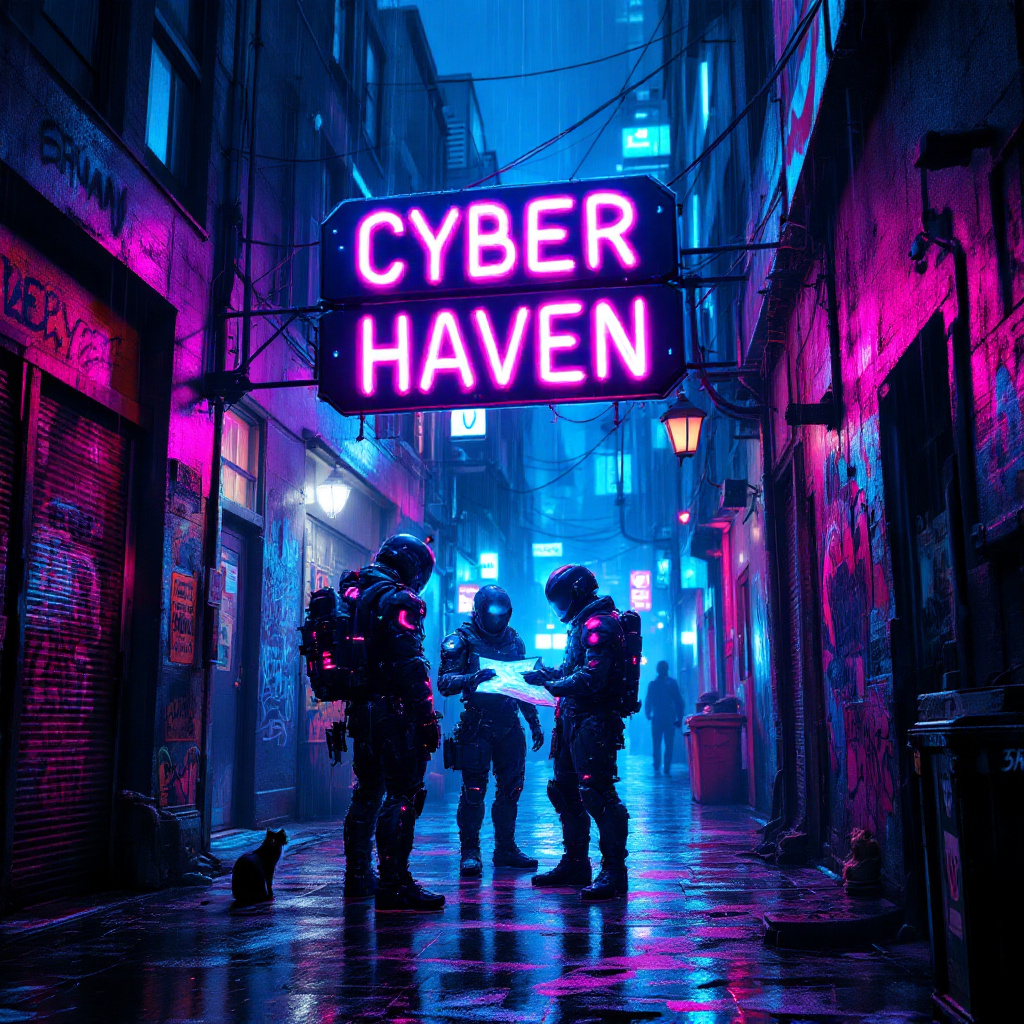
In a dimly lit, rain-soaked alleyway, neon lights flicker and glow in vibrant hues of electric blue, hot pink, and acid green, casting a surreal glow on the slick pavement. Shadows dance as augmented mercenaries, clad in high-tech armor adorned with glowing circuitry, huddle beneath a flickering neon sign that reads "Cyber Haven." Their cybernetic enhancements glint under the rain, while one figures pulls a holographic map from their forearm, illuminating their determined faces with a ghostly light. The air is thick with the scent of rain and ozone, punctuated by distant sirens and the hum of drones overhead. Graffiti-covered walls loom around them, depicting rebellious art and warnings about the corporate overlords. A stray cat, its eyes glowing like tiny headlights, watches from a nearby dumpster, adding an eerie sense of life to the otherwise tense atmosphere. The scene captures the essence of a gritty, futuristic world where vengeance brews in the shadows.
Analisi Dettagliata del Prompt Immagine Flux AI
Analizza il prompt dettagliato utilizzato per generare l'immagine con il Generatore Immagini Flux AI.
Esplora i Prompt Flux per il Generatore Immagini Flux AI
Come generare immagini con Flux.1.1 pro
Segui questi quattro semplici passaggi per creare l'immagine desiderata.
Passaggio 1: Inserisci il Tuo Testo (Sentiti libero di perfezionare il prompt per risultati migliori)
Passaggio 2: Scegli le Proporzioni dell'Immagine
Passaggio 3: Seleziona il Tuo Modello Flux:
Passaggio 4: Clicca il Pulsante Genera e Attendi Alcuni Secondi per la Tua Immagine
Strumenti Flux AI correlati per prompt su Flux.1.1 pro
Scopri strumenti avanzati di Flux AI per potenziare il tuo flusso di lavoro creativo.