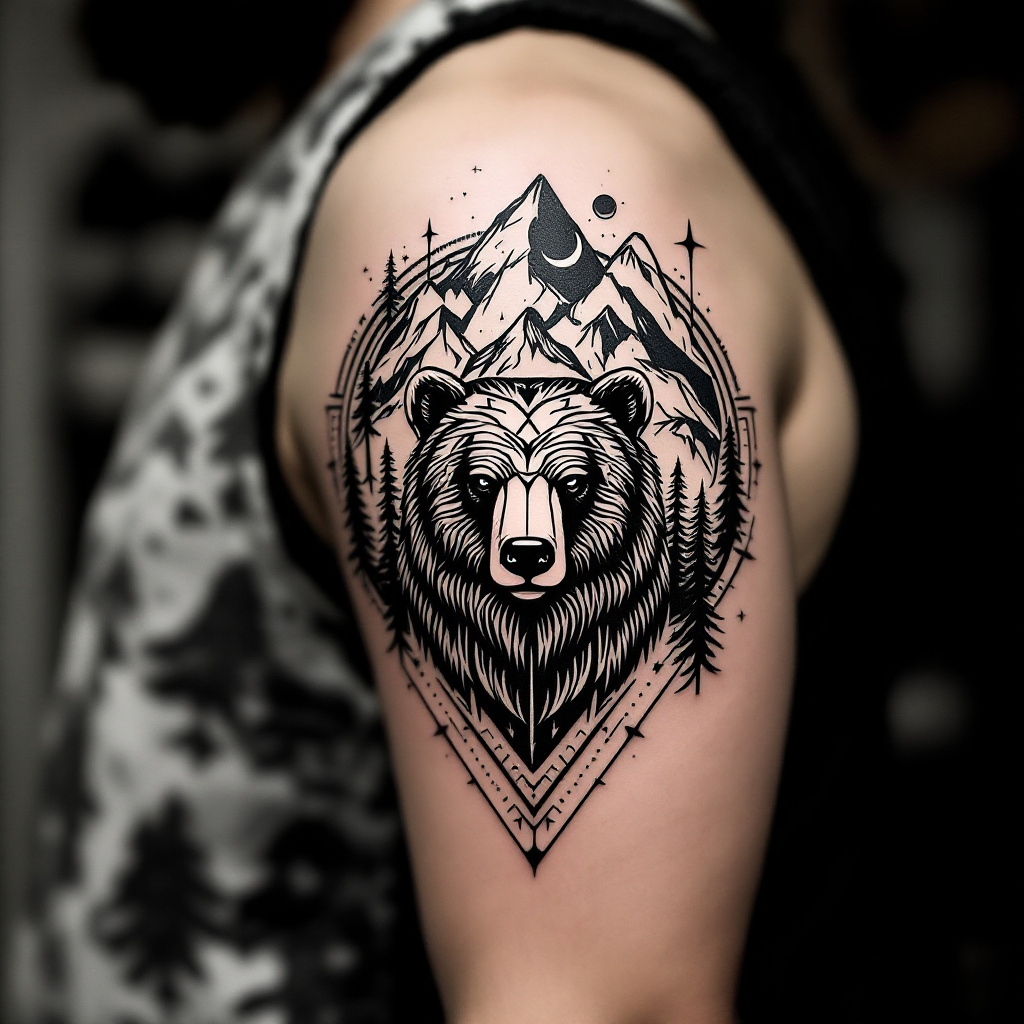
Bear Mountain Harmony Tattoo - Flux.1.1 pro
prompt
Create a tattoo design for the side of the upper arm featuring a stylized bear at the center, surrounded by intricate geometric patterns that flow seamlessly into a backdrop of majestic mountains. The bear should be depicted in a minimalist yet bold style, with sharp lines and angular shapes, emphasizing its strength and grace. Incorporate elements like pine trees and a crescent moon within the mountain range to add depth and a sense of wilderness. The tattoo should be medium-sized, wrapping slightly around the arm for a dynamic effect. Use a monochromatic color palette, focusing on deep blacks and grays with subtle shading to enhance the geometric elements. The overall aesthetic should evoke a sense of adventure and connection to nature, reflecting cultural symbols of strength and resilience, reminiscent of Native American art. The intricate patterns should draw the eye, creating a harmonious balance between the bear and the surrounding landscapes.
Analisi Dettagliata del Prompt Immagine Flux AI
Analizza il prompt dettagliato utilizzato per generare l'immagine con il Generatore Immagini Flux AI.
Esplora i Prompt Flux per il Generatore Immagini Flux AI
Come generare immagini con Flux.1.1 pro
Segui questi quattro semplici passaggi per creare l'immagine desiderata.
Passaggio 1: Inserisci il Tuo Testo (Sentiti libero di perfezionare il prompt per risultati migliori)
Passaggio 2: Scegli le Proporzioni dell'Immagine
Passaggio 3: Seleziona il Tuo Modello Flux:
Passaggio 4: Clicca il Pulsante Genera e Attendi Alcuni Secondi per la Tua Immagine
Strumenti Flux AI correlati per prompt su Flux.1.1 pro
Scopri strumenti avanzati di Flux AI per potenziare il tuo flusso di lavoro creativo.