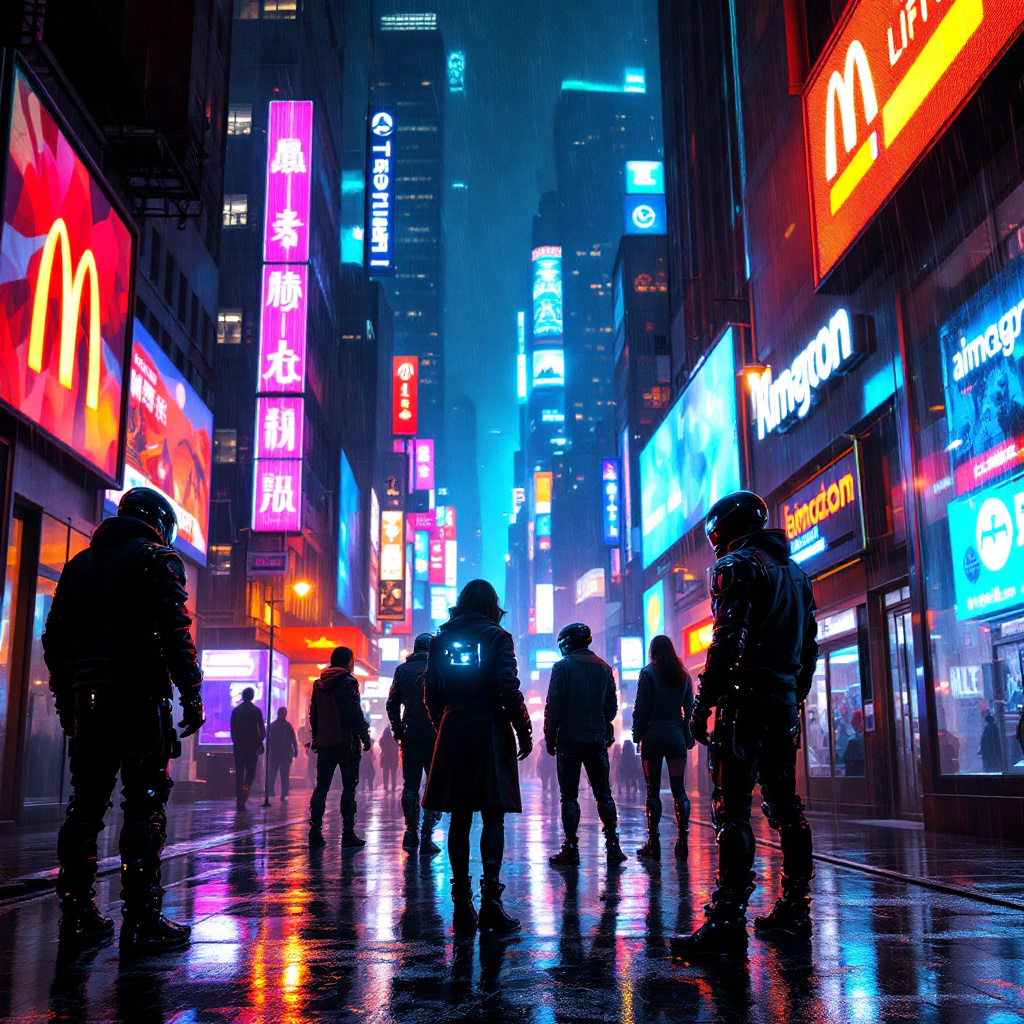
Neon Shadows: Rise of the Vigilantes - Flux.1.1 pro
prompt
In a neon-drenched metropolis, rain-slicked streets glisten under the glow of vibrant holographic advertisements, casting a kaleidoscope of colors—electric blues, fiery reds, and luminous greens—onto the wet pavement. Shadowy figures of augmented vigilantes gather in a dimly lit alley, their cybernetic enhancements glinting like shards of glass against the backdrop of towering corporate skyscrapers, each adorned with oppressive logos. The air is thick with tension, illuminated by flickering streetlights that cast long, eerie shadows. One vigilante, clad in a tattered leather coat lined with LED strips, adjusts their high-tech visor, revealing a digital display of schematics. Nearby, another figure, a wiry woman with mechanical arms, sketches plans in the rain-soaked ground, her eyes scanning for corporate drones overhead. The atmosphere buzzes with anticipation, as the scent of rain mingles with the faint whir of machinery, setting the stage for a rebellion against the faceless corporate overlords looming above.
Analisi Dettagliata del Prompt Immagine Flux AI
Analizza il prompt dettagliato utilizzato per generare l'immagine con il Generatore Immagini Flux AI.
Esplora i Prompt Flux per il Generatore Immagini Flux AI
Come generare immagini con Flux.1.1 pro
Segui questi quattro semplici passaggi per creare l'immagine desiderata.
Passaggio 1: Inserisci il Tuo Testo (Sentiti libero di perfezionare il prompt per risultati migliori)
Passaggio 2: Scegli le Proporzioni dell'Immagine
Passaggio 3: Seleziona il Tuo Modello Flux:
Passaggio 4: Clicca il Pulsante Genera e Attendi Alcuni Secondi per la Tua Immagine
Strumenti Flux AI correlati per prompt su Flux.1.1 pro
Scopri strumenti avanzati di Flux AI per potenziare il tuo flusso di lavoro creativo.