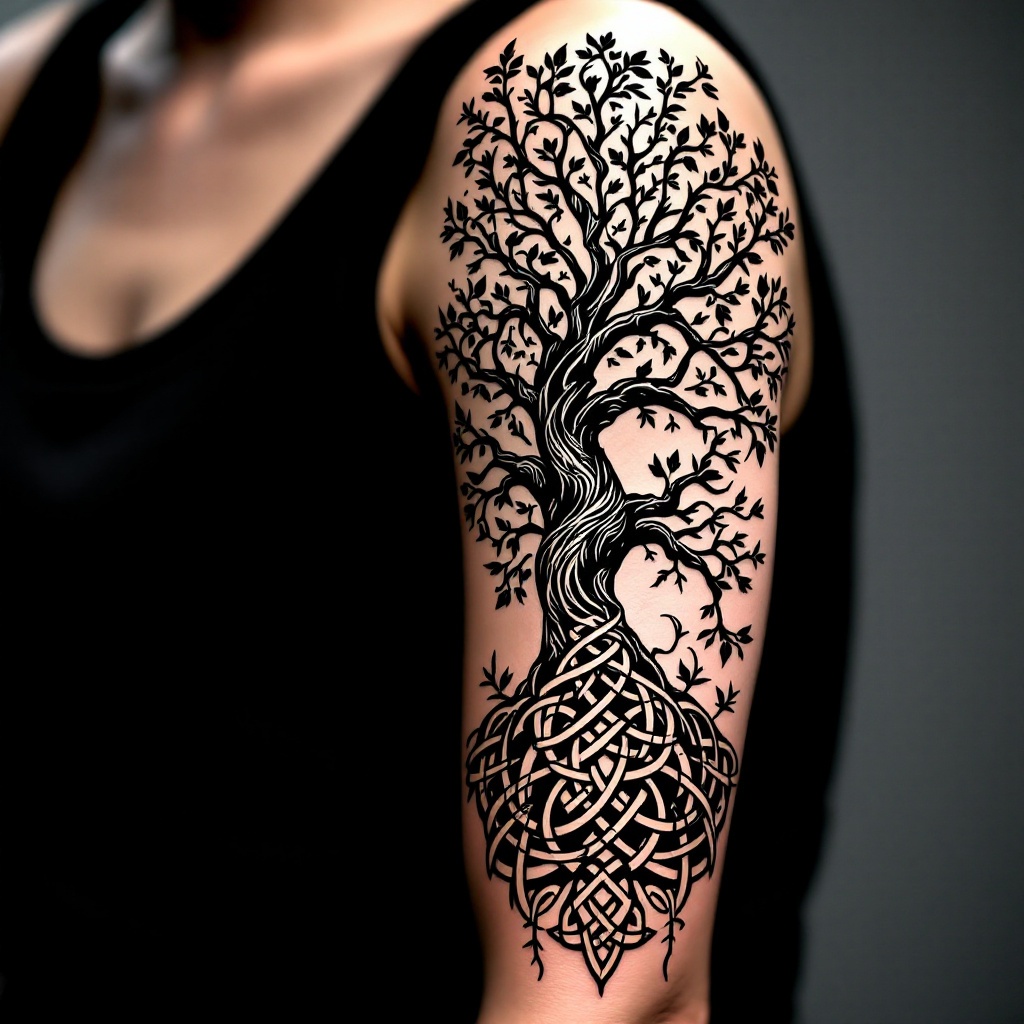
Intertwined Tranquility: A Tree Tattoo - Flux.1.1 pro
prompt
Create a tattoo design for the side of the upper arm featuring a stylized tree with intricate roots and branches intertwining elegantly. The tree should have a blend of realistic and minimalist elements, showcasing detailed bark texture and delicate leaves, while maintaining a clean, flowing silhouette. The design should wrap around the arm, creating a sense of movement and connection with the body. Aim for a medium size, approximately 6 to 8 inches tall, allowing for both visibility and subtlety. Use a monochromatic color palette in deep blacks and grays to emphasize the intricate patterns and textures of the tree. Incorporate subtle hints of Celtic knotwork within the roots and branches to add cultural depth, symbolizing growth and interconnectedness. The overall mood should evoke a sense of tranquility and strength, inviting contemplation and appreciation of nature’s beauty.
Analisi Dettagliata del Prompt Immagine Flux AI
Analizza il prompt dettagliato utilizzato per generare l'immagine con il Generatore Immagini Flux AI.
Esplora i Prompt Flux per il Generatore Immagini Flux AI
Come generare immagini con Flux.1.1 pro
Segui questi quattro semplici passaggi per creare l'immagine desiderata.
Passaggio 1: Inserisci il Tuo Testo (Sentiti libero di perfezionare il prompt per risultati migliori)
Passaggio 2: Scegli le Proporzioni dell'Immagine
Passaggio 3: Seleziona il Tuo Modello Flux:
Passaggio 4: Clicca il Pulsante Genera e Attendi Alcuni Secondi per la Tua Immagine
Strumenti Flux AI correlati per prompt su Flux.1.1 pro
Scopri strumenti avanzati di Flux AI per potenziare il tuo flusso di lavoro creativo.