Noble Wolf: Nature's Guardian Tattoo - Flux.1 dev
prompt
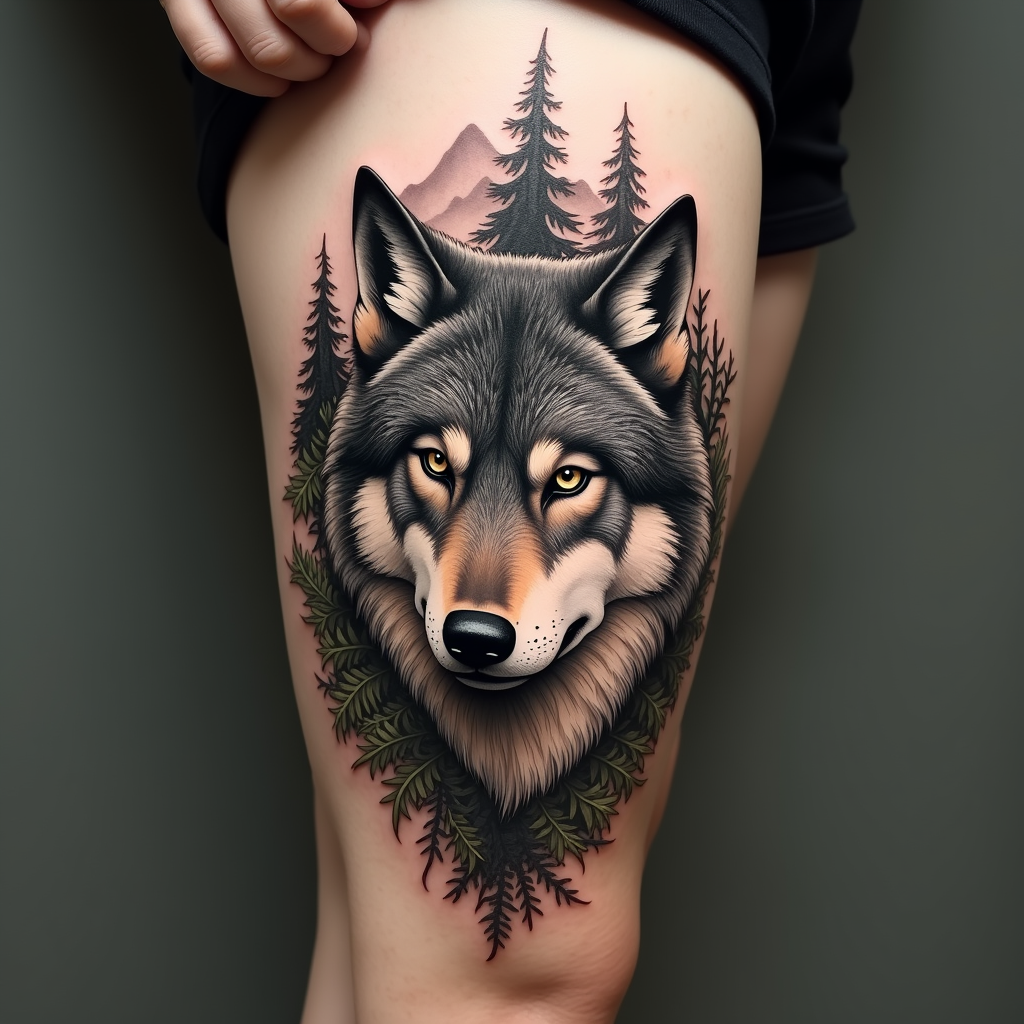
Create a tattoo design for the side of the upper leg featuring a realistic wolf portrait, capturing the fierce yet noble expression of the wolf. Surround the wolf with intricate forest elements such as tall pine trees, delicate ferns, and subtle mountain silhouettes in the background, blending seamlessly into the composition. The artistic style should be hyper-realistic, showcasing fine details in the wolf’s fur and the textures of the foliage. The tattoo should be medium to large in scale, allowing for depth and clarity in the details. Use a muted color palette with earthy tones—deep grays, soft browns, and hints of green—to evoke a natural feel, while also considering a black and white option for a classic look. Incorporate intricate patterns in the fur and leaves, adding a sense of movement. Symbolically, the wolf represents loyalty and guardianship, enhancing the overall mood of strength and connection to nature.
Analisi Dettagliata del Prompt Immagine Flux AI
Analizza il prompt dettagliato utilizzato per generare l'immagine con il Generatore Immagini Flux AI.
Esplora i Prompt Flux per il Generatore Immagini Flux AI
Come generare immagini con Flux.1 dev
Segui questi quattro semplici passaggi per creare l'immagine desiderata.
Passaggio 1: Inserisci il Tuo Testo (Sentiti libero di perfezionare il prompt per risultati migliori)
Passaggio 2: Scegli le Proporzioni dell'Immagine
Passaggio 3: Seleziona il Tuo Modello Flux:
Passaggio 4: Clicca il Pulsante Genera e Attendi Alcuni Secondi per la Tua Immagine
Strumenti Flux AI correlati per prompt su Flux.1 dev
Scopri strumenti avanzati di Flux AI per potenziare il tuo flusso di lavoro creativo.