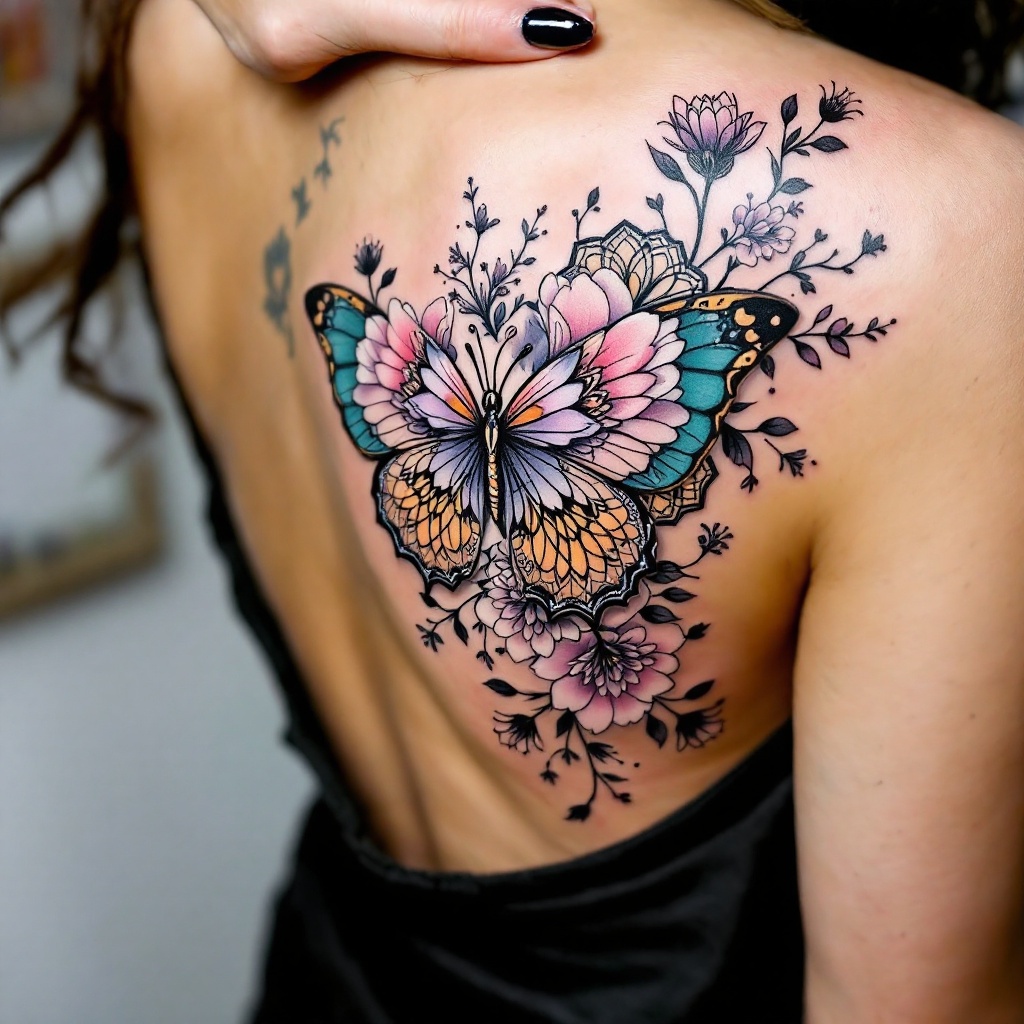
Serene Butterfly Bloom Tattoo - Flux.1.1 pro
prompt
Create a tattoo design for the side of the lower back featuring a stylized butterfly as the central element. The butterfly should have intricately detailed wings adorned with floral motifs, such as peonies and cherry blossoms, seamlessly blending into geometric patterns like mandalas or hexagons that radiate outward. The artistic style should be a fusion of traditional and modern, incorporating fine line work and soft shading to add depth. The tattoo should be medium-sized, spanning approximately 6 to 8 inches in width, ensuring it flows gracefully with the body's curves. Use a vibrant color palette with shades of teal, lavender, and soft pink, contrasted with black outlines for emphasis. Incorporate delicate textures within the butterfly's wings and floral elements, giving it a dynamic feel. This design symbolizes transformation and beauty, evoking a serene yet uplifting mood, perfect for personal expression.
Analisi Dettagliata del Prompt Immagine Flux AI
Analizza il prompt dettagliato utilizzato per generare l'immagine con il Generatore Immagini Flux AI.
Esplora i Prompt Flux per il Generatore Immagini Flux AI
Come generare immagini con Flux.1.1 pro
Segui questi quattro semplici passaggi per creare l'immagine desiderata.
Passaggio 1: Inserisci il Tuo Testo (Sentiti libero di perfezionare il prompt per risultati migliori)
Passaggio 2: Scegli le Proporzioni dell'Immagine
Passaggio 3: Seleziona il Tuo Modello Flux:
Passaggio 4: Clicca il Pulsante Genera e Attendi Alcuni Secondi per la Tua Immagine
Strumenti Flux AI correlati per prompt su Flux.1.1 pro
Scopri strumenti avanzati di Flux AI per potenziare il tuo flusso di lavoro creativo.