Burj Khalifa - Flux.1.1 pro
prompt
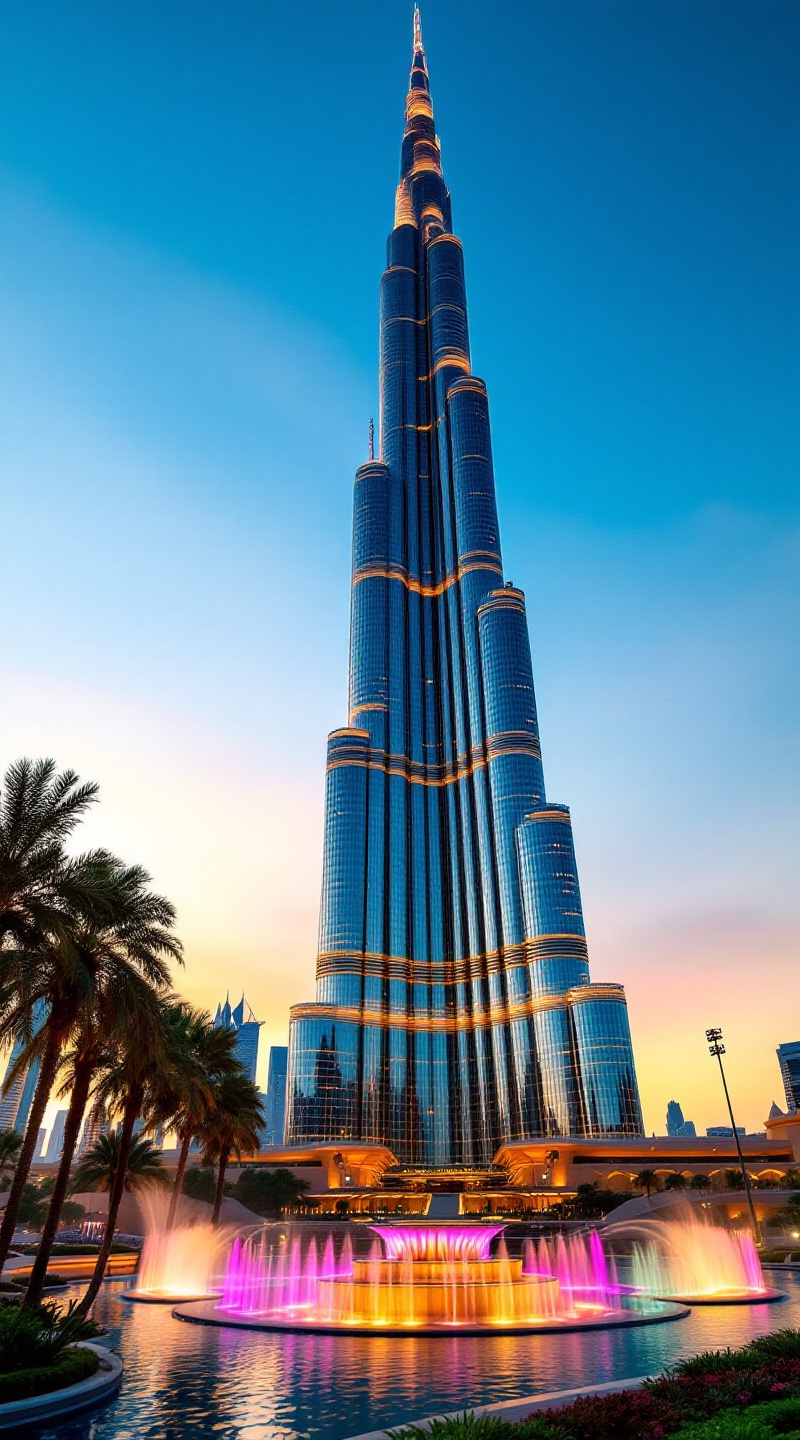
Create a breathtaking image of the Burj Khalifa, the tallest building in the world, soaring majestically into the clear blue sky of Dubai. Highlight its sleek, neo-futuristic design, characterized by a shimmering glass façade that reflects the sunlight in a spectrum of blues and silvers. Emphasize the building's distinctive tiered silhouette, tapering elegantly as it reaches towards the heavens. Surround the Burj Khalifa with the vibrant greenery of the Dubai Fountain's gardens below, where water dances in intricate patterns, illuminated by colorful lights. Capture the scene at sunset, when the sky transitions to warm oranges and purples, casting a golden glow on the building's surface. Incorporate elements of Arabian architecture in the nearby structures, showcasing the blend of modernity and tradition. Opt for a high-resolution, wide-angle perspective to convey the grandeur and scale of this iconic landmark, evoking a sense of wonder and ambition in the viewer.
Analisi Dettagliata del Prompt Immagine Flux AI
Analizza il prompt dettagliato utilizzato per generare l'immagine con il Generatore Immagini Flux AI.
Esplora i Prompt Flux per il Generatore Immagini Flux AI
Come generare immagini con Flux.1.1 pro
Segui questi quattro semplici passaggi per creare l'immagine desiderata.
Passaggio 1: Inserisci il Tuo Testo (Sentiti libero di perfezionare il prompt per risultati migliori)
Passaggio 2: Scegli le Proporzioni dell'Immagine
Passaggio 3: Seleziona il Tuo Modello Flux:
Passaggio 4: Clicca il Pulsante Genera e Attendi Alcuni Secondi per la Tua Immagine
Strumenti Flux AI correlati per prompt su Flux.1.1 pro
Scopri strumenti avanzati di Flux AI per potenziare il tuo flusso di lavoro creativo.