Ryoichi Matsuda - Flux.1 dev
prompt
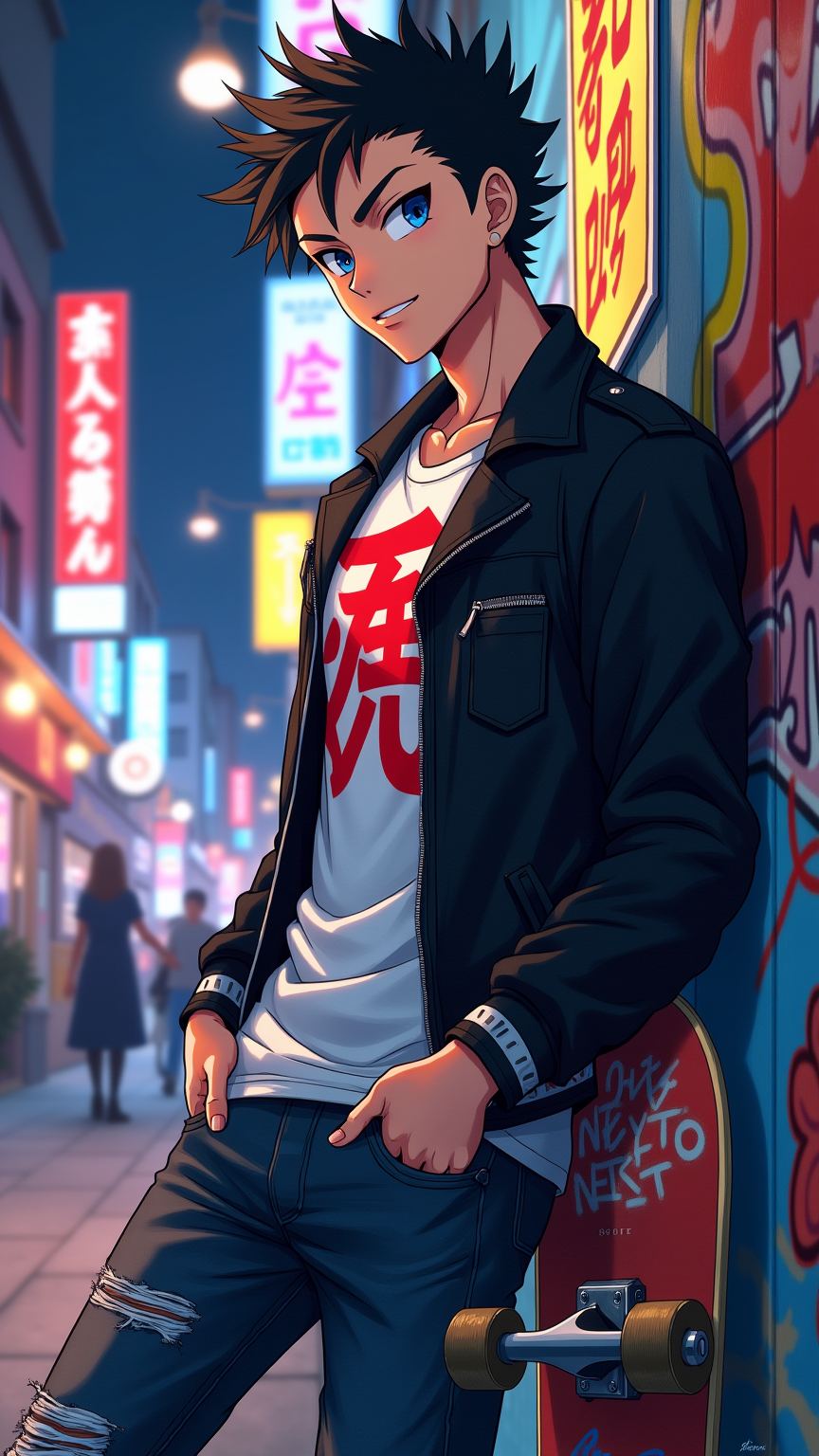
Create an anime-style image of Ryoichi Matsuda, a young man in his late teens with striking short spiky black hair and sharp blue eyes. He wears a stylish, fitted black jacket over a white graphic tee, adorned with a vibrant red kanji symbol on the front. His jeans are slightly distressed, and he sports a pair of sleek, high-top sneakers. Ryoichi has a confident smirk, showcasing his playful yet determined personality, while leaning casually against a graffiti-covered wall. His right hand is tucked into his pocket, and he holds a skateboard in his left hand, hinting at his love for skating. The background features a bustling urban street with neon lights and colorful posters, capturing the lively essence of city life. The art style should reflect a modern anime aesthetic, with bold outlines, vivid colors, and dynamic shading, emphasizing Ryoichi's youthful energy and rebellious spirit. Include subtle glowing effects around the skateboard to highlight its significance to his character.
Analisi Dettagliata del Prompt Immagine Flux AI
Analizza il prompt dettagliato utilizzato per generare l'immagine con il Generatore Immagini Flux AI.
Esplora i Prompt Flux per il Generatore Immagini Flux AI
Come generare immagini con Flux.1 dev
Segui questi quattro semplici passaggi per creare l'immagine desiderata.
Passaggio 1: Inserisci il Tuo Testo (Sentiti libero di perfezionare il prompt per risultati migliori)
Passaggio 2: Scegli le Proporzioni dell'Immagine
Passaggio 3: Seleziona il Tuo Modello Flux:
Passaggio 4: Clicca il Pulsante Genera e Attendi Alcuni Secondi per la Tua Immagine
Strumenti Flux AI correlati per prompt su Flux.1 dev
Scopri strumenti avanzati di Flux AI per potenziare il tuo flusso di lavoro creativo.