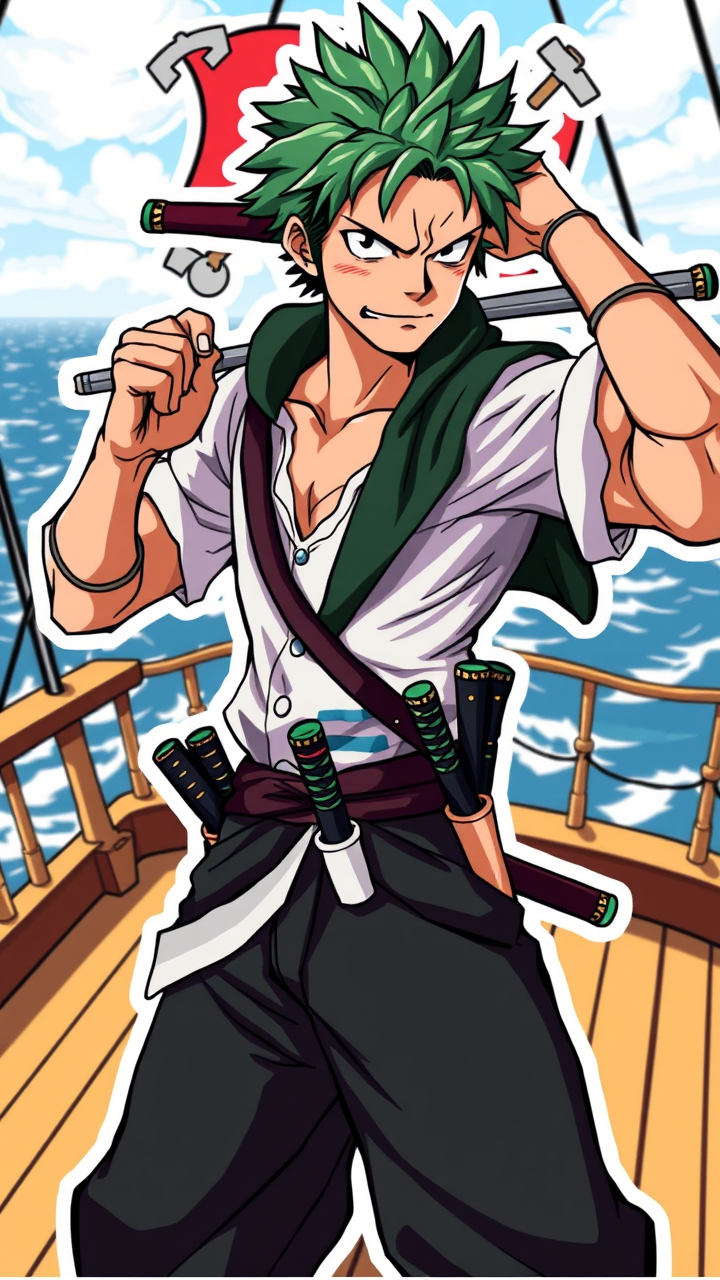
Roronoa Zoro - Flux.1 schnell
プロンプト
Create an image of Roronoa Zoro in a vibrant anime sticker style. Capture his key physical features: short, spiky green hair and three distinctive swords sheathed at his waist. He should wear a classic dark green haramaki, a white shirt, and loose black pants, showcasing his muscular build. His expression is fierce and determined, with a slight smirk, reflecting his confident personality. Pose him in a dynamic stance, one hand gripping a sword while the other is raised in a fighting position. The background should be a stylized, colorful depiction of a pirate ship deck with the ocean in the distance, enhancing the adventurous theme. Use bold outlines and bright colors typical of sticker art, incorporating signature elements like his iconic scar over the eye and a subtle hint of the Straw Hat Pirates’ Jolly Roger in the backdrop.
Flux AI Image Promptの詳細分析
Flux AI Image Generatorを使用して画像を生成するために使用された詳細なプロンプトを分析します。
Flux AI画像生成のプロンプトを探索
で画像を生成する方法 Flux.1 schnell
以下の4つの簡単なステップに従って、希望する画像を作成してください。
ステップ 1: テキストを入力 (より良い結果のためにプロンプトを調整してください)
ステップ 2: 画像のアスペクト比を選択
ステップ 3: Fluxモデルを選択:
ステップ 4: 生成ボタンをクリックして数秒待ち、画像を取得
プロンプトに関連するFlux AIツール Flux.1 schnell
Flux AIの高度なツールを発見して、クリエイティブな作業フローを強化しましょう。