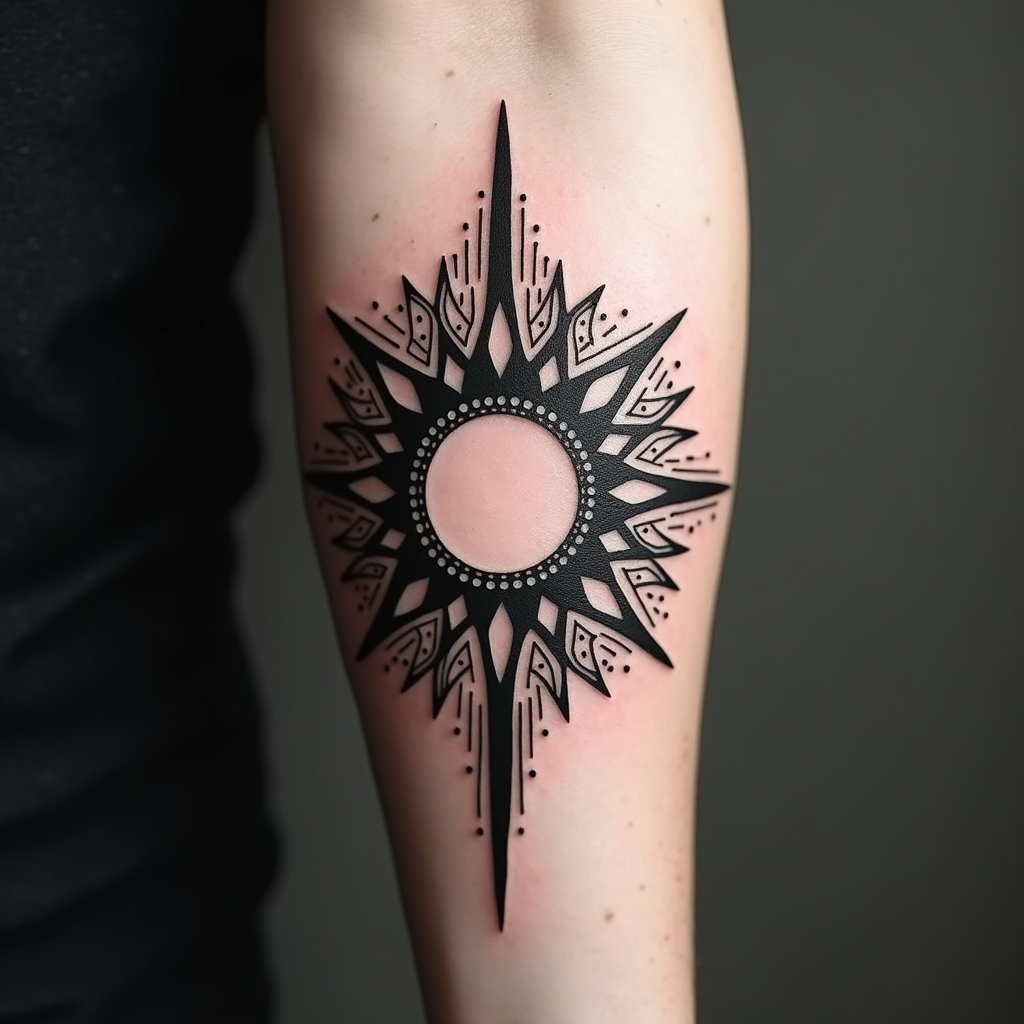
Empowered Sun: Geometric Harmony - Flux.1 dev
プロンプト
Create a tattoo design for the side of the forearm featuring a stylized sun at its center, radiating bold, angular rays that blend seamlessly into geometric patterns like triangles and circles. The artistic style should be a fusion of minimalist and modern tribal, emphasizing clean lines and symmetry. The sun should be approximately 4 inches in diameter, with rays extending outward to cover a total length of about 6 inches, wrapping slightly around the forearm. Use a monochromatic color palette, primarily in deep black with intricate dot work and shading to add depth and texture. Incorporate subtle references to ancient sun worship, symbolizing vitality and energy. The overall mood should evoke a sense of empowerment and harmony, blending the celestial with the earthly in a striking yet elegant manner.
Flux AI Image Promptの詳細分析
Flux AI Image Generatorを使用して画像を生成するために使用された詳細なプロンプトを分析します。
Flux AI画像生成のプロンプトを探索
で画像を生成する方法 Flux.1 dev
以下の4つの簡単なステップに従って、希望する画像を作成してください。
ステップ 1: テキストを入力 (より良い結果のためにプロンプトを調整してください)
ステップ 2: 画像のアスペクト比を選択
ステップ 3: Fluxモデルを選択:
ステップ 4: 生成ボタンをクリックして数秒待ち、画像を取得
プロンプトに関連するFlux AIツール Flux.1 dev
Flux AIの高度なツールを発見して、クリエイティブな作業フローを強化しましょう。