Hikaru Aizawa - Flux.1 schnell
プロンプト
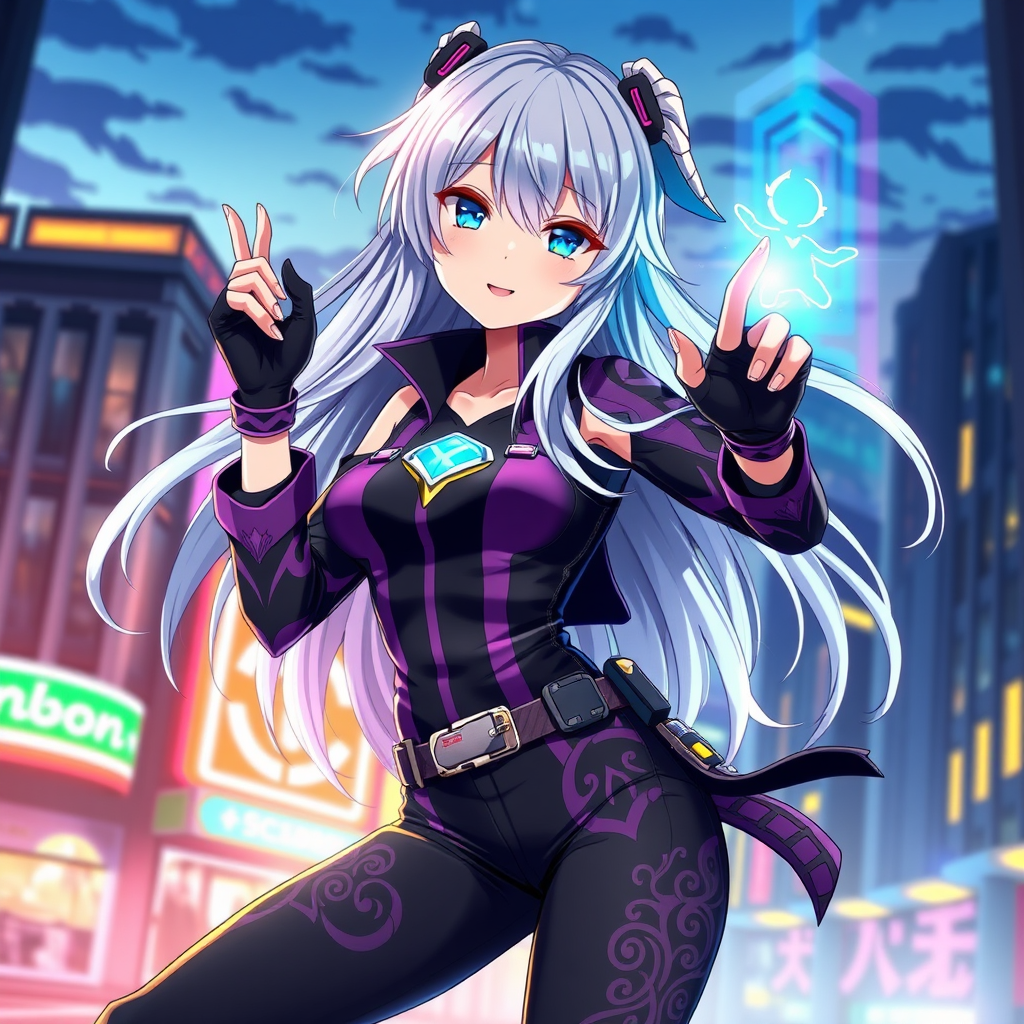
Create an image of Hikaru Aizawa in a vibrant anime style, showcasing her striking long, flowing silver hair that glimmers with hints of blue. She wears a stylish, form-fitting black and purple outfit adorned with intricate patterns, complemented by fingerless gloves and a sleek belt with various gadgets. Her expression is confident and determined, with bright, expressive eyes that convey a sense of adventure. Pose her in a dynamic stance, as if ready to spring into action, with one hand raised, channeling energy. The background features a futuristic cityscape at dusk, with neon lights illuminating the scene, enhancing the anime aesthetic. Include signature elements like a glowing emblem on her chest and a small, floating holographic companion by her side, adding a touch of whimsy to the composition.
Flux AI Image Promptの詳細分析
Flux AI Image Generatorを使用して画像を生成するために使用された詳細なプロンプトを分析します。
Flux AI画像生成のプロンプトを探索
で画像を生成する方法 Flux.1 schnell
以下の4つの簡単なステップに従って、希望する画像を作成してください。
ステップ 1: テキストを入力 (より良い結果のためにプロンプトを調整してください)
ステップ 2: 画像のアスペクト比を選択
ステップ 3: Fluxモデルを選択:
ステップ 4: 生成ボタンをクリックして数秒待ち、画像を取得
プロンプトに関連するFlux AIツール Flux.1 schnell
Flux AIの高度なツールを発見して、クリエイティブな作業フローを強化しましょう。