Confident Curves in Bloom - Flux.1 dev
プロンプト
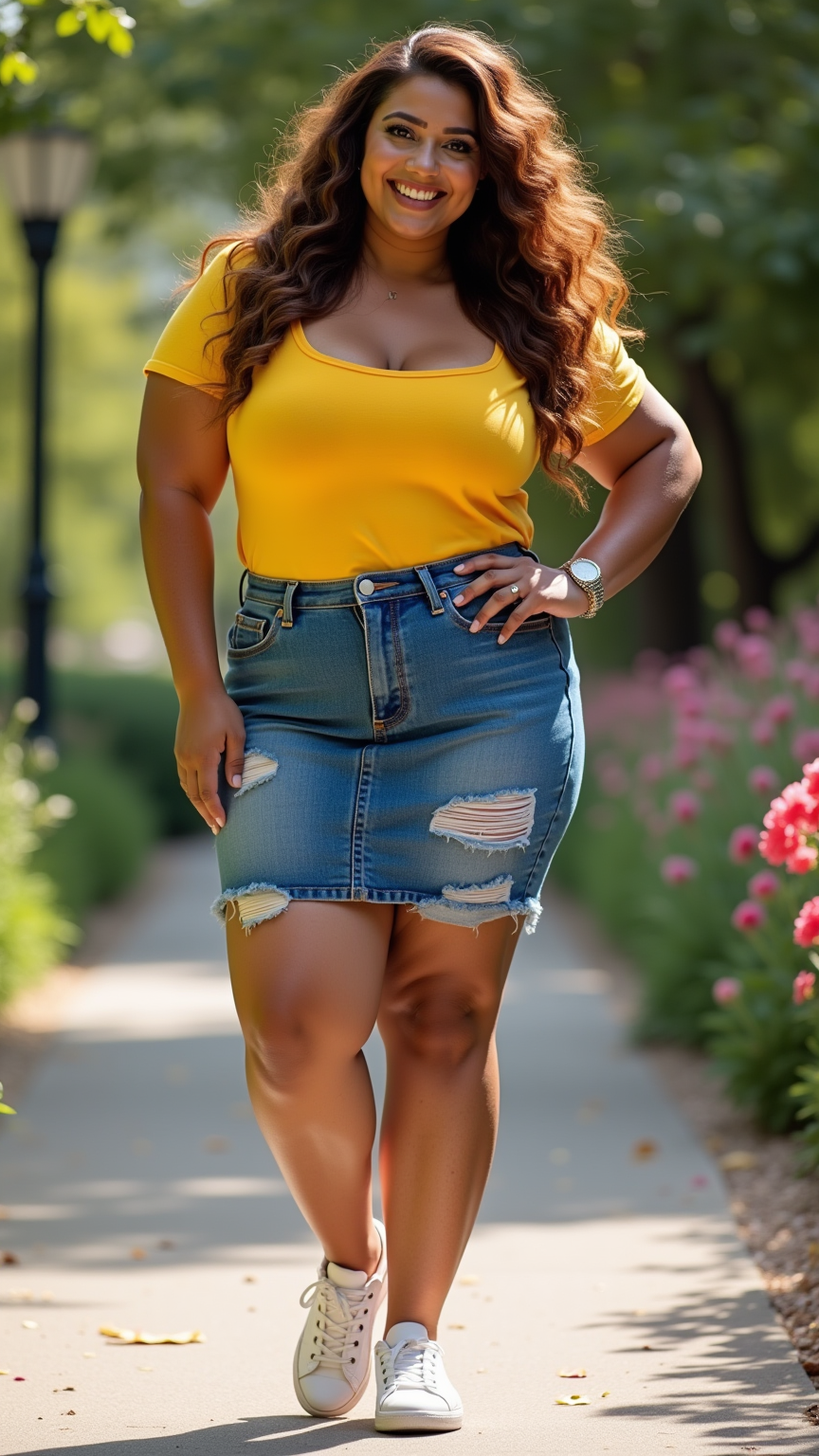
A curvy woman with a warm olive skin tone stands confidently, her face framed by long, wavy chestnut hair cascading over her shoulders. She has bright hazel eyes, a gentle smile revealing full lips, and a sprinkle of freckles across her nose. Her body is voluptuous, with an hourglass shape accentuated by her snug, vibrant yellow top that hugs her bust and cinches at the waist. She pairs this with a stylish, high-waisted denim skirt that falls just above her knees, showcasing her shapely legs. The outfit is completed with casual white sneakers. Her demeanor radiates joy and self-assurance, as she leans slightly forward with one hand on her hip and the other playfully tossing her hair back. She stands in a sunlit park, surrounded by blooming flowers and green trees, exuding a carefree, vibrant energy.
Flux AI Image Promptの詳細分析
Flux AI Image Generatorを使用して画像を生成するために使用された詳細なプロンプトを分析します。
Flux AI画像生成のプロンプトを探索
で画像を生成する方法 Flux.1 dev
以下の4つの簡単なステップに従って、希望する画像を作成してください。
ステップ 1: テキストを入力 (より良い結果のためにプロンプトを調整してください)
ステップ 2: 画像のアスペクト比を選択
ステップ 3: Fluxモデルを選択:
ステップ 4: 生成ボタンをクリックして数秒待ち、画像を取得
プロンプトに関連するFlux AIツール Flux.1 dev
Flux AIの高度なツールを発見して、クリエイティブな作業フローを強化しましょう。