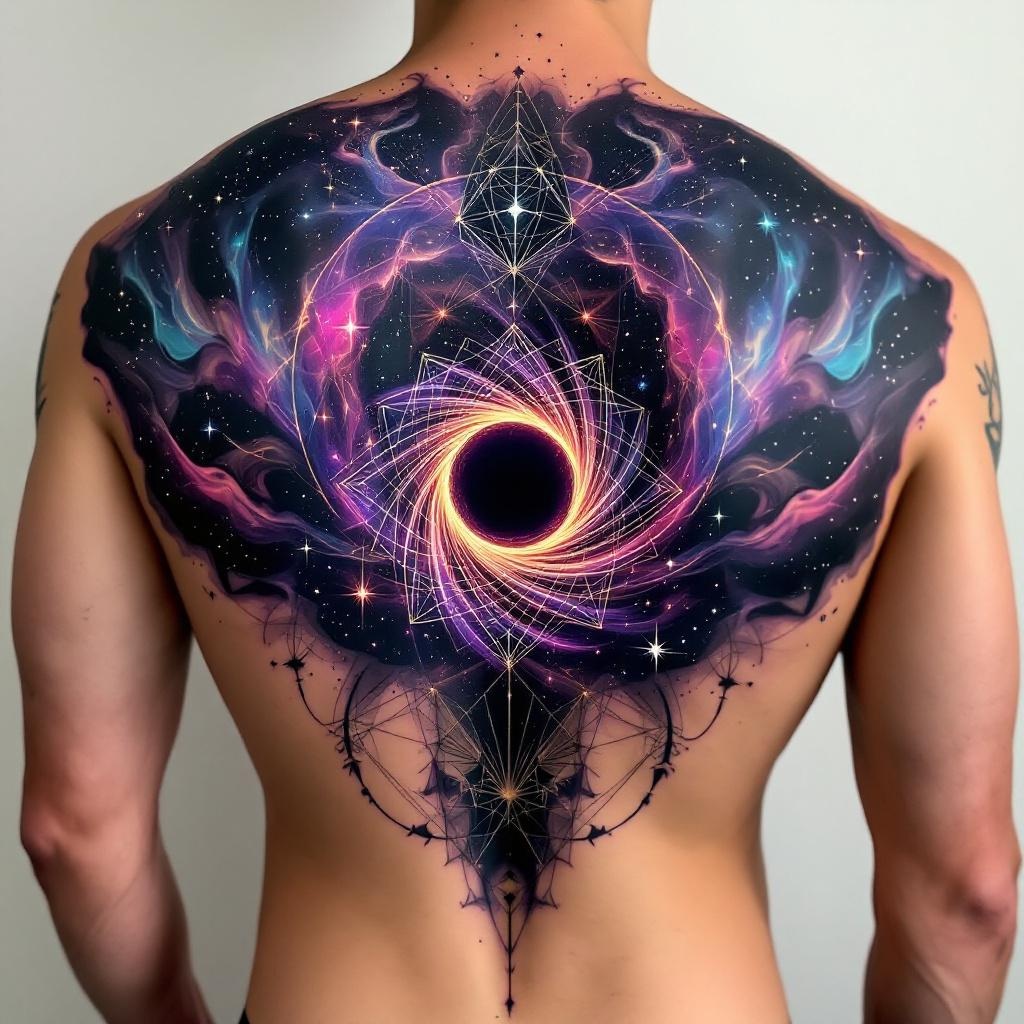
Back-Cosmic Black Hole - Flux.1.1 pro
プロンプト
**Prompt:** "Design a striking back-piece tattoo featuring a cosmic black hole at the center, surrounded by swirling galaxies, nebulae, and stars, rendered in a hyper-realistic style. The black hole should have intricate, warped spacetime details, with light bending around its event horizon. Incorporate subtle geometric patterns or sacred geometry elements to enhance the cosmic theme. Place the design across the entire upper back, extending slightly onto the shoulders for a grand scale. Use a deep, rich color palette of purples, blues, and blacks, with vibrant neon accents for the celestial bodies. The mood should evoke awe and mystery, blending scientific accuracy with artistic surrealism. Add subtle cultural references like zodiac constellations or mythological symbols for depth.
Flux AI Image Promptの詳細分析
Flux AI Image Generatorを使用して画像を生成するために使用された詳細なプロンプトを分析します。
Flux AI画像生成のプロンプトを探索
で画像を生成する方法 Flux.1.1 pro
以下の4つの簡単なステップに従って、希望する画像を作成してください。
ステップ 1: テキストを入力 (より良い結果のためにプロンプトを調整してください)
ステップ 2: 画像のアスペクト比を選択
ステップ 3: Fluxモデルを選択:
ステップ 4: 生成ボタンをクリックして数秒待ち、画像を取得
プロンプトに関連するFlux AIツール Flux.1.1 pro
Flux AIの高度なツールを発見して、クリエイティブな作業フローを強化しましょう。