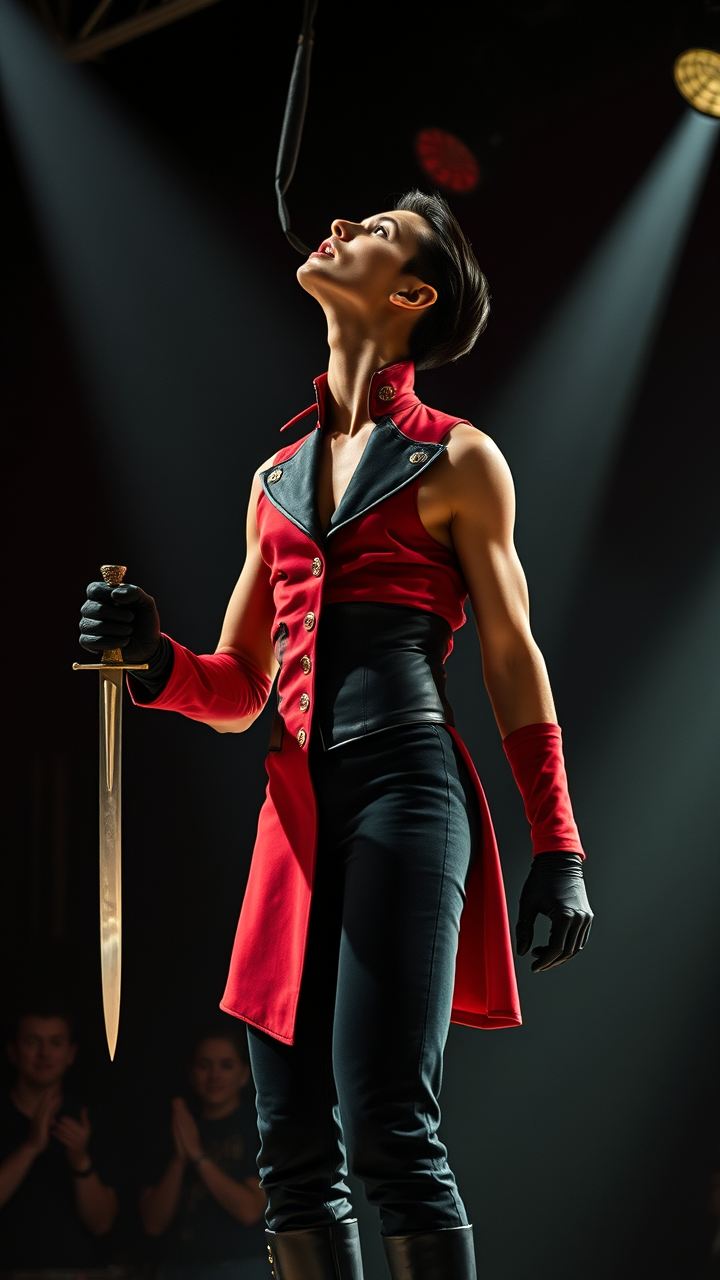
Professional sword swallower tilting head back - Flux.1 schnell
プロンプト
**Prompt:** A professional sword swallower, a lean and toned performer with sharp, angular facial features, olive skin, and slicked-back jet-black hair, tilts their head far back, exposing a long, sinewy neck. Their muscular yet slender frame is clad in a vintage circus performer’s outfit—a fitted, high-collared red coat with gold embroidery, a black corset, and snug black trousers tucked into polished leather boots. Their expression is intense and focused, lips parted slightly as they prepare to swallow the gleaming steel blade. One gloved hand steadies the sword’s hilt, while the other extends gracefully for balance. The dimly lit stage is streaked with dramatic spotlights, and a hushed crowd lingers in the shadowy background.
Flux AI Image Promptの詳細分析
Flux AI Image Generatorを使用して画像を生成するために使用された詳細なプロンプトを分析します。
Flux AI画像生成のプロンプトを探索
で画像を生成する方法 Flux.1 schnell
以下の4つの簡単なステップに従って、希望する画像を作成してください。
ステップ 1: テキストを入力 (より良い結果のためにプロンプトを調整してください)
ステップ 2: 画像のアスペクト比を選択
ステップ 3: Fluxモデルを選択:
ステップ 4: 生成ボタンをクリックして数秒待ち、画像を取得
プロンプトに関連するFlux AIツール Flux.1 schnell
Flux AIの高度なツールを発見して、クリエイティブな作業フローを強化しましょう。