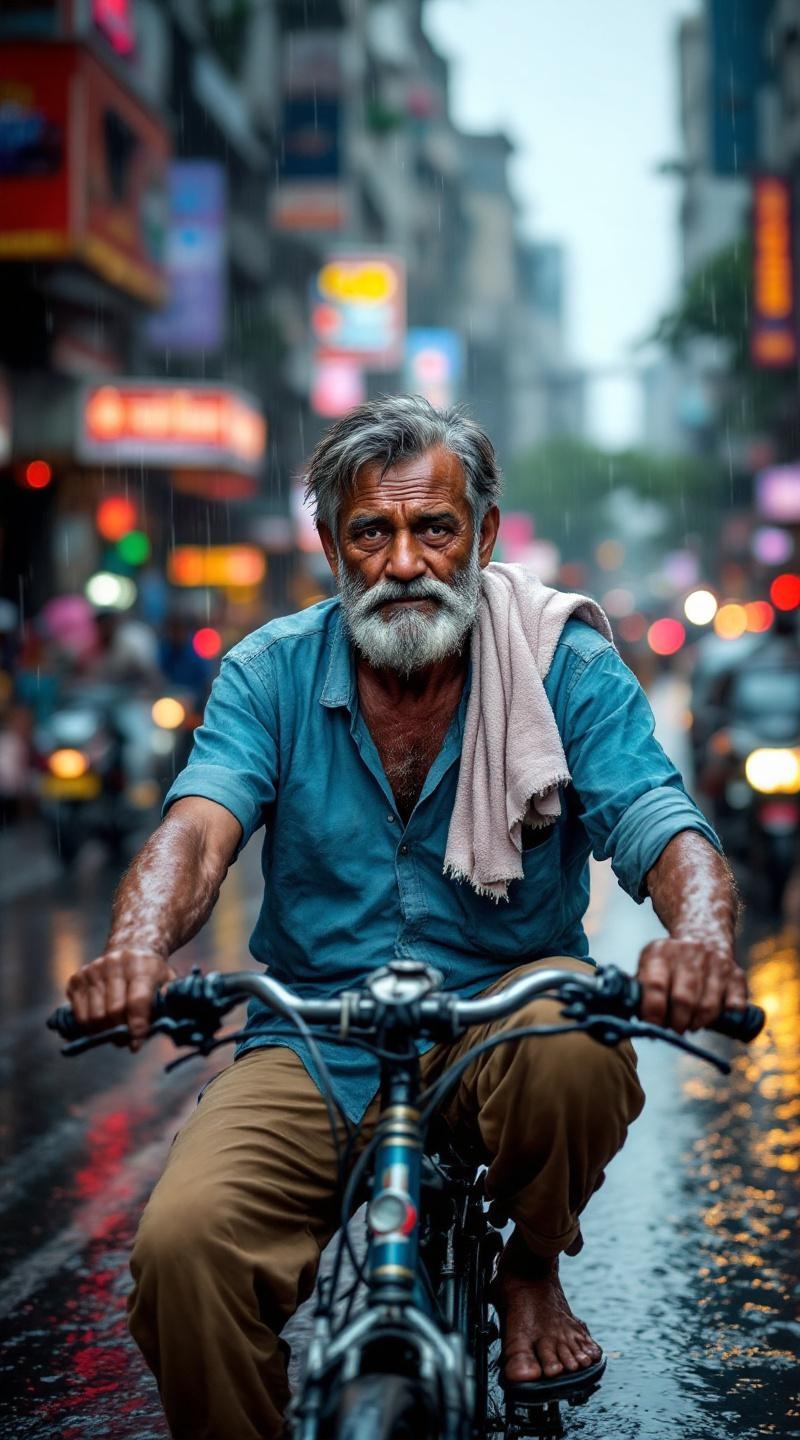
Rickshaw driver pedaling through monsoon-soaked Mumbai streets - Flux.1.1 pro
プロンプト
**Prompt:** A lean, wiry rickshaw driver with sun-darkened skin and a weathered face, deep wrinkles around his eyes from years of squinting in the rain. Short, salt-and-pepper hair clings damply to his forehead. His sinewy arms grip the handlebars, muscles taut as he pedals through flooded streets. He wears a faded, soaked blue cotton shirt, sleeves rolled up, and threadbare khaki pants rolled above his ankles. A frayed towel drapes over one shoulder. His expression is weary but determined, lips pressed thin as rainwater drips from his brows. The rickshaw splashes through deep puddles, monsoon rain pouring in sheets, blurring the chaotic backdrop of Mumbai—glistening storefronts, honking traffic, and neon signs reflecting on wet pavement.
Flux AI Image Promptの詳細分析
Flux AI Image Generatorを使用して画像を生成するために使用された詳細なプロンプトを分析します。
Flux AI画像生成のプロンプトを探索
で画像を生成する方法 Flux.1.1 pro
以下の4つの簡単なステップに従って、希望する画像を作成してください。
ステップ 1: テキストを入力 (より良い結果のためにプロンプトを調整してください)
ステップ 2: 画像のアスペクト比を選択
ステップ 3: Fluxモデルを選択:
ステップ 4: 生成ボタンをクリックして数秒待ち、画像を取得
プロンプトに関連するFlux AIツール Flux.1.1 pro
Flux AIの高度なツールを発見して、クリエイティブな作業フローを強化しましょう。