Waves of Awkward Joy - Flux.1 schnell
提示
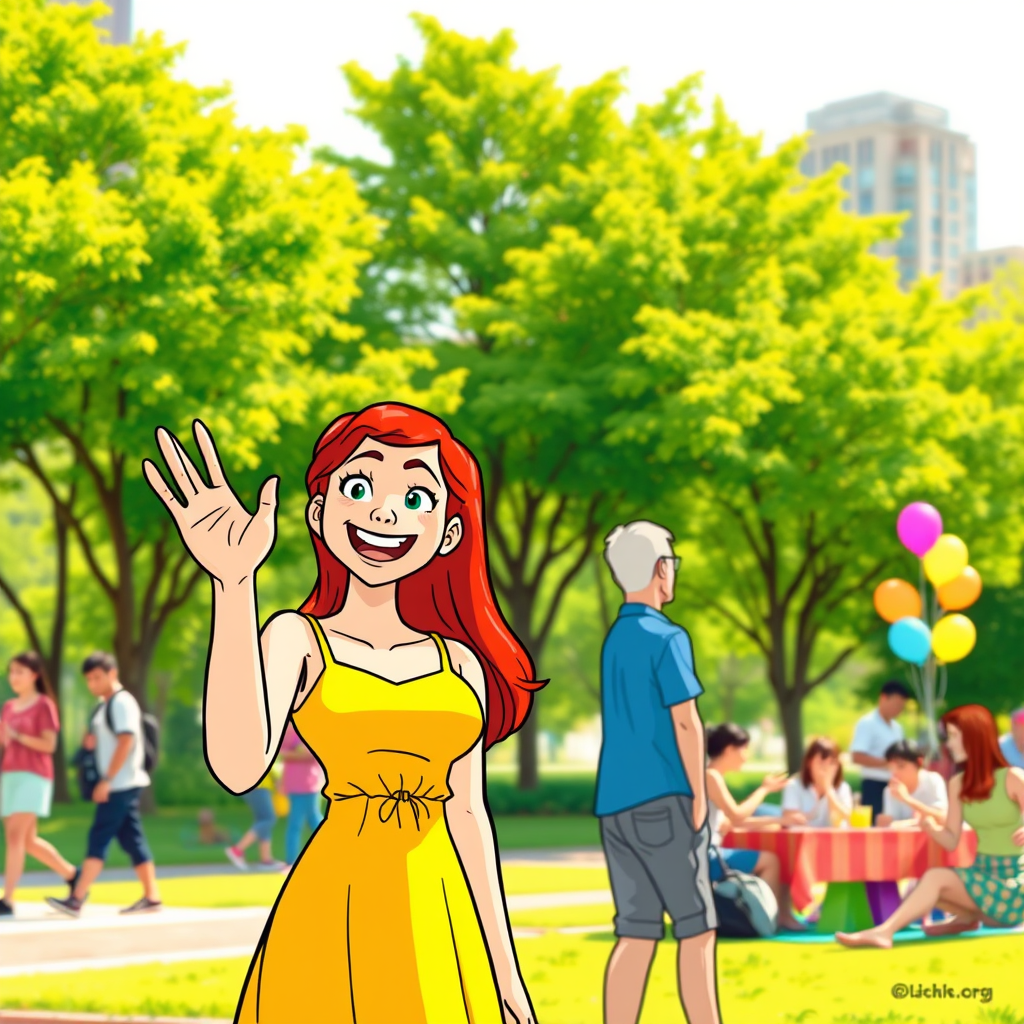
Create a humorous scene set in a bustling city park during a sunny afternoon. In the foreground, a confident young woman with bright red hair wearing a vibrant yellow dress waves enthusiastically at a stranger in the distance. Her expression is a mix of joy and embarrassment as she realizes the stranger, a middle-aged man in a blue shirt, is actually waving at someone behind her. The background features lush green trees and a group of people enjoying a picnic, with colorful blankets and balloons. Use a warm color palette dominated by yellows, greens, and soft blues to evoke a cheerful atmosphere. The lighting should be bright and sunny, casting playful shadows. Consider using a cartoonish style with exaggerated facial expressions and dynamic lines to enhance the comedic effect of the moment, capturing the mix of confidence and awkwardness in the interaction.
Flux AI 圖像提示的詳細分析
分析使用 Flux AI 圖像生成器生成圖像所使用的詳細提示。
探索 Flux AI 圖像生成器的提示
如何通過 Flux.1 schnell
遵循以下四個簡單步驟來創建您想要的圖片。
步驟 1:輸入您的文字 (可自由調整提示以獲得更好的結果)
步驟 2:選擇圖片的縱橫比
步驟 3:選擇您的 Flux 模型:
步驟 4:點擊生成按鈕並等待幾秒鐘獲取您的圖片
與提示相關的 Flux AI 工具 Flux.1 schnell
發現來自 Flux AI 的高級工具,提升您的創意工作流程。