Hikaru Shindo - Flux.1 schnell
提示
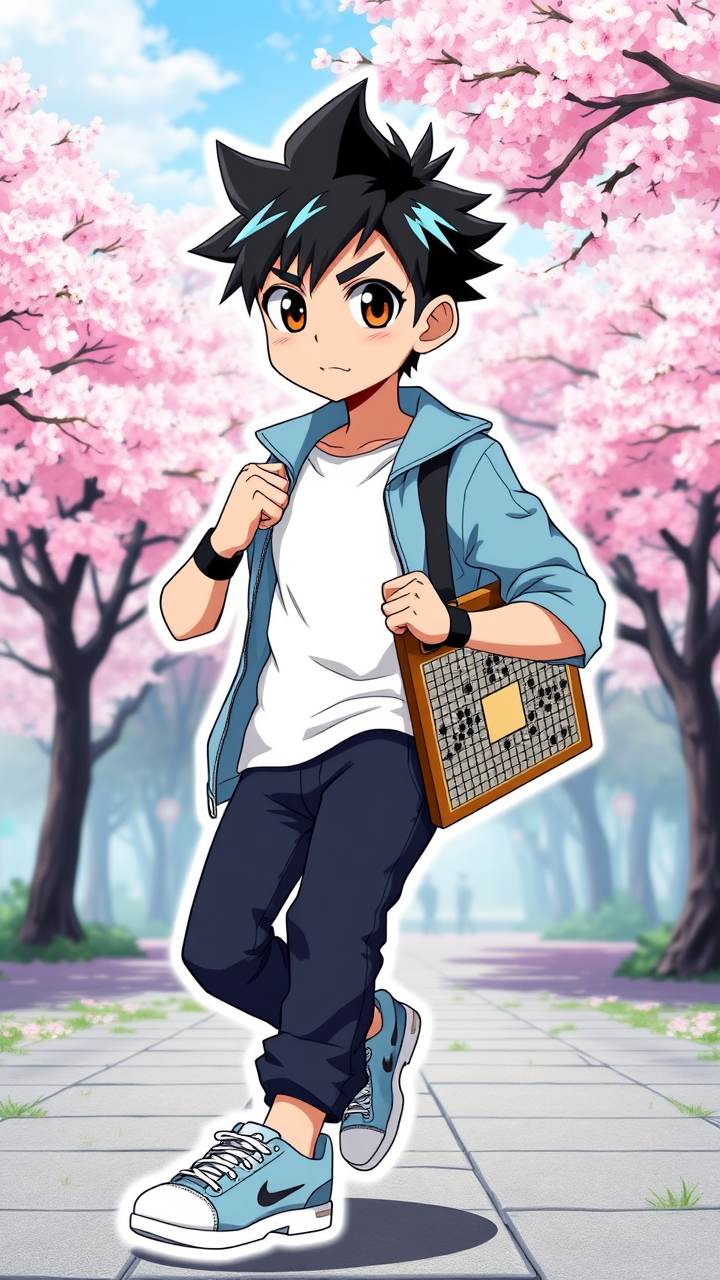
Generate an image of Hikaru Shindo in a vibrant anime style, showcasing his spiky black hair with a slight blue tint, large expressive brown eyes, and a youthful, determined expression. He wears a casual yet stylish outfit featuring a light blue jacket over a white t-shirt, paired with dark jeans and sneakers. Accessories include a black wristband and a Go board tucked under his arm, symbolizing his passion for the game. Pose him in a dynamic stance, as if he’s about to make a crucial move in a Go match, exuding confidence and intensity. The background should depict a serene park setting with cherry blossom trees, emphasizing a sense of calm and focus. Use bold outlines and bright colors typical of anime art styles, with a slight glossy finish for a sticker-like effect. Incorporate subtle glowing effects around the Go board to highlight its significance, adding a magical touch to the scene.
Flux AI 圖像提示的詳細分析
分析使用 Flux AI 圖像生成器生成圖像所使用的詳細提示。
探索 Flux AI 圖像生成器的提示
如何通過 Flux.1 schnell
遵循以下四個簡單步驟來創建您想要的圖片。
步驟 1:輸入您的文字 (可自由調整提示以獲得更好的結果)
步驟 2:選擇圖片的縱橫比
步驟 3:選擇您的 Flux 模型:
步驟 4:點擊生成按鈕並等待幾秒鐘獲取您的圖片
與提示相關的 Flux AI 工具 Flux.1 schnell
發現來自 Flux AI 的高級工具,提升您的創意工作流程。