Chun-Li's Fierce Urban Showdown - Flux.1 dev
提示
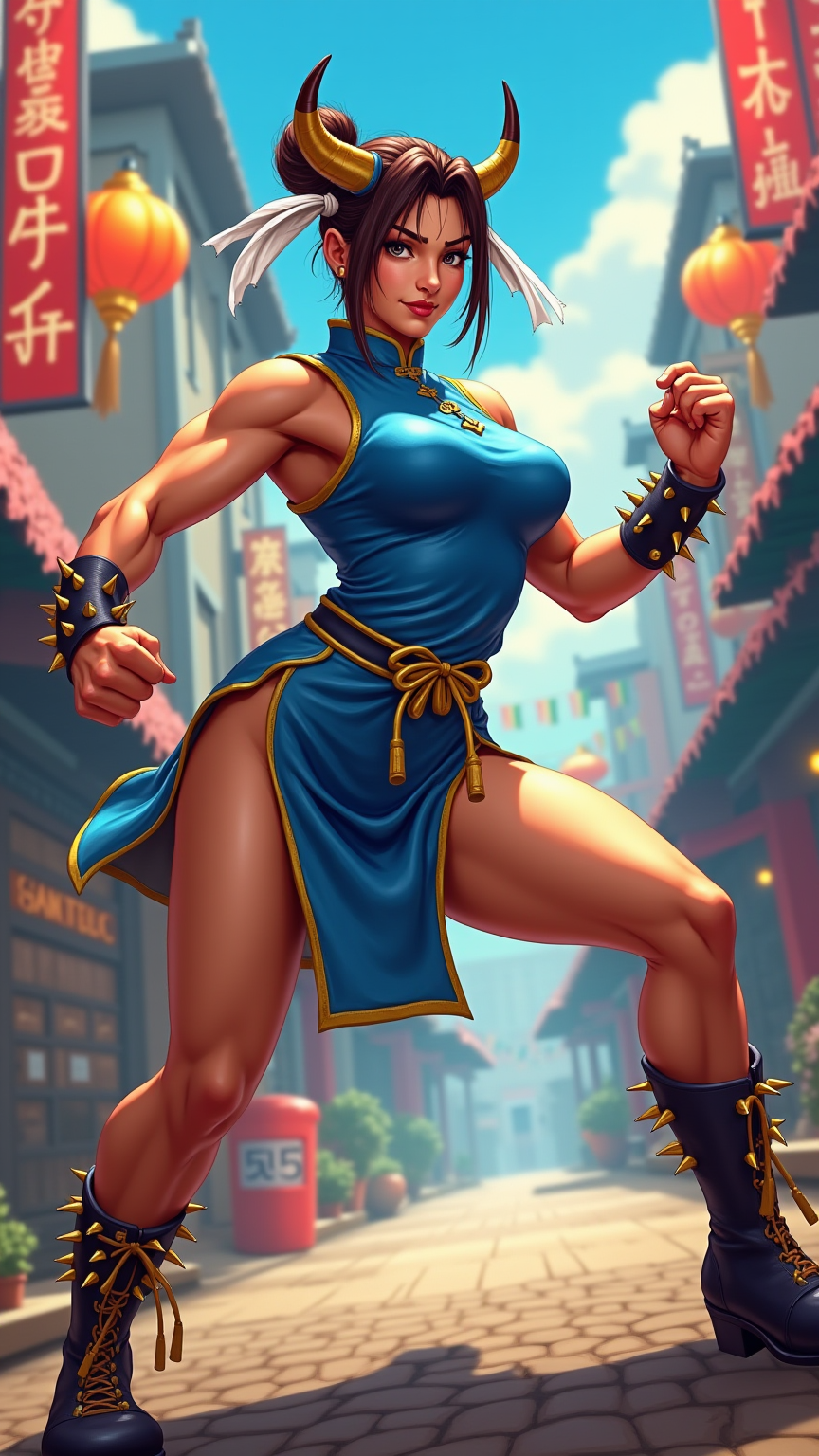
Create a dynamic fighting scene inspired by the classic arcade game "Street Fighter II," showcasing the fierce and agile Chun-Li. She stands poised in her iconic blue qipao, adorned with golden accents and white ribbons, her powerful legs ready for action. Her distinctive oxhorn hairstyle frames a determined face, eyes fierce with focus. The background features a vibrant urban setting, with colorful neon signs and a bustling street market, evoking the game's energetic atmosphere. Include signature elements like Chun-Li's spiked bracelets and the swirling impact of her signature move, the "Spinning Bird Kick," as she unleashes her strength. The overall mood is exhilarating and intense, capturing the essence of competitive fighting, with a vivid color palette of blues, reds, and yellows that enhance the action-packed scene.
Flux AI 圖像提示的詳細分析
分析使用 Flux AI 圖像生成器生成圖像所使用的詳細提示。
探索 Flux AI 圖像生成器的提示
如何通過 Flux.1 dev
遵循以下四個簡單步驟來創建您想要的圖片。
步驟 1:輸入您的文字 (可自由調整提示以獲得更好的結果)
步驟 2:選擇圖片的縱橫比
步驟 3:選擇您的 Flux 模型:
步驟 4:點擊生成按鈕並等待幾秒鐘獲取您的圖片
與提示相關的 Flux AI 工具 Flux.1 dev
發現來自 Flux AI 的高級工具,提升您的創意工作流程。