Passion in Every Note - Flux.1 schnell
提示
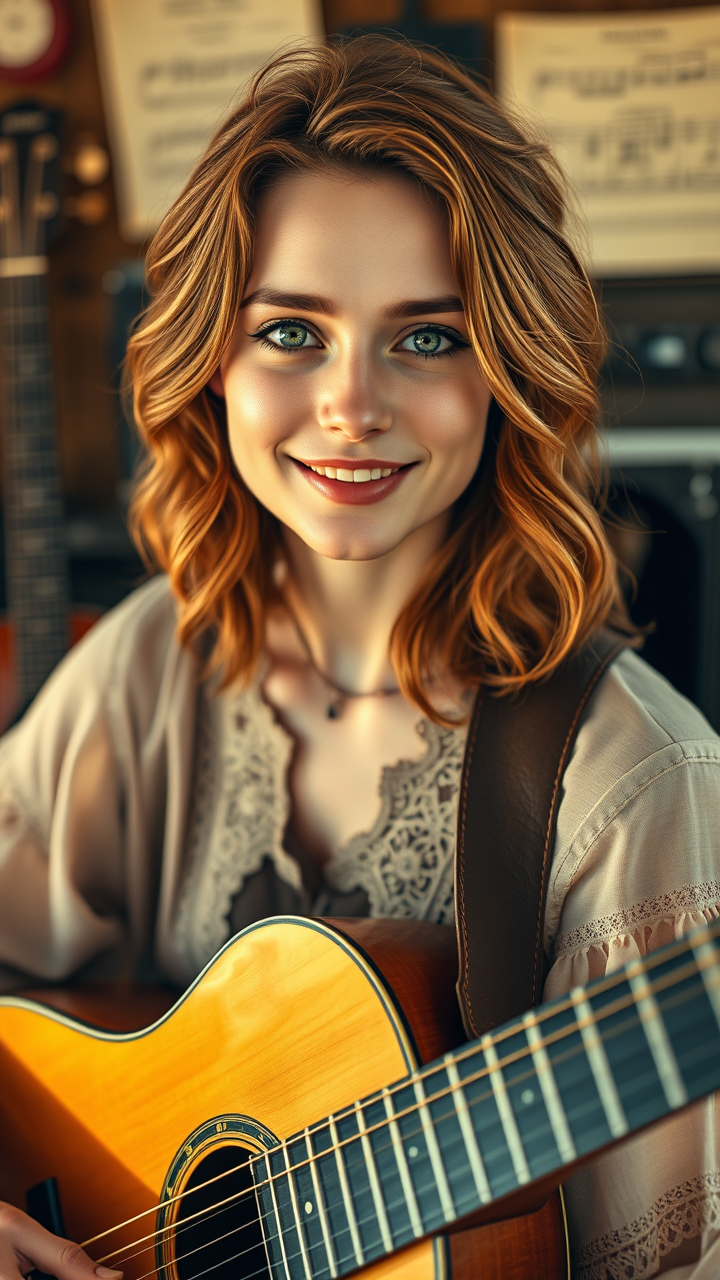
Create a portrait of a female Caucasian musician, exuding passion and creativity. She has wavy, shoulder-length auburn hair that softly frames her face, highlighting her bright green eyes, which sparkle with enthusiasm. Her lips are slightly parted in a gentle smile, conveying warmth and approachability. The lighting is warm and golden, reminiscent of a late afternoon sun, casting soft shadows that enhance her features. She is seated with an acoustic guitar resting on her lap, dressed in a vintage bohemian-style blouse with intricate lace details. The background is a blurred, rustic music studio, filled with instruments and sheet music, adding depth to the scene. Use a shallow depth of field to focus on her, capturing the essence of a candid moment. Render in a soft, painterly style, reminiscent of Impressionism, to evoke a sense of nostalgia and artistry.
Flux AI 圖像提示的詳細分析
分析使用 Flux AI 圖像生成器生成圖像所使用的詳細提示。
探索 Flux AI 圖像生成器的提示
如何通過 Flux.1 schnell
遵循以下四個簡單步驟來創建您想要的圖片。
步驟 1:輸入您的文字 (可自由調整提示以獲得更好的結果)
步驟 2:選擇圖片的縱橫比
步驟 3:選擇您的 Flux 模型:
步驟 4:點擊生成按鈕並等待幾秒鐘獲取您的圖片
與提示相關的 Flux AI 工具 Flux.1 schnell
發現來自 Flux AI 的高級工具,提升您的創意工作流程。