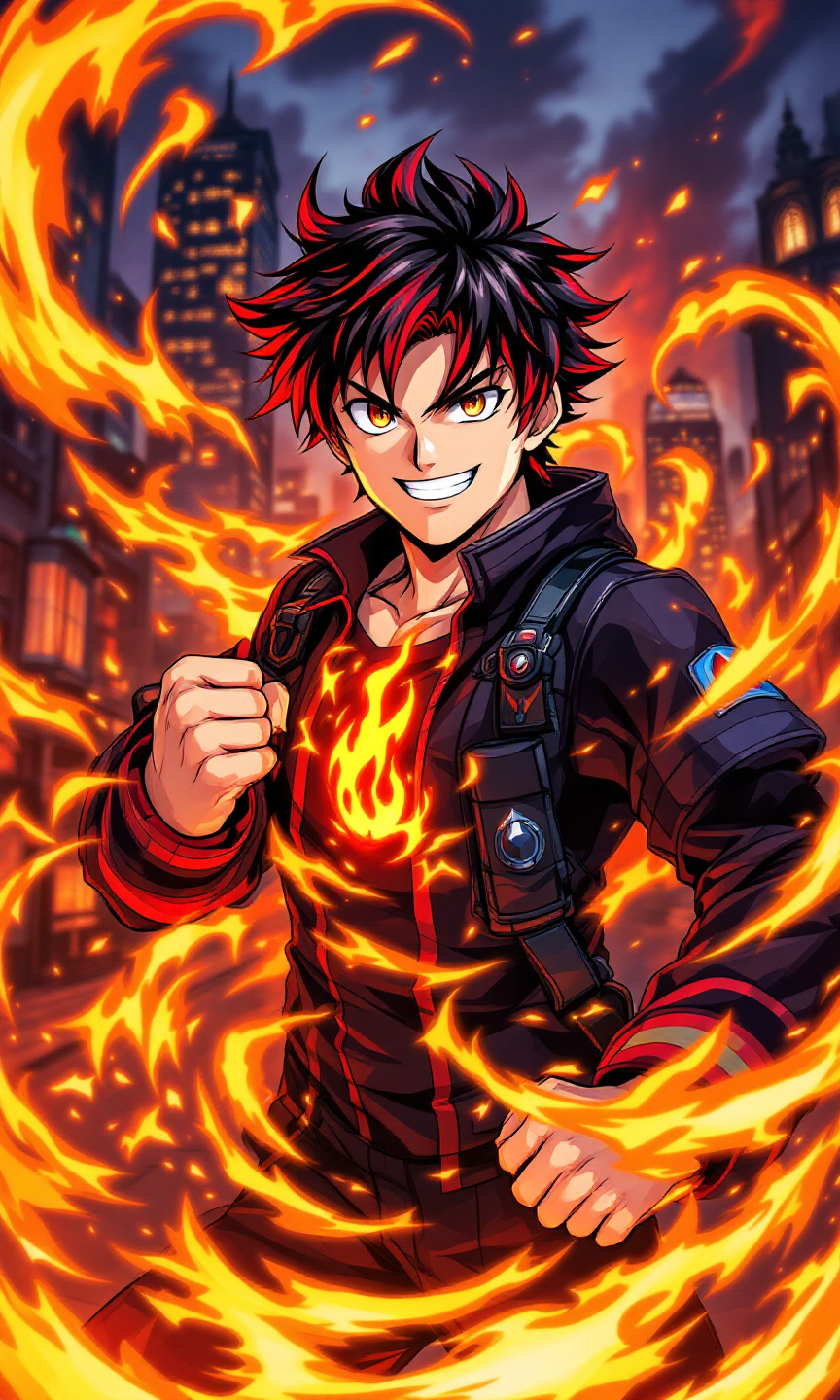
Shinra Kusakabe - Flux.1.1 pro
提示
Create an image of Shinra Kusakabe in a vibrant anime style, focusing on his striking features: short, spiky black hair with a fiery red gradient, and bright, determined amber eyes. He wears a fitted black firefighter uniform accented with red and blue details, showcasing his emblematic flame insignia on the chest. His expression should be a confident grin, radiating enthusiasm and bravery, while striking a dynamic pose, one hand raised as if igniting flames, with the other clenched into a fist. The background features a dramatic cityscape engulfed in flames, emphasizing his role as a firefighter. Use a bold, colorful anime art style, reminiscent of action-packed shonen series, with sharp lines and vibrant colors. Incorporate swirling flames around him, highlighting his pyrokinetic abilities, and add subtle glowing effects to enhance the intensity of the scene.
Flux AI 圖像提示的詳細分析
分析使用 Flux AI 圖像生成器生成圖像所使用的詳細提示。
探索 Flux AI 圖像生成器的提示
如何通過 Flux.1.1 pro
遵循以下四個簡單步驟來創建您想要的圖片。
步驟 1:輸入您的文字 (可自由調整提示以獲得更好的結果)
步驟 2:選擇圖片的縱橫比
步驟 3:選擇您的 Flux 模型:
步驟 4:點擊生成按鈕並等待幾秒鐘獲取您的圖片
與提示相關的 Flux AI 工具 Flux.1.1 pro
發現來自 Flux AI 的高級工具,提升您的創意工作流程。