Fierce Guardian: Dragon Tattoo - Flux.1 schnell
提示
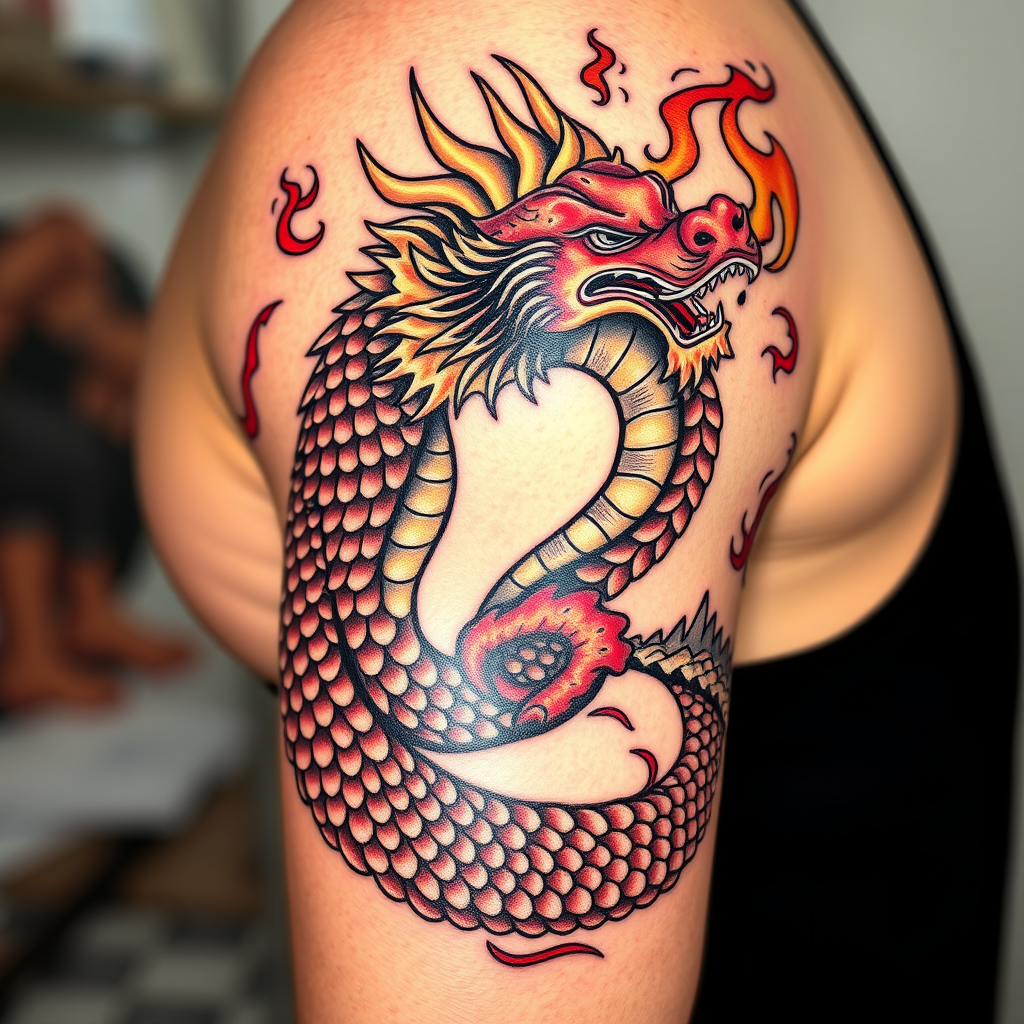
Design a tattoo for the side of the upper arm featuring a stylized dragon coiling around the arm, its body adorned with intricate scales that shimmer like gemstones. The dragon's head, fierce and majestic, breathes vibrant flames that curl and dance around the design, creating a sense of movement. The artistic style should blend traditional Japanese influences with a modern twist, emphasizing bold lines and flowing forms. The tattoo should be medium to large in scale, wrapping around the arm to create a dynamic visual effect. Use a color palette of deep reds, golds, and blacks, with highlights of white to accentuate the flames and scales. Incorporate subtle textures within the scales to enhance depth. This design symbolizes strength and protection, evoking a fierce yet harmonious mood, embodying the spirit of the dragon as a guardian in various cultures.
Flux AI 圖像提示的詳細分析
分析使用 Flux AI 圖像生成器生成圖像所使用的詳細提示。
探索 Flux AI 圖像生成器的提示
如何通過 Flux.1 schnell
遵循以下四個簡單步驟來創建您想要的圖片。
步驟 1:輸入您的文字 (可自由調整提示以獲得更好的結果)
步驟 2:選擇圖片的縱橫比
步驟 3:選擇您的 Flux 模型:
步驟 4:點擊生成按鈕並等待幾秒鐘獲取您的圖片
與提示相關的 Flux AI 工具 Flux.1 schnell
發現來自 Flux AI 的高級工具,提升您的創意工作流程。