Awakening in a Dreamlike Store - Flux.1 dev
提示
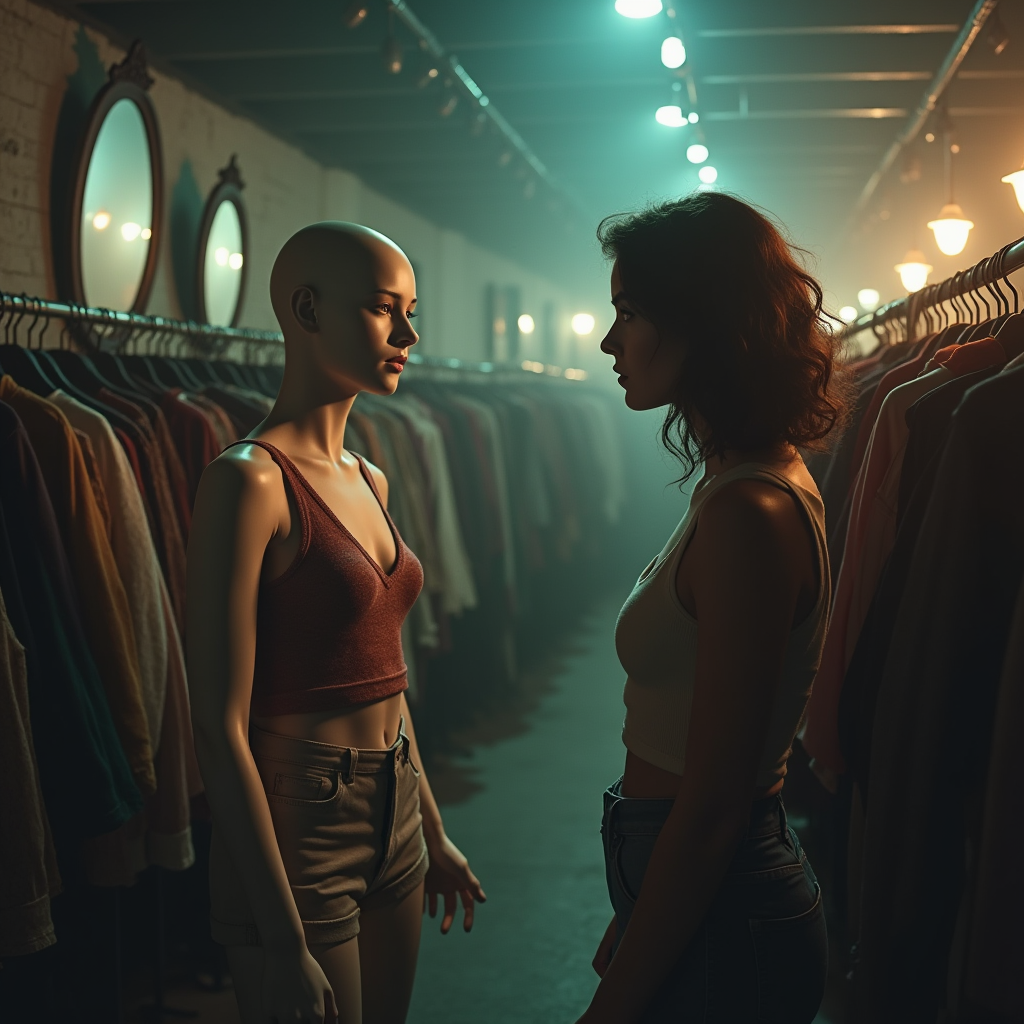
Create a surreal scene set in a dimly lit, vintage clothing store. In the foreground, a young woman with an expression of shock and realization stands facing a lifelike mannequin dressed in a stylish outfit. The mannequin, with an eerily perfect smile, is illuminated by a soft, warm spotlight, contrasting with the cool shadows of the surrounding racks filled with eclectic clothing. The background features dusty mirrors reflecting the scene, adding depth and an unsettling atmosphere. Use a color palette of muted pastels and deep shadows to enhance the dreamlike quality. Incorporate a slightly blurred, painterly effect for a whimsical touch, reminiscent of impressionist art. The composition should emphasize the emotional disconnect between the woman and the mannequin, capturing the moment of realization.
Flux AI 圖像提示的詳細分析
分析使用 Flux AI 圖像生成器生成圖像所使用的詳細提示。
探索 Flux AI 圖像生成器的提示
如何通過 Flux.1 dev
遵循以下四個簡單步驟來創建您想要的圖片。
步驟 1:輸入您的文字 (可自由調整提示以獲得更好的結果)
步驟 2:選擇圖片的縱橫比
步驟 3:選擇您的 Flux 模型:
步驟 4:點擊生成按鈕並等待幾秒鐘獲取您的圖片
與提示相關的 Flux AI 工具 Flux.1 dev
發現來自 Flux AI 的高級工具,提升您的創意工作流程。