Ryu's Hadouken: Clash of Legends - Flux.1 schnell
提示
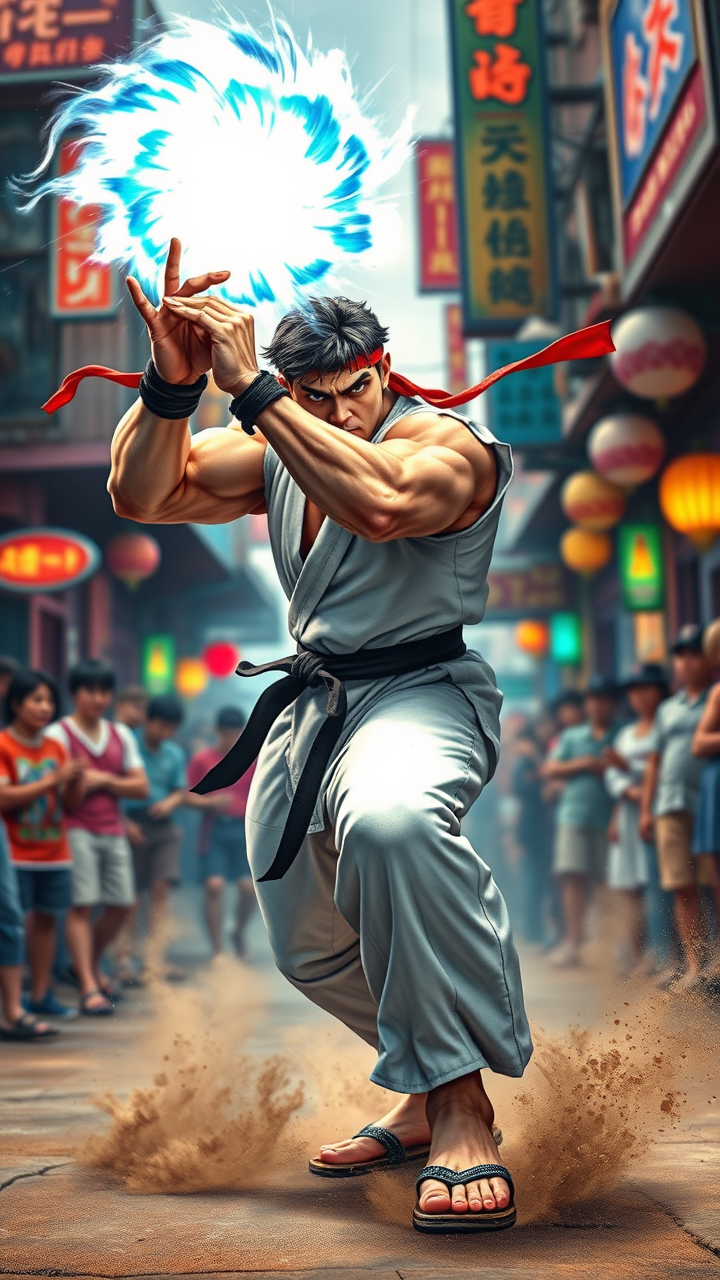
Create a dynamic fighting scene inspired by the iconic game "Street Fighter II." Center the image on Ryu, a muscular martial artist with a determined expression, wearing a traditional white gi with a black belt, his red headband flowing in the wind. Capture his signature Hadouken energy ball, glowing with a vibrant blue aura, as he prepares to unleash it. Surround him with a colorful, bustling street setting reminiscent of classic arcade aesthetics, featuring neon signs and cheering spectators. Include subtle details like Ryu's worn-out sandals and the dust kicked up from the ground as he channels his energy. The atmosphere should be electrifying and intense, embodying the spirit of competition and the thrill of battle, with dramatic lighting emphasizing Ryu's focused stance against a blurred background of his opponent, ready for the clash.
Flux AI 圖像提示的詳細分析
分析使用 Flux AI 圖像生成器生成圖像所使用的詳細提示。
探索 Flux AI 圖像生成器的提示
如何通過 Flux.1 schnell
遵循以下四個簡單步驟來創建您想要的圖片。
步驟 1:輸入您的文字 (可自由調整提示以獲得更好的結果)
步驟 2:選擇圖片的縱橫比
步驟 3:選擇您的 Flux 模型:
步驟 4:點擊生成按鈕並等待幾秒鐘獲取您的圖片
與提示相關的 Flux AI 工具 Flux.1 schnell
發現來自 Flux AI 的高級工具,提升您的創意工作流程。