Vibrant Muse: A Creative Soul - Flux.1.1 pro
提示
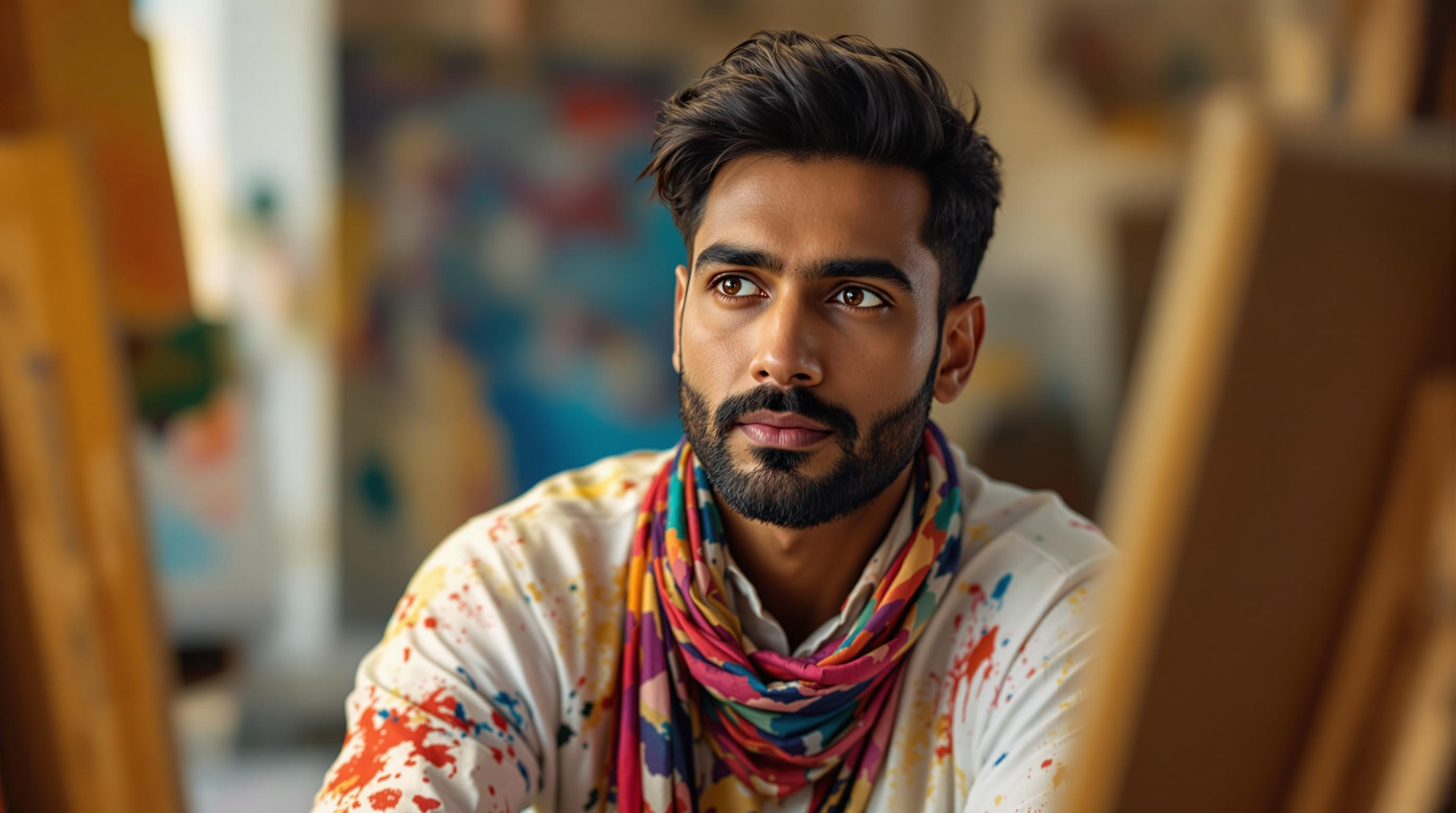
Create a captivating portrait of a South Asian male artist, aged around 30, with deep-set brown eyes and a strong jawline. His skin is a warm olive tone, accentuated by a slight stubble. He wears a paint-splattered white shirt and a colorful scarf draped around his neck, hinting at his vibrant personality. Capture a thoughtful expression as he gazes slightly off-camera, lost in creativity. The lighting is soft and diffused, casting gentle shadows that emphasize his features, with a warm golden hour glow. The background features easels and abstract canvases, hinting at his artistic environment. Use a shallow depth of field to keep the focus on his face, shot from a slightly low angle to convey a sense of admiration. Render in a semi-realistic style, reminiscent of contemporary portraiture, with rich colors and textures that evoke emotion and depth.
Flux AI 圖像提示的詳細分析
分析使用 Flux AI 圖像生成器生成圖像所使用的詳細提示。
探索 Flux AI 圖像生成器的提示
如何通過 Flux.1.1 pro
遵循以下四個簡單步驟來創建您想要的圖片。
步驟 1:輸入您的文字 (可自由調整提示以獲得更好的結果)
步驟 2:選擇圖片的縱橫比
步驟 3:選擇您的 Flux 模型:
步驟 4:點擊生成按鈕並等待幾秒鐘獲取您的圖片
與提示相關的 Flux AI 工具 Flux.1.1 pro
發現來自 Flux AI 的高級工具,提升您的創意工作流程。