Wild Strength: Bear Tattoo Design - Flux.1 dev
提示
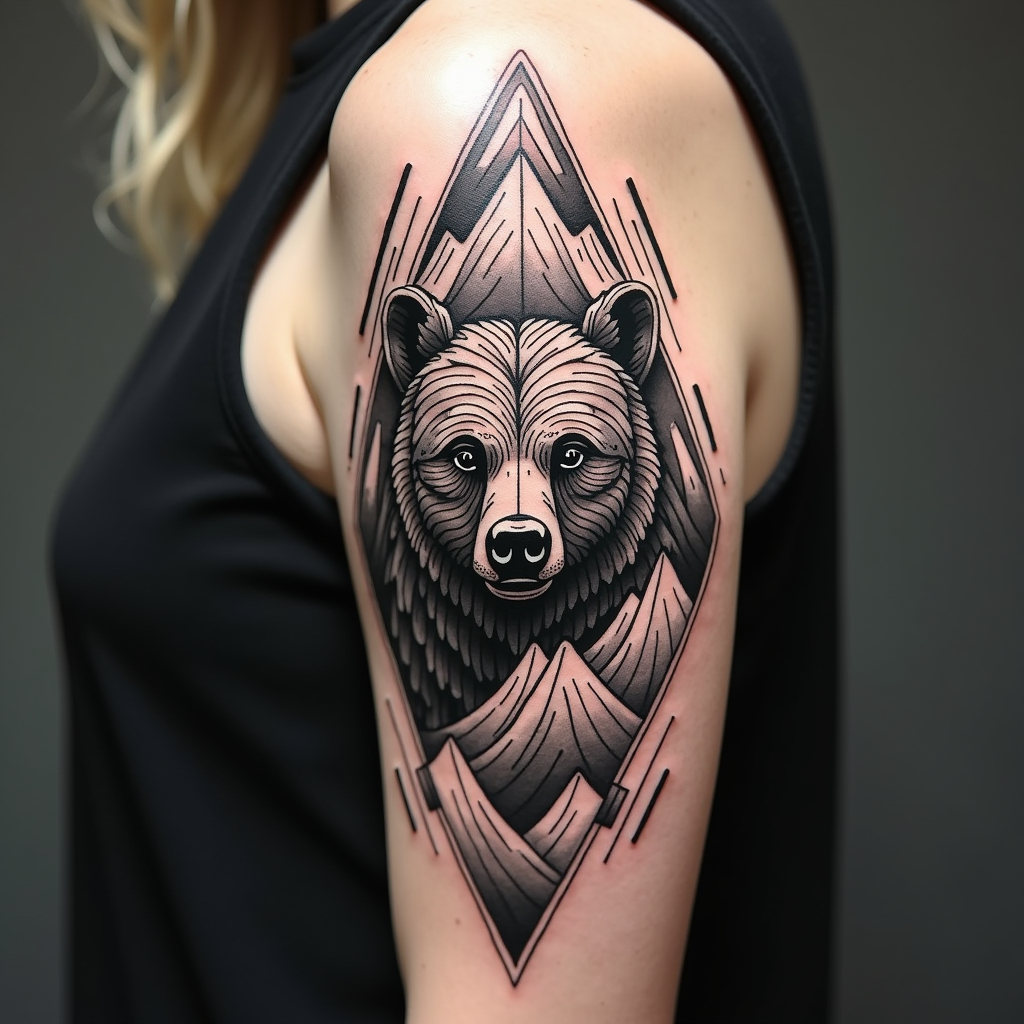
Create a tattoo design for the side of the upper arm featuring a stylized bear, embodying strength and resilience. The bear should be intricately detailed, with mountain elements integrated into its form, symbolizing a connection to nature. Surround the bear with geometric patterns that evoke a sense of balance and harmony. The artistic style should blend realism with a touch of minimalism, ensuring the design remains striking yet not overly complex. The tattoo should be medium-sized, allowing for clear visibility of details. Opt for a black and white color palette to emphasize the intricate line work and textures. Incorporate subtle shading to add depth, and consider cultural references to indigenous art, enhancing the overall aesthetic. The mood should convey a sense of adventure and connection to the wild, making it a powerful statement piece.
Flux AI 圖像提示的詳細分析
分析使用 Flux AI 圖像生成器生成圖像所使用的詳細提示。
探索 Flux AI 圖像生成器的提示
如何通過 Flux.1 dev
遵循以下四個簡單步驟來創建您想要的圖片。
步驟 1:輸入您的文字 (可自由調整提示以獲得更好的結果)
步驟 2:選擇圖片的縱橫比
步驟 3:選擇您的 Flux 模型:
步驟 4:點擊生成按鈕並等待幾秒鐘獲取您的圖片
與提示相關的 Flux AI 工具 Flux.1 dev
發現來自 Flux AI 的高級工具,提升您的創意工作流程。