Twilight Elegance Unveiled - Flux.1 dev
提示
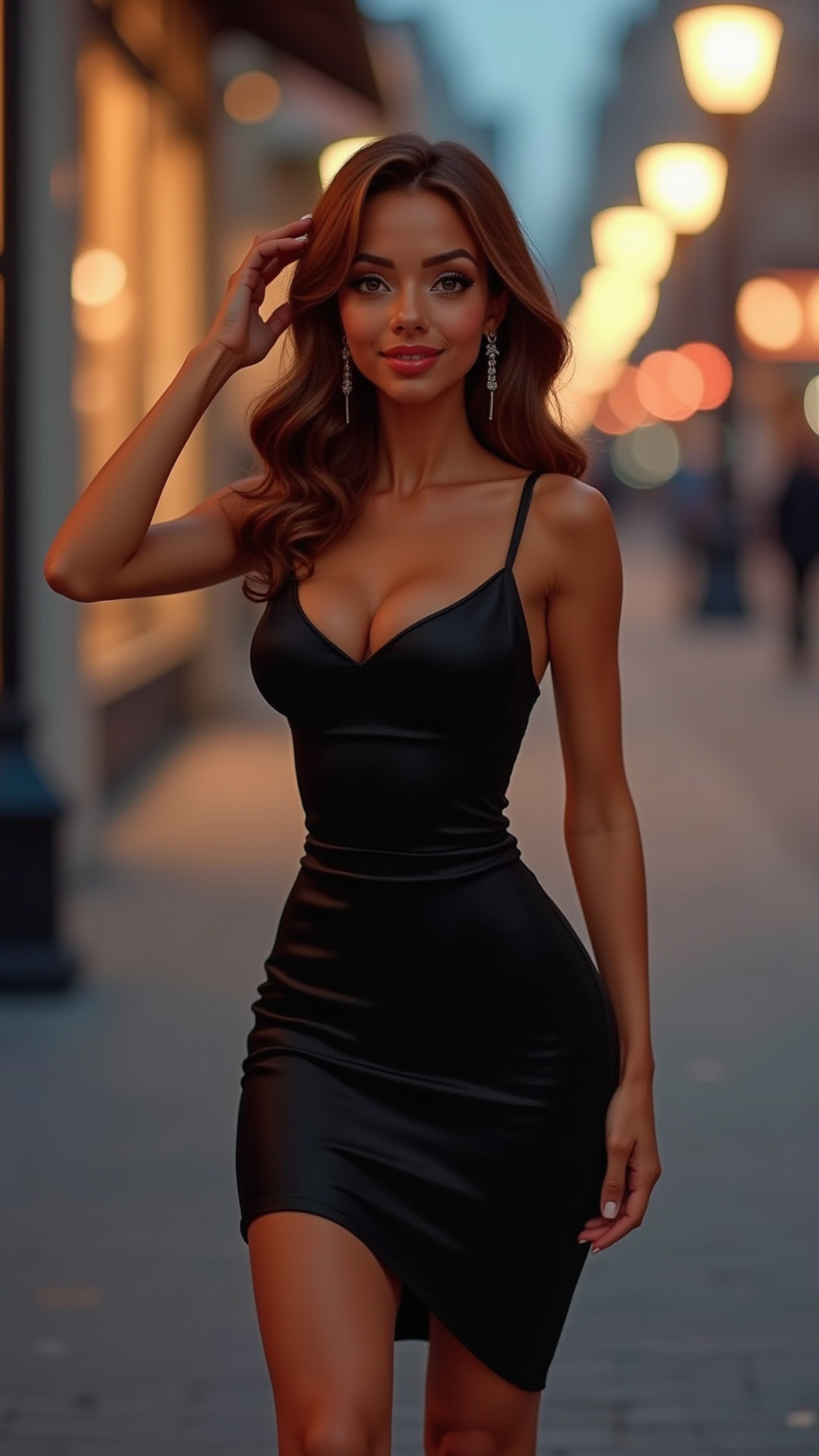
A graceful figure stands confidently, dressed in a chic black dress that elegantly hugs her curves, accentuating a slim waist and flowing into a knee-length skirt. Her skin is a warm caramel tone, smooth and radiant. She has long, wavy chestnut hair cascading down her back, framing a heart-shaped face with high cheekbones and soft almond-shaped hazel eyes that sparkle with determination. Her lips are painted a bold red, slightly parted in a poised smile. She wears sleek black stiletto heels, adding height to her tall, slender frame. With one hand on her hip and the other lightly brushing her hair back, she exudes an air of sophistication and confidence. The background features a softly lit urban street at twilight, with blurred city lights creating a vibrant yet serene atmosphere, enhancing her striking presence.
Flux AI 圖像提示的詳細分析
分析使用 Flux AI 圖像生成器生成圖像所使用的詳細提示。
探索 Flux AI 圖像生成器的提示
如何通過 Flux.1 dev
遵循以下四個簡單步驟來創建您想要的圖片。
步驟 1:輸入您的文字 (可自由調整提示以獲得更好的結果)
步驟 2:選擇圖片的縱橫比
步驟 3:選擇您的 Flux 模型:
步驟 4:點擊生成按鈕並等待幾秒鐘獲取您的圖片
與提示相關的 Flux AI 工具 Flux.1 dev
發現來自 Flux AI 的高級工具,提升您的創意工作流程。