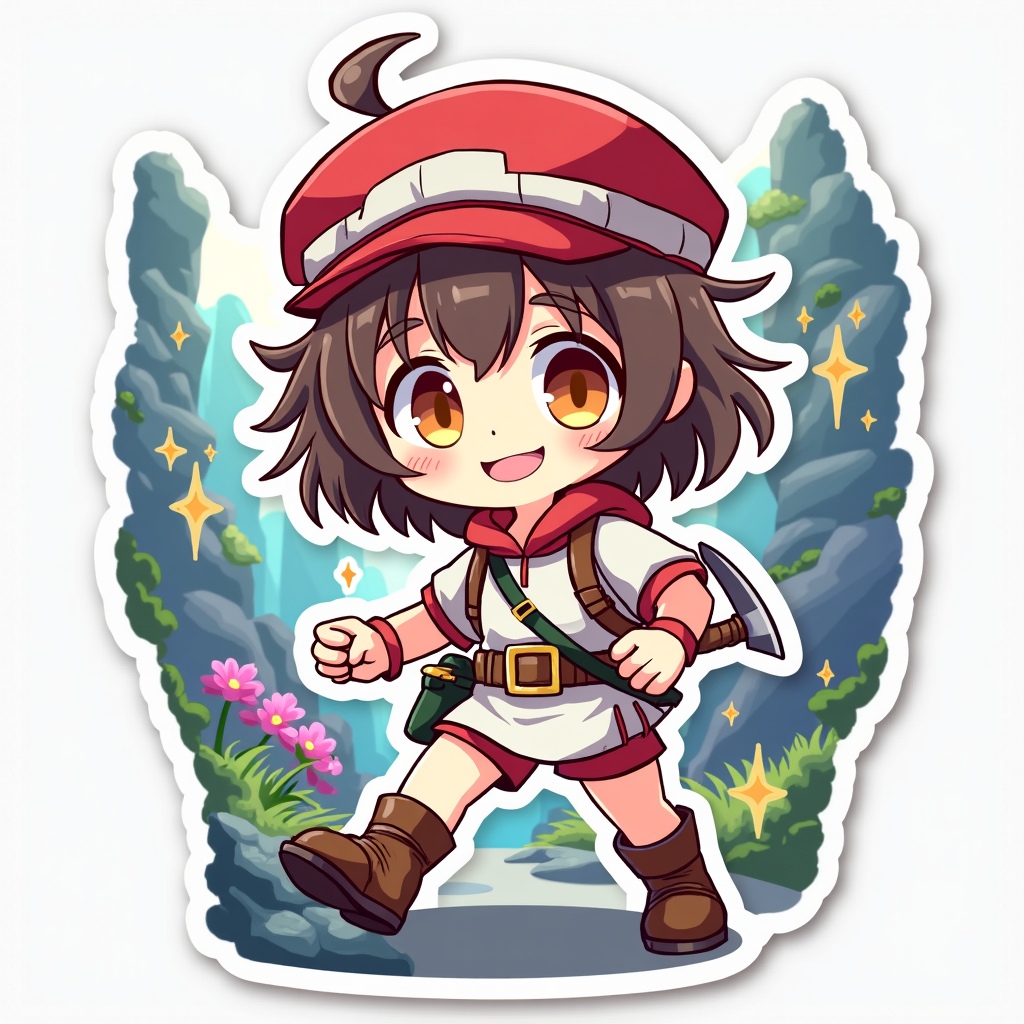
《Made in Abyss》-Riko - Flux.1 dev
提示
**Prompt:** "Anime sticker style illustration of Riko from 《Made in Abyss》, featuring her iconic red hat with white trim, short brown hair, and bright, determined amber eyes. She wears her signature white and red explorer outfit with a belt pouch and sturdy boots. Capture her cheerful, adventurous expression with a slight smile, posed mid-action as if climbing or holding a relic. Include her whistle and pickaxe as key accessories. The background should mimic the Abyss’s mysterious, layered environments—vibrant flora, glowing stones, and ancient ruins in a chibi-style sticker format. Use bold outlines, vibrant colors, and exaggerated, cute proportions typical of anime stickers. Add a faint glow around her to emphasize her curiosity and bravery, with subtle sparkles or star accents for a playful touch." (999 characters)
Flux AI 圖像提示的詳細分析
分析使用 Flux AI 圖像生成器生成圖像所使用的詳細提示。
探索 Flux AI 圖像生成器的提示
如何通過 Flux.1 dev
遵循以下四個簡單步驟來創建您想要的圖片。
步驟 1:輸入您的文字 (可自由調整提示以獲得更好的結果)
步驟 2:選擇圖片的縱橫比
步驟 3:選擇您的 Flux 模型:
步驟 4:點擊生成按鈕並等待幾秒鐘獲取您的圖片
與提示相關的 Flux AI 工具 Flux.1 dev
發現來自 Flux AI 的高級工具,提升您的創意工作流程。