Skeptical Third World Boy - Flux.1 schnell
提示
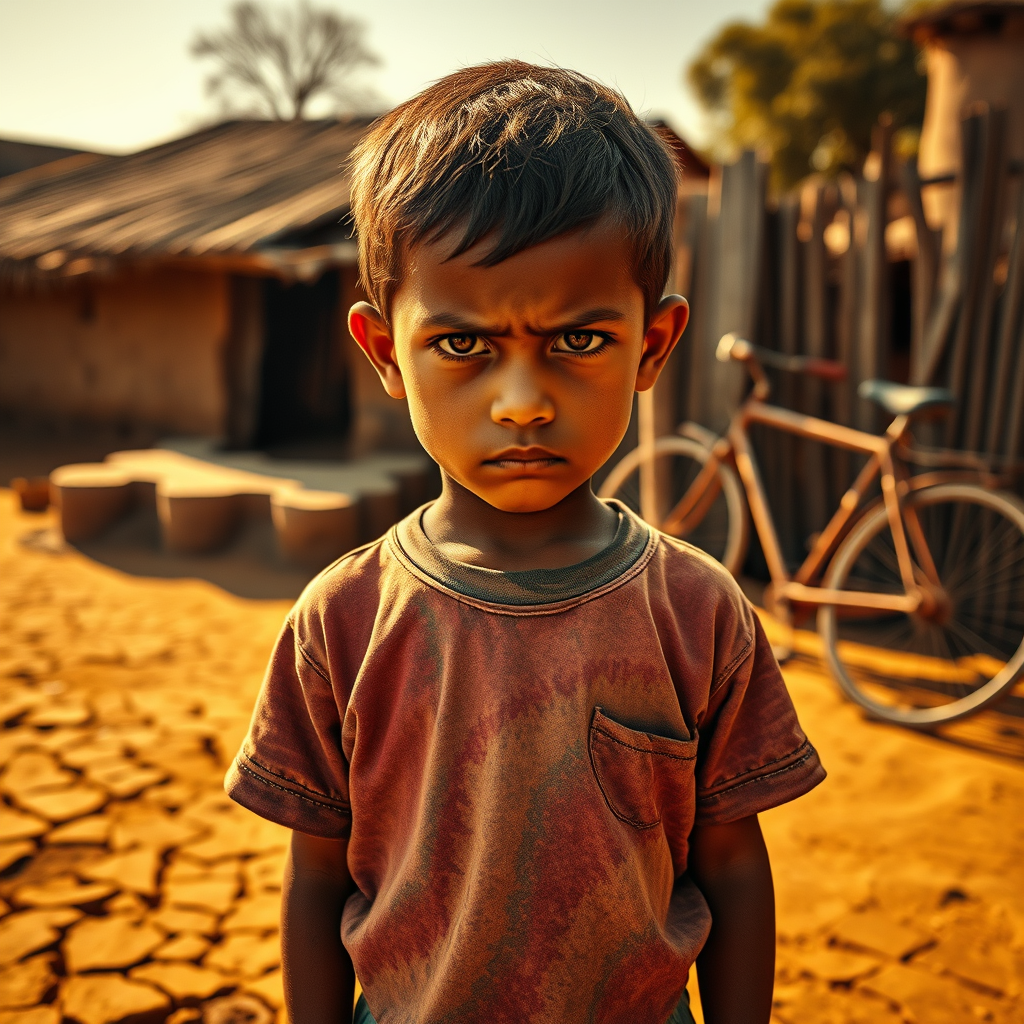
**Prompt:** "A young boy from a rural, developing region stands center-frame, his expression deeply skeptical—raised eyebrows, narrowed eyes, and a slight frown. He wears a worn but colorful t-shirt, slightly oversized, and shorts with visible stitching repairs. The background is a sunbaked village scene: cracked earth, a faded clay-walled hut, and a rusty bicycle leaning against a wooden fence. Warm, golden-hour lighting casts long shadows, enhancing the textures of his clothing and the dusty environment. The palette is earthy—ochres, muted reds, and faded blues—with high contrast to emphasize the boy’s piercing gaze. Render in a hyper-realistic or semi-photographic style, with subtle grain to evoke a documentary feel. Focus on raw, unfiltered emotion and the juxtaposition of youthful innocence with weary skepticism." (Characters: 847)
Flux AI 圖像提示的詳細分析
分析使用 Flux AI 圖像生成器生成圖像所使用的詳細提示。
探索 Flux AI 圖像生成器的提示
如何通過 Flux.1 schnell
遵循以下四個簡單步驟來創建您想要的圖片。
步驟 1:輸入您的文字 (可自由調整提示以獲得更好的結果)
步驟 2:選擇圖片的縱橫比
步驟 3:選擇您的 Flux 模型:
步驟 4:點擊生成按鈕並等待幾秒鐘獲取您的圖片
與提示相關的 Flux AI 工具 Flux.1 schnell
發現來自 Flux AI 的高級工具,提升您的創意工作流程。