Serena Williams - Flux.1 pro
提示
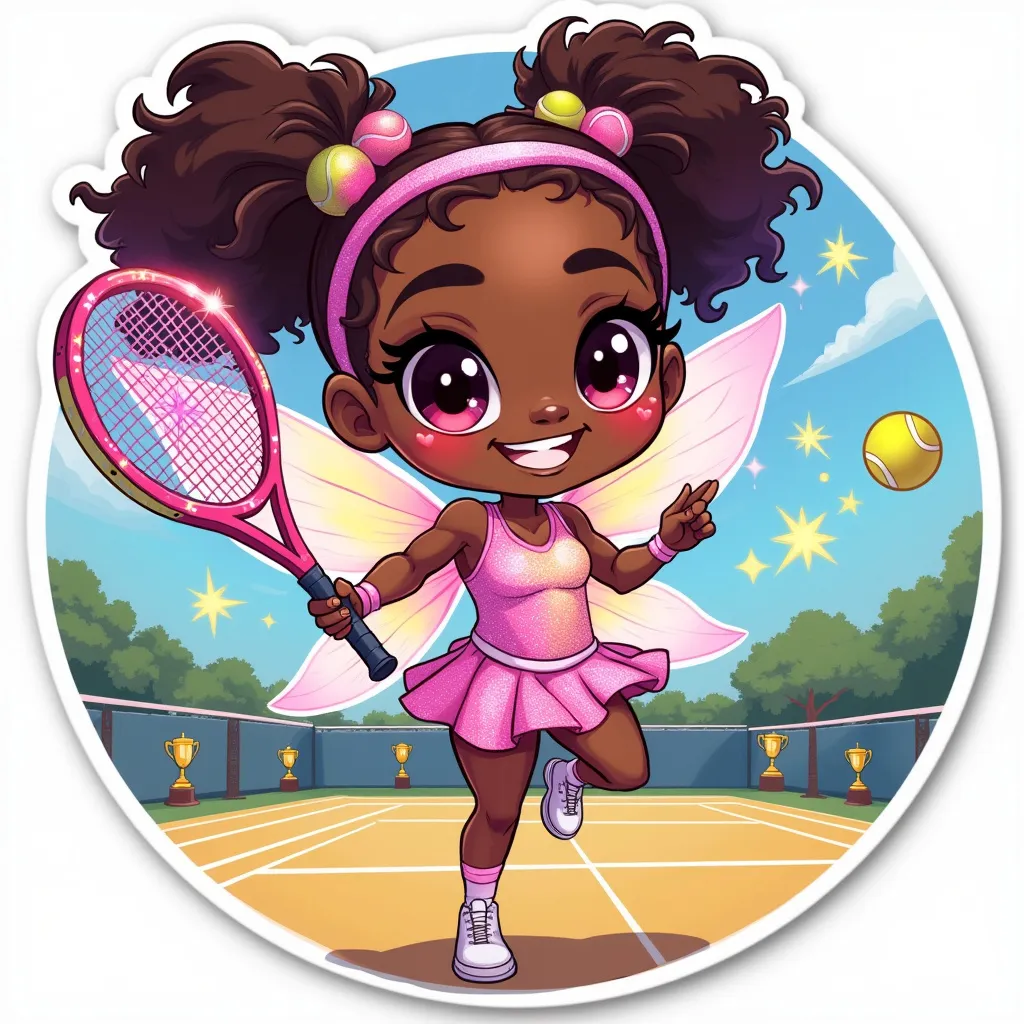
Chibi-style Serena Williams as a mischievous tennis fairy, with exaggerated big eyes and a playful grin. She's wearing a sparkly, pastel-colored tennis outfit with tiny wings on her back. Her hair is styled in her signature ponytail with colorful tennis ball-shaped hair ties. She's holding an oversized magical tennis racket that's glowing and leaving a trail of stars. The background is a whimsical tennis court with floating tennis balls and trophies. Serena is posed mid-jump, with one leg kicked up behind her. Soft, pastel color palette with pops of neon. Kawaii-inspired details like heart-shaped sweat drops and starry eyes. The overall composition is circular, perfect for a sticker format. Add a subtle shimmer effect and a thin white border around the entire image. Use clean, bold linework and flat colors for a crisp, sticker-like appearance.
Flux AI 图像提示的详细分析
分析用于通过 Flux AI 图像生成器生成图像的详细提示。
探索Flux AI图像生成器的提示词
如何通过 Flux.1 pro
按照以下四个简单步骤创建您想要的图像。
步骤 1:输入您的文字 (可以优化您的提示以获得更好的结果)
步骤 2:选择图片宽高比
步骤 3:选择您的 Flux 模型:
步骤 4:点击生成按钮,等待几秒钟获取您的图像
与提示相关的 Flux AI 工具 Flux.1 pro
发现来自 Flux AI 的高级工具,提升您的创意工作流程。