Goku - Flux.1 pro
提示
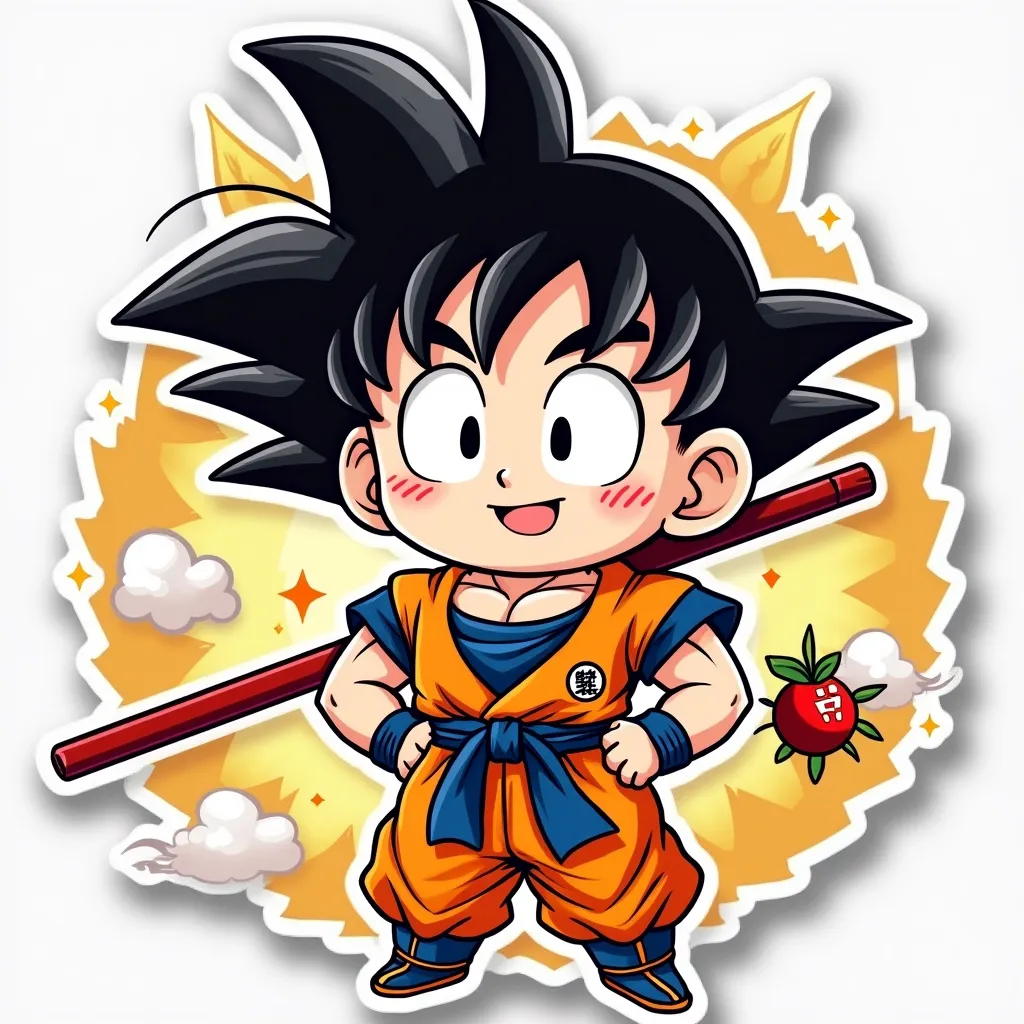
Anime sticker style, chibi Goku with spiky black hair and orange gi, cute oversized head and large expressive eyes, confident grin, hands on hips power pose, muscular arms and chest, blue undershirt peeking out, red pole strapped to back, small fluffy nimbus cloud floating nearby, golden halo effect around figure, vibrant color palette with bold outlines, simplified background with speed lines and energy swirls, Dragon Ball logo in corner, kawaii style with exaggerated proportions, glossy sticker-like finish, slight 3D effect with drop shadow, playful and energetic atmosphere, small stars and ki energy sparks scattered around, miniature four-star Dragon Ball hovering near Goku's head, tiny Shenron dragon curling around edge of sticker, clean vector-like art style with smooth gradients, rounded corners on overall sticker shape, white border framing the entire design
Flux AI 图像提示的详细分析
分析用于通过 Flux AI 图像生成器生成图像的详细提示。
探索Flux AI图像生成器的提示词
如何通过 Flux.1 pro
按照以下四个简单步骤创建您想要的图像。
步骤 1:输入您的文字 (可以优化您的提示以获得更好的结果)
步骤 2:选择图片宽高比
步骤 3:选择您的 Flux 模型:
步骤 4:点击生成按钮,等待几秒钟获取您的图像
与提示相关的 Flux AI 工具 Flux.1 pro
发现来自 Flux AI 的高级工具,提升您的创意工作流程。