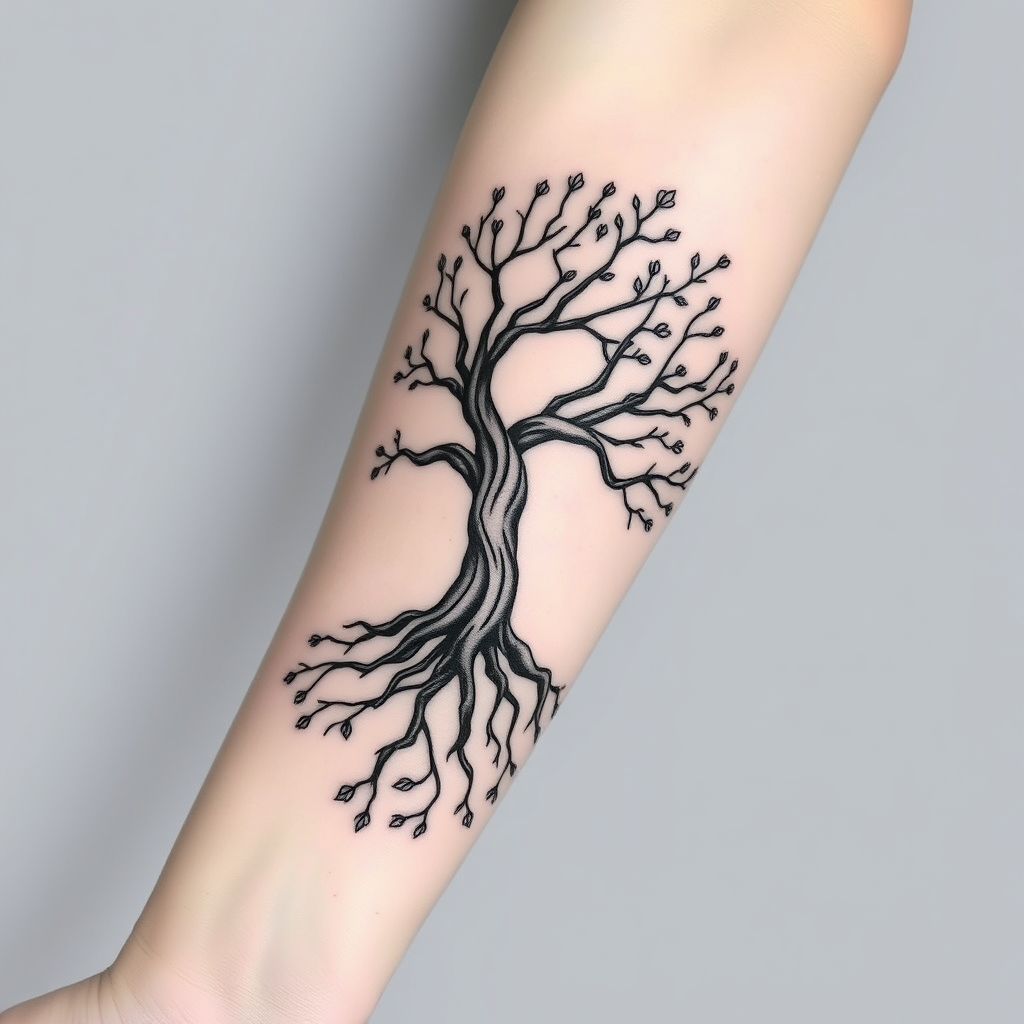
Ethereal Tree of Life Tattoo - Flux.1 schnell
提示
Create a tattoo design for the side of the forearm featuring a stylized tree with intricate roots and branches intertwining elegantly. The tree should have a minimalist yet organic feel, with smooth, flowing lines that suggest movement and life. Incorporate small details like leaves and blossoms, blending them into the branches to symbolize growth and renewal. The tattoo should be medium-sized, wrapping around the forearm to create a sense of continuity. Opt for a black and white color palette, emphasizing shading and negative space to enhance depth and texture. Include subtle patterns within the bark to evoke a sense of ancient wisdom. The design should convey a serene and harmonious mood, drawing inspiration from nature and the interconnectedness of life, reflecting themes of resilience and grounding.
Flux AI 图像提示的详细分析
分析用于通过 Flux AI 图像生成器生成图像的详细提示。
探索Flux AI图像生成器的提示词
如何通过 Flux.1 schnell
按照以下四个简单步骤创建您想要的图像。
步骤 1:输入您的文字 (可以优化您的提示以获得更好的结果)
步骤 2:选择图片宽高比
步骤 3:选择您的 Flux 模型:
步骤 4:点击生成按钮,等待几秒钟获取您的图像
与提示相关的 Flux AI 工具 Flux.1 schnell
发现来自 Flux AI 的高级工具,提升您的创意工作流程。