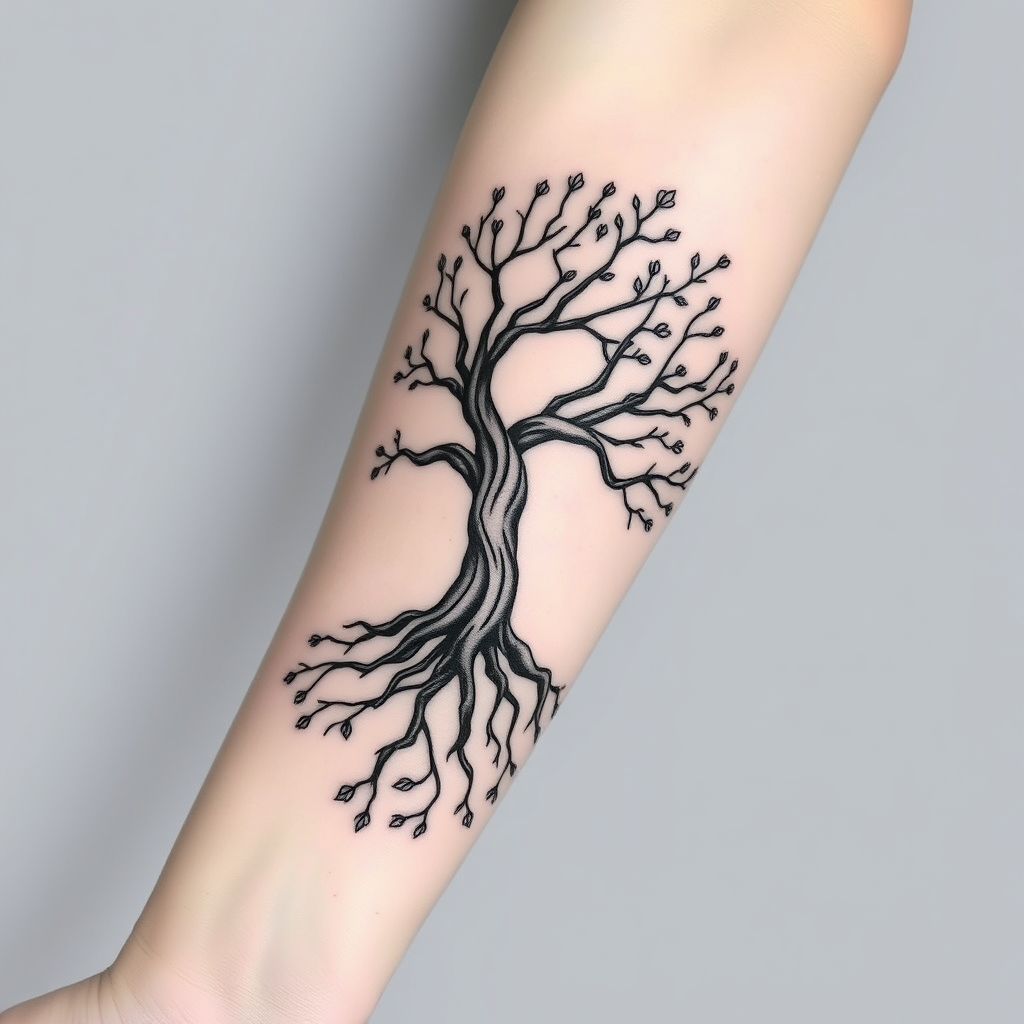
Ethereal Tree of Life Tattoo - Flux.1 schnell
プロンプト
Create a tattoo design for the side of the forearm featuring a stylized tree with intricate roots and branches intertwining elegantly. The tree should have a minimalist yet organic feel, with smooth, flowing lines that suggest movement and life. Incorporate small details like leaves and blossoms, blending them into the branches to symbolize growth and renewal. The tattoo should be medium-sized, wrapping around the forearm to create a sense of continuity. Opt for a black and white color palette, emphasizing shading and negative space to enhance depth and texture. Include subtle patterns within the bark to evoke a sense of ancient wisdom. The design should convey a serene and harmonious mood, drawing inspiration from nature and the interconnectedness of life, reflecting themes of resilience and grounding.
Flux AI Image Promptの詳細分析
Flux AI Image Generatorを使用して画像を生成するために使用された詳細なプロンプトを分析します。
Flux AI画像生成のプロンプトを探索
で画像を生成する方法 Flux.1 schnell
以下の4つの簡単なステップに従って、希望する画像を作成してください。
ステップ 1: テキストを入力 (より良い結果のためにプロンプトを調整してください)
ステップ 2: 画像のアスペクト比を選択
ステップ 3: Fluxモデルを選択:
ステップ 4: 生成ボタンをクリックして数秒待ち、画像を取得
プロンプトに関連するFlux AIツール Flux.1 schnell
Flux AIの高度なツールを発見して、クリエイティブな作業フローを強化しましょう。