Chun-Li: Fury Unleashed! - Flux.1 schnell
提示
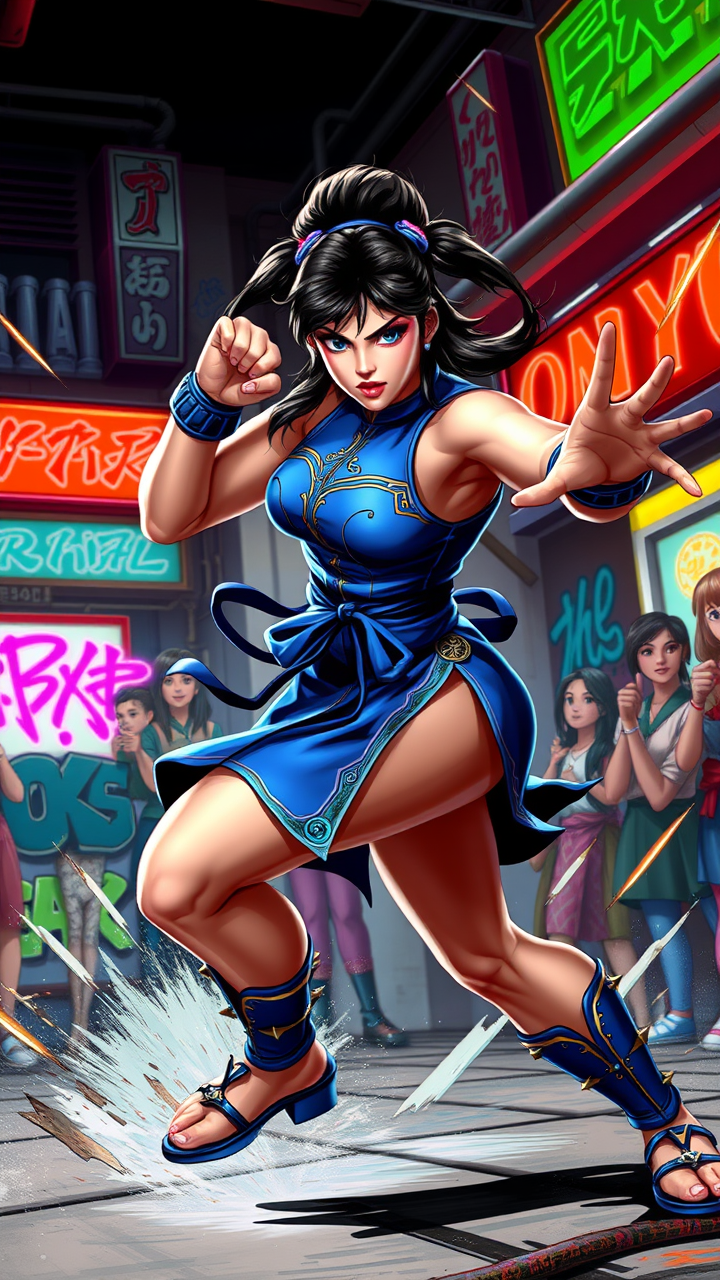
Create a dynamic fighting game scene inspired by "Street Fighter II," showcasing the iconic character Chun-Li in a fierce battle stance. She is depicted with her signature qipao dress, adorned with blue and gold accents, and her iconic spiked bracelets. Her powerful legs are coiled, ready to unleash a devastating kick, emphasizing her agility and strength. The background features a vibrant urban setting, reminiscent of classic arcade environments, with neon lights and graffiti-covered walls that pulse with energy. Include a cheering crowd, capturing the excitement of a tournament atmosphere. The overall mood is intense and exhilarating, filled with motion lines and energy bursts to convey the action. Highlight Chun-Li's determined expression, showcasing her fierce spirit and dedication as a fighter.
Flux AI 图像提示的详细分析
分析用于通过 Flux AI 图像生成器生成图像的详细提示。
探索Flux AI图像生成器的提示词
如何通过 Flux.1 schnell
按照以下四个简单步骤创建您想要的图像。
步骤 1:输入您的文字 (可以优化您的提示以获得更好的结果)
步骤 2:选择图片宽高比
步骤 3:选择您的 Flux 模型:
步骤 4:点击生成按钮,等待几秒钟获取您的图像
与提示相关的 Flux AI 工具 Flux.1 schnell
发现来自 Flux AI 的高级工具,提升您的创意工作流程。