Neon Secrets in Shadowed Alley - Flux.1 dev
Eingabe
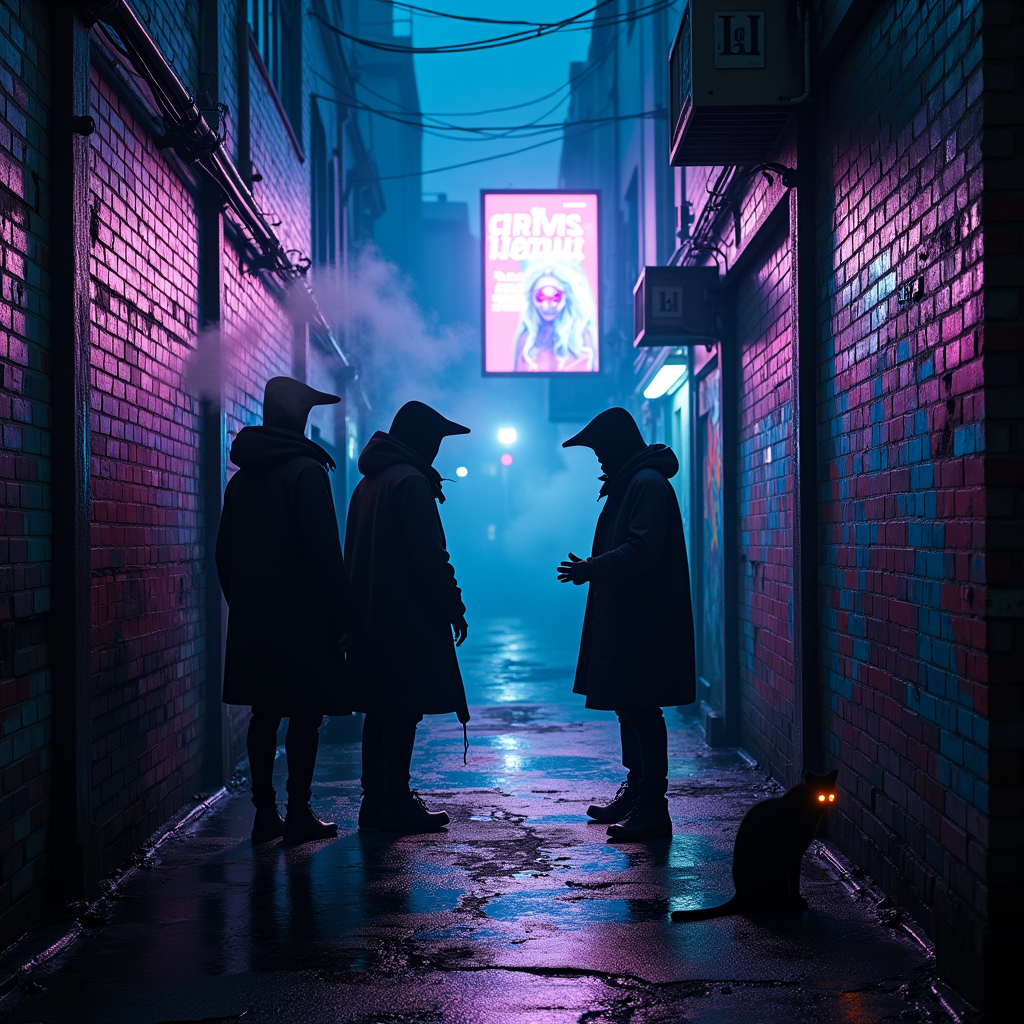
In a narrow, rain-slicked alleyway drenched in vibrant neon hues of electric blue and pulsating magenta, shadowy figures huddle beneath flickering holographic advertisements that cast an ethereal glow. The air hums with a low, mechanical buzz, as wisps of steam rise from grates, curling like ghostly fingers in the damp night. A pair of cloaked figures, their faces obscured by high-tech visors, exchange whispered secrets, their breath visible in the cool air, shimmering like data streams. Graffiti art, alive with luminescent colors, sprawls across crumbling brick walls, depicting surreal cybernetic creatures. A distant siren wails, echoing through the alley, while a stray cat with glowing eyes watches silently from a shadowed corner, embodying the city's pulse. Above, a digital billboard flickers, advertising a dystopian utopia, its bright colors contrasting with the deep, ominous shadows that cloak the alley, creating an atmosphere thick with intrigue and danger.
Detaillierte Analyse des Flux KI Image Prompt
Analysiere den detaillierten Prompt, der zur Erstellung des Bildes mit dem Flux KI Image Generator verwendet wurde.
Flux-Prompts für den KI-Bildgenerator erkunden
Wie man ein Bild generiert von Flux.1 dev
Folge diesen vier einfachen Schritten, um das gewünschte Bild zu erstellen.
Schritt 1: Gib deinen Text ein (Fühle dich frei, deinen Prompt für bessere Ergebnisse zu verfeinern)
Schritt 2: Wähle das Bildseitenverhältnis
Schritt 3: Wähle dein Flux-Modell:
Schritt 4: Klicke auf die Generieren-Schaltfläche und warte ein paar Sekunden auf dein Bild
Verwandte Flux KI Tools für Prompts über Flux.1 dev
Entdecke fortschrittliche Tools von Flux KI, um deinen kreativen Workflow zu verbessern.