Neon Secrets in Shadowed Alley - Flux.1 dev
prompt
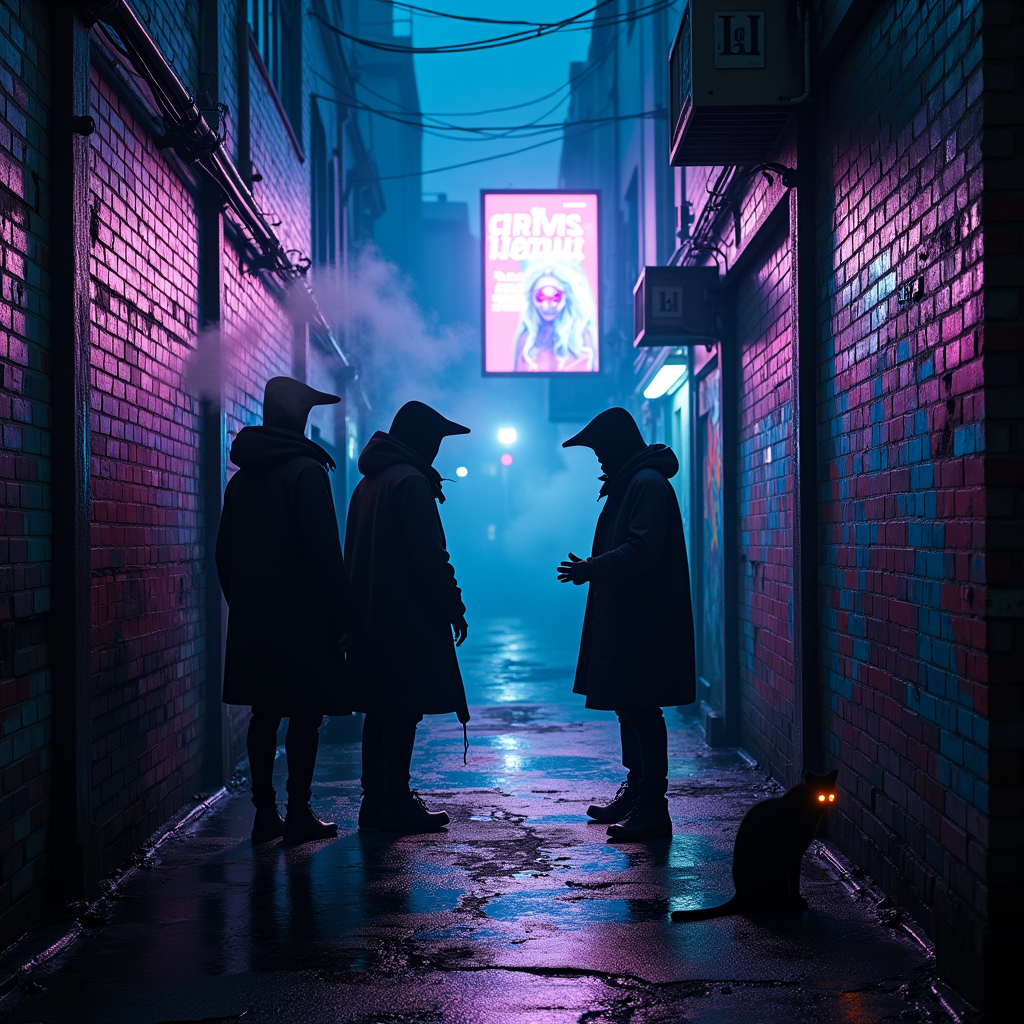
In a narrow, rain-slicked alleyway drenched in vibrant neon hues of electric blue and pulsating magenta, shadowy figures huddle beneath flickering holographic advertisements that cast an ethereal glow. The air hums with a low, mechanical buzz, as wisps of steam rise from grates, curling like ghostly fingers in the damp night. A pair of cloaked figures, their faces obscured by high-tech visors, exchange whispered secrets, their breath visible in the cool air, shimmering like data streams. Graffiti art, alive with luminescent colors, sprawls across crumbling brick walls, depicting surreal cybernetic creatures. A distant siren wails, echoing through the alley, while a stray cat with glowing eyes watches silently from a shadowed corner, embodying the city's pulse. Above, a digital billboard flickers, advertising a dystopian utopia, its bright colors contrasting with the deep, ominous shadows that cloak the alley, creating an atmosphere thick with intrigue and danger.
Analisi Dettagliata del Prompt Immagine Flux AI
Analizza il prompt dettagliato utilizzato per generare l'immagine con il Generatore Immagini Flux AI.
Esplora i Prompt Flux per il Generatore Immagini Flux AI
Come generare immagini con Flux.1 dev
Segui questi quattro semplici passaggi per creare l'immagine desiderata.
Passaggio 1: Inserisci il Tuo Testo (Sentiti libero di perfezionare il prompt per risultati migliori)
Passaggio 2: Scegli le Proporzioni dell'Immagine
Passaggio 3: Seleziona il Tuo Modello Flux:
Passaggio 4: Clicca il Pulsante Genera e Attendi Alcuni Secondi per la Tua Immagine
Strumenti Flux AI correlati per prompt su Flux.1 dev
Scopri strumenti avanzati di Flux AI per potenziare il tuo flusso di lavoro creativo.