Kenshin Himura - Flux.1 dev
Eingabe
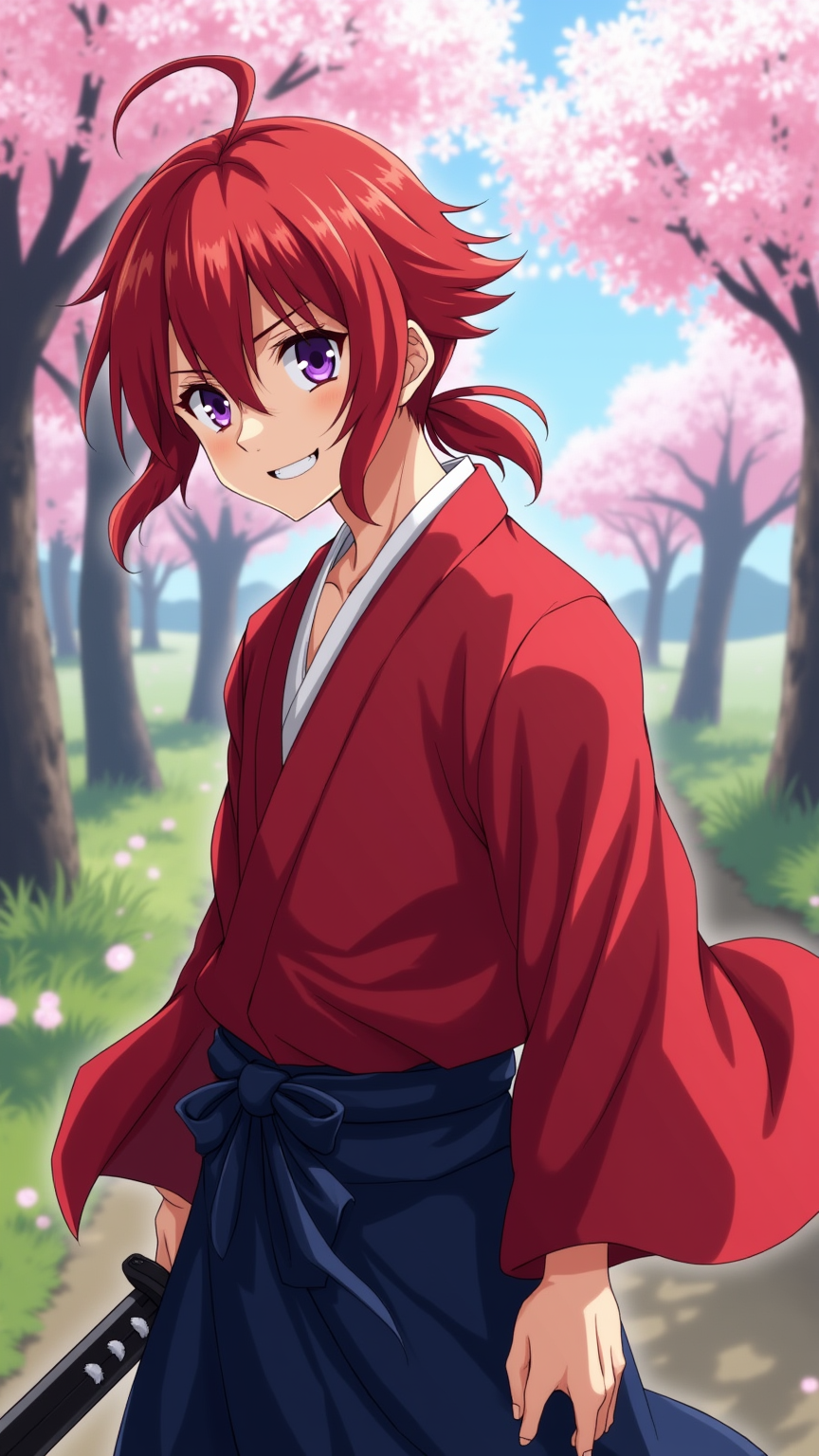
Generate an image of Kenshin Himura in a vibrant anime style. Capture his striking red hair, tied back in a loose ponytail, with a few strands framing his face. His expressive violet eyes should convey a mix of determination and kindness. Dress him in his iconic crimson kimono, with a white undergarment visible, and a dark blue hakama. Include his signature sakabatō (reverse-blade sword) sheathed at his side, emphasizing its unique design. Kenshin should be in a dynamic pose, slightly crouched, as if ready to spring into action, with a gentle smile that reflects his compassionate nature. The background should depict a serene rural landscape, with cherry blossom trees in full bloom, symbolizing peace and renewal. Use a soft color palette with bold outlines typical of anime art, and add a slight glow around Kenshin to highlight his heroic aura.
Detaillierte Analyse des Flux KI Image Prompt
Analysiere den detaillierten Prompt, der zur Erstellung des Bildes mit dem Flux KI Image Generator verwendet wurde.
Flux-Prompts für den KI-Bildgenerator erkunden
Wie man ein Bild generiert von Flux.1 dev
Folge diesen vier einfachen Schritten, um das gewünschte Bild zu erstellen.
Schritt 1: Gib deinen Text ein (Fühle dich frei, deinen Prompt für bessere Ergebnisse zu verfeinern)
Schritt 2: Wähle das Bildseitenverhältnis
Schritt 3: Wähle dein Flux-Modell:
Schritt 4: Klicke auf die Generieren-Schaltfläche und warte ein paar Sekunden auf dein Bild
Verwandte Flux KI Tools für Prompts über Flux.1 dev
Entdecke fortschrittliche Tools von Flux KI, um deinen kreativen Workflow zu verbessern.