Elegant Tree of Life Tattoo - Flux.1 dev
Eingabe
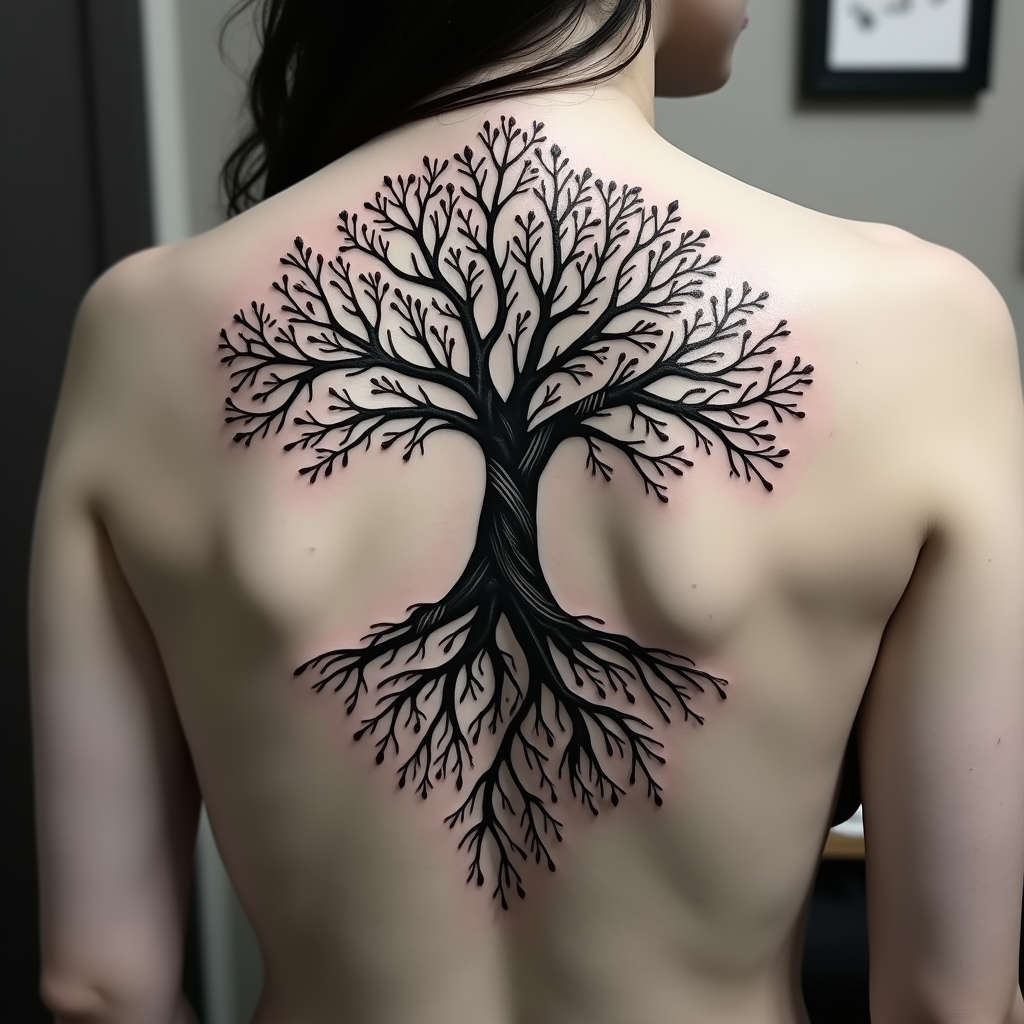
Create a tattoo design for the side of the upper back featuring a stylized tree of life. The tree should have intricate roots that intertwine and branch out elegantly, symbolizing growth and connection. Use a realistic artistic style with fine details in the bark and leaves, showcasing a sense of depth and life. The tattoo should be medium to large in size, allowing the design to flow naturally with the contours of the body. Opt for a black and white color palette, emphasizing shadows and highlights to create texture. Incorporate delicate patterns within the leaves and roots, adding a sense of movement. The design should evoke a serene and harmonious mood, reflecting themes of nature, resilience, and interconnectedness. Consider subtle cultural references to various traditions that honor the tree of life, enhancing its symbolic significance.
Detaillierte Analyse des Flux KI Image Prompt
Analysiere den detaillierten Prompt, der zur Erstellung des Bildes mit dem Flux KI Image Generator verwendet wurde.
Flux-Prompts für den KI-Bildgenerator erkunden
Wie man ein Bild generiert von Flux.1 dev
Folge diesen vier einfachen Schritten, um das gewünschte Bild zu erstellen.
Schritt 1: Gib deinen Text ein (Fühle dich frei, deinen Prompt für bessere Ergebnisse zu verfeinern)
Schritt 2: Wähle das Bildseitenverhältnis
Schritt 3: Wähle dein Flux-Modell:
Schritt 4: Klicke auf die Generieren-Schaltfläche und warte ein paar Sekunden auf dein Bild
Verwandte Flux KI Tools für Prompts über Flux.1 dev
Entdecke fortschrittliche Tools von Flux KI, um deinen kreativen Workflow zu verbessern.