Elegant Tree of Life Tattoo - Flux.1 dev
提示
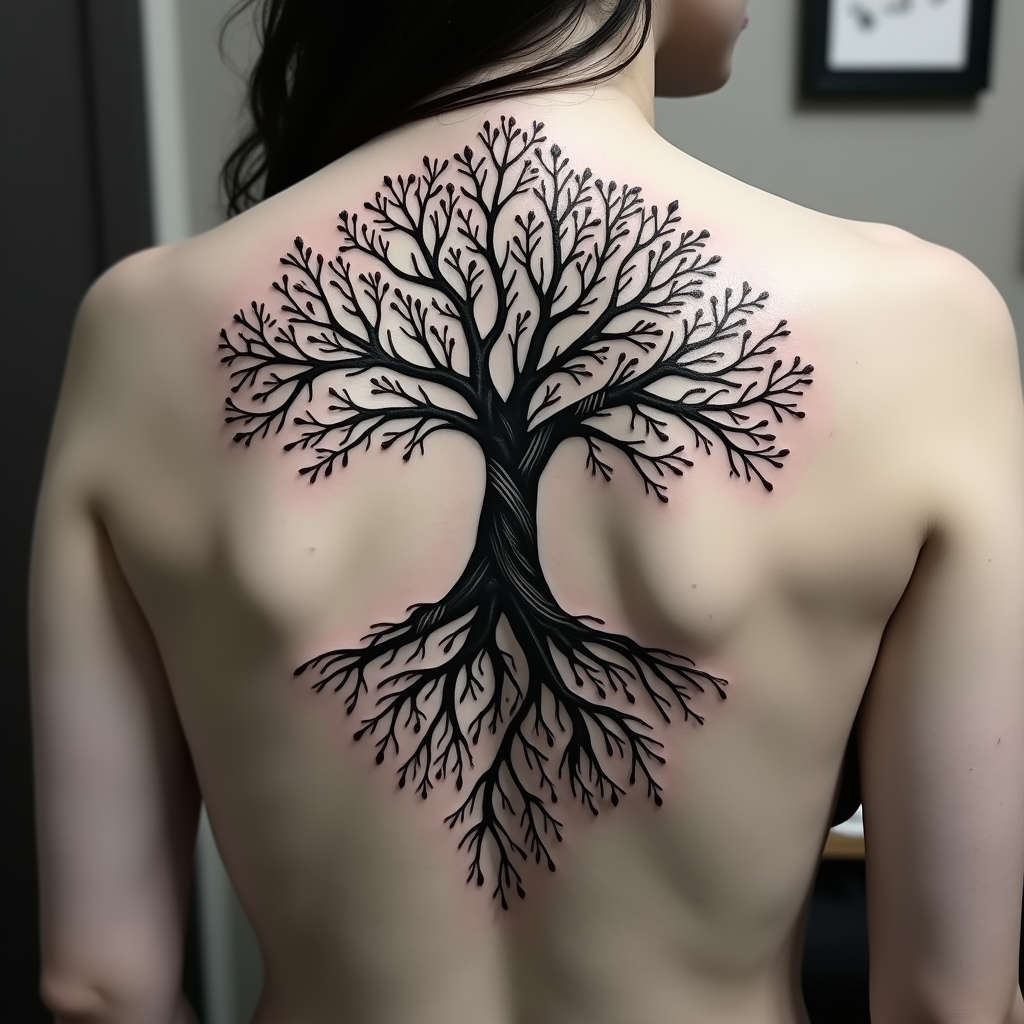
Create a tattoo design for the side of the upper back featuring a stylized tree of life. The tree should have intricate roots that intertwine and branch out elegantly, symbolizing growth and connection. Use a realistic artistic style with fine details in the bark and leaves, showcasing a sense of depth and life. The tattoo should be medium to large in size, allowing the design to flow naturally with the contours of the body. Opt for a black and white color palette, emphasizing shadows and highlights to create texture. Incorporate delicate patterns within the leaves and roots, adding a sense of movement. The design should evoke a serene and harmonious mood, reflecting themes of nature, resilience, and interconnectedness. Consider subtle cultural references to various traditions that honor the tree of life, enhancing its symbolic significance.
Flux AI 圖像提示的詳細分析
分析使用 Flux AI 圖像生成器生成圖像所使用的詳細提示。
探索 Flux AI 圖像生成器的提示
如何通過 Flux.1 dev
遵循以下四個簡單步驟來創建您想要的圖片。
步驟 1:輸入您的文字 (可自由調整提示以獲得更好的結果)
步驟 2:選擇圖片的縱橫比
步驟 3:選擇您的 Flux 模型:
步驟 4:點擊生成按鈕並等待幾秒鐘獲取您的圖片
與提示相關的 Flux AI 工具 Flux.1 dev
發現來自 Flux AI 的高級工具,提升您的創意工作流程。