Hyena - Flux.1 dev
Eingabe
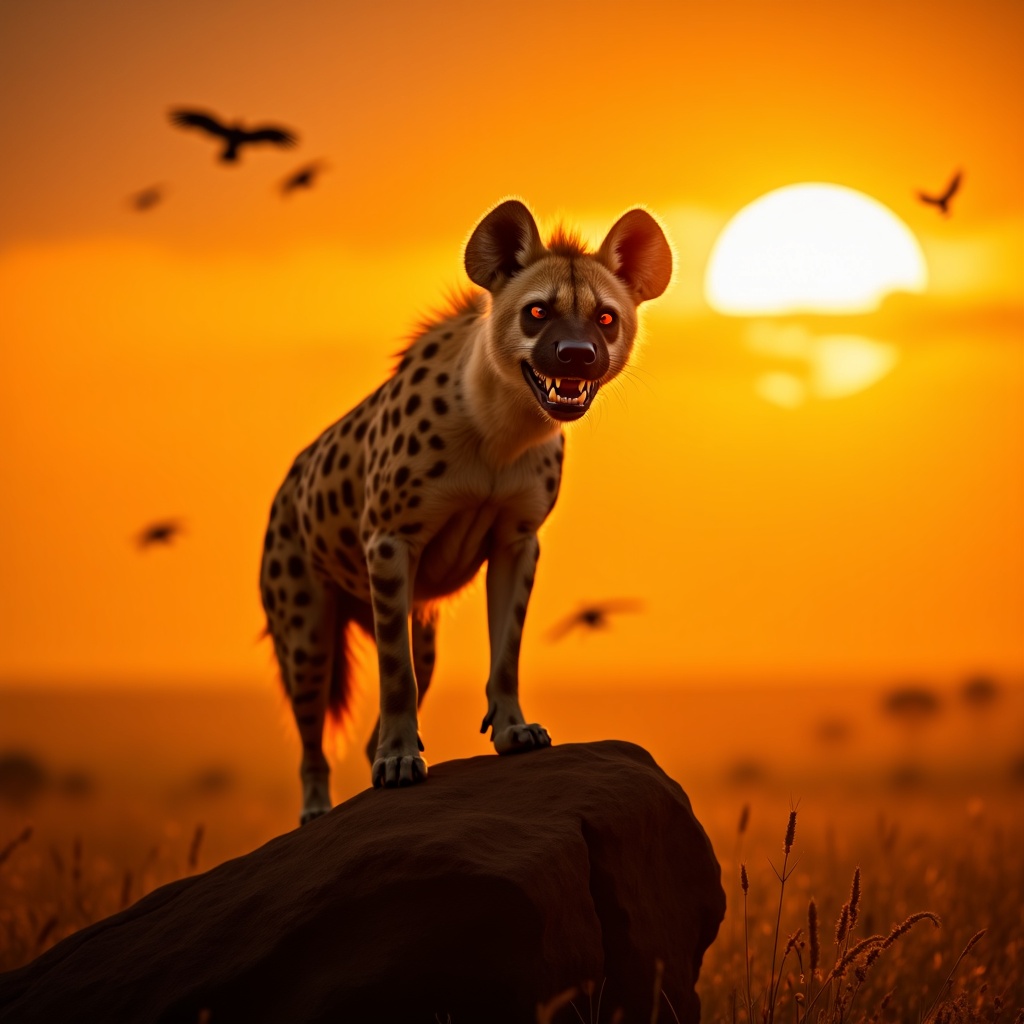
**Image Prompt:** A majestic spotted hyena stands atop a sun-baked rock in the golden savanna, its powerful frame silhouetted against a fiery sunset. Its fur is a mix of tawny brown and dark spots, with intense amber eyes gleaming with intelligence. The hyena’s mouth is slightly open, revealing sharp teeth, as if caught mid-chuckle or growl. The background features vast, windswept grasslands with scattered acacia trees, their silhouettes stretching long in the fading light. **Artistic Style:** Hyper-realistic with a touch of cinematic drama, blending the detail of wildlife photography with the atmospheric depth of a fantasy landscape. **Lighting & Color Palette:** Warm, golden-hour hues—deep oranges, rich yellows, and soft purples—casting dramatic shadows. The hyena’s fur glows under the slanting sunlight. **Mood:** Wild, untamed, and slightly mysterious, evoking the raw power of the African wilderness. **Camera Angle & Composition:** Low-angle shot to emphasize the hyena’s dominance, with a slightly wide frame to capture the sweeping landscape. Dust particles catch the light, adding texture. **Additional Elements:** A distant lion’s faint roar echoes, hinting at rivalry, while vultures circle high above, enhancing the untamed atmosphere.
Detaillierte Analyse des Flux KI Image Prompt
Analysiere den detaillierten Prompt, der zur Erstellung des Bildes mit dem Flux KI Image Generator verwendet wurde.
Flux-Prompts für den KI-Bildgenerator erkunden
Wie man ein Bild generiert von Flux.1 dev
Folge diesen vier einfachen Schritten, um das gewünschte Bild zu erstellen.
Schritt 1: Gib deinen Text ein (Fühle dich frei, deinen Prompt für bessere Ergebnisse zu verfeinern)
Schritt 2: Wähle das Bildseitenverhältnis
Schritt 3: Wähle dein Flux-Modell:
Schritt 4: Klicke auf die Generieren-Schaltfläche und warte ein paar Sekunden auf dein Bild
Verwandte Flux KI Tools für Prompts über Flux.1 dev
Entdecke fortschrittliche Tools von Flux KI, um deinen kreativen Workflow zu verbessern.