Hyena - Flux.1 dev
Indicador
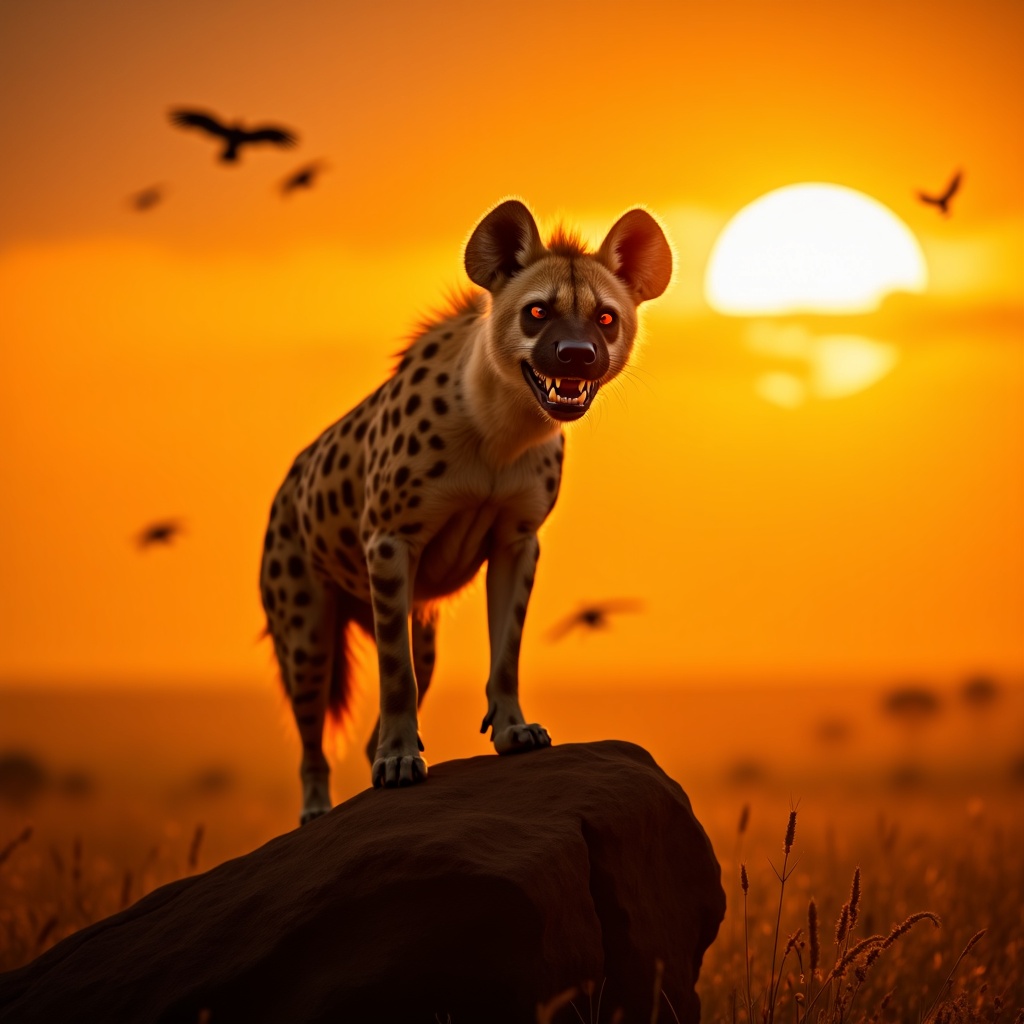
**Image Prompt:** A majestic spotted hyena stands atop a sun-baked rock in the golden savanna, its powerful frame silhouetted against a fiery sunset. Its fur is a mix of tawny brown and dark spots, with intense amber eyes gleaming with intelligence. The hyena’s mouth is slightly open, revealing sharp teeth, as if caught mid-chuckle or growl. The background features vast, windswept grasslands with scattered acacia trees, their silhouettes stretching long in the fading light. **Artistic Style:** Hyper-realistic with a touch of cinematic drama, blending the detail of wildlife photography with the atmospheric depth of a fantasy landscape. **Lighting & Color Palette:** Warm, golden-hour hues—deep oranges, rich yellows, and soft purples—casting dramatic shadows. The hyena’s fur glows under the slanting sunlight. **Mood:** Wild, untamed, and slightly mysterious, evoking the raw power of the African wilderness. **Camera Angle & Composition:** Low-angle shot to emphasize the hyena’s dominance, with a slightly wide frame to capture the sweeping landscape. Dust particles catch the light, adding texture. **Additional Elements:** A distant lion’s faint roar echoes, hinting at rivalry, while vultures circle high above, enhancing the untamed atmosphere.
Análisis Detallado del Prompt de Imagen de Flux IA
Analiza el prompt detallado utilizado para generar la imagen con Flux IA Image Generator.
Explorar Mensajes para Flux IA
Cómo generar una imagen por Flux.1 dev
Sigue estos cuatro sencillos pasos para crear la imagen que deseas.
Paso 1: Ingresa tu texto (No dudes en refinar tu prompt para mejores resultados)
Paso 2: Elige la relación de aspecto de la imagen
Paso 3: Selecciona tu modelo Flux:
Paso 4: Haz clic en el botón Generar y espera unos segundos para tu imagen
Herramientas Flux IA relacionadas para prompts sobre Flux.1 dev
Descubre herramientas avanzadas de Flux IA para potenciar tu flujo de trabajo creativo.