Thigh-Mandala Wolf - Flux.1 dev
Eingabe
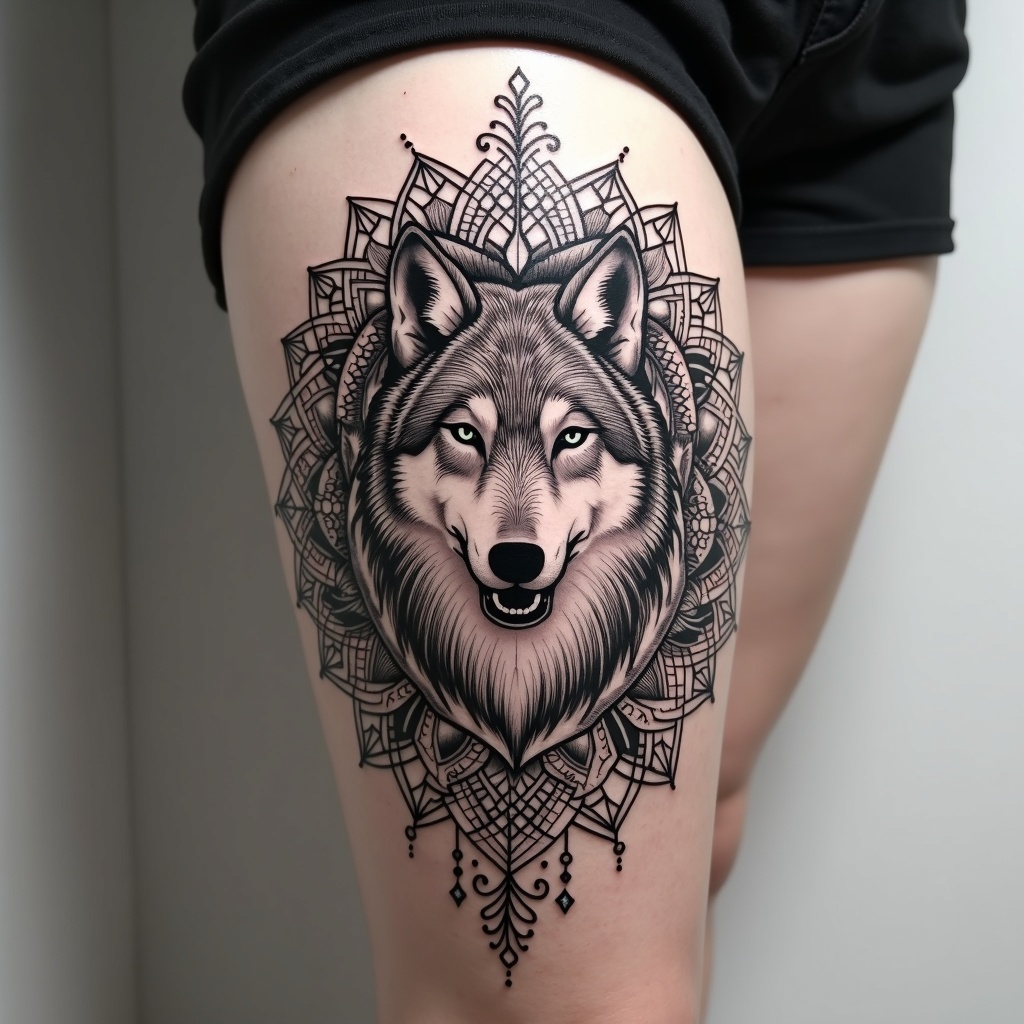
**Prompt:** A striking thigh-mandala tattoo featuring a majestic wolf at its center, seamlessly integrated into intricate geometric patterns and floral motifs. The wolf is rendered in a semi-realistic style with bold, clean lines, surrounded by symmetrical mandala elements that flow dynamically around the thigh. The design is medium to large-scale, wrapping elegantly to emphasize the body’s curves. A monochrome palette with subtle shading enhances depth, while delicate dotwork and fine line details add texture. Symbolizing strength, intuition, and balance, the piece blends tribal and spiritual influences. The overall aesthetic is bold yet harmonious, merging organic and geometric forms for a powerful, mesmerizing effect.
Detaillierte Analyse des Flux KI Image Prompt
Analysiere den detaillierten Prompt, der zur Erstellung des Bildes mit dem Flux KI Image Generator verwendet wurde.
Flux-Prompts für den KI-Bildgenerator erkunden
Wie man ein Bild generiert von Flux.1 dev
Folge diesen vier einfachen Schritten, um das gewünschte Bild zu erstellen.
Schritt 1: Gib deinen Text ein (Fühle dich frei, deinen Prompt für bessere Ergebnisse zu verfeinern)
Schritt 2: Wähle das Bildseitenverhältnis
Schritt 3: Wähle dein Flux-Modell:
Schritt 4: Klicke auf die Generieren-Schaltfläche und warte ein paar Sekunden auf dein Bild
Verwandte Flux KI Tools für Prompts über Flux.1 dev
Entdecke fortschrittliche Tools von Flux KI, um deinen kreativen Workflow zu verbessern.