Thigh-Mandala Wolf - Flux.1 dev
prompt
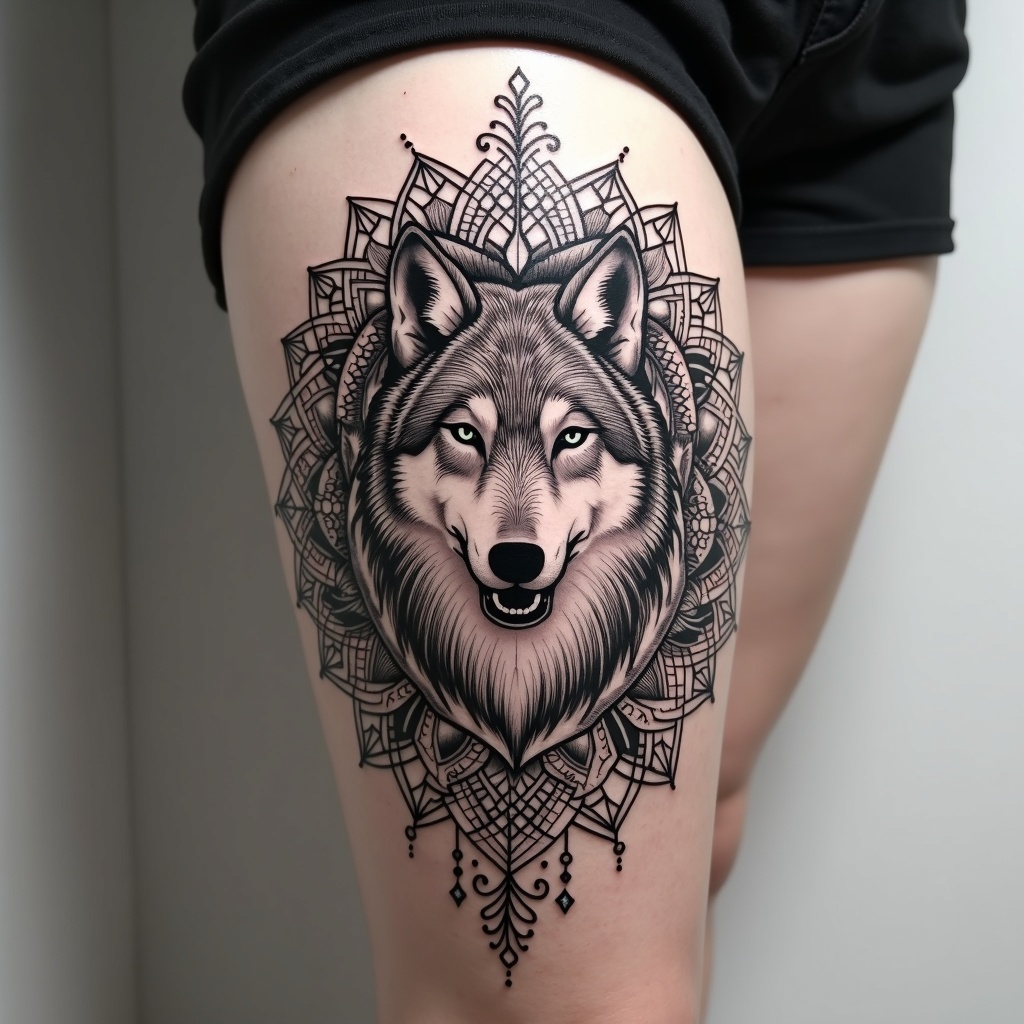
**Prompt:** A striking thigh-mandala tattoo featuring a majestic wolf at its center, seamlessly integrated into intricate geometric patterns and floral motifs. The wolf is rendered in a semi-realistic style with bold, clean lines, surrounded by symmetrical mandala elements that flow dynamically around the thigh. The design is medium to large-scale, wrapping elegantly to emphasize the body’s curves. A monochrome palette with subtle shading enhances depth, while delicate dotwork and fine line details add texture. Symbolizing strength, intuition, and balance, the piece blends tribal and spiritual influences. The overall aesthetic is bold yet harmonious, merging organic and geometric forms for a powerful, mesmerizing effect.
Analisis Terperinci Prompt Gambar Flux AI
Analisis prompt terperinci yang digunakan untuk menghasilkan gambar dengan Generator Gambar Flux AI.
Jelajahi Prompt Flux untuk Generator Gambar AI Flux
Cara menghasilkan gambar dengan Flux.1 dev
Ikuti empat langkah sederhana ini untuk membuat gambar yang Anda inginkan.
Langkah 1: Masukkan Teks Anda (Silakan sempurnakan prompt untuk hasil yang lebih baik)
Langkah 2: Pilih Rasio Aspek Gambar
Langkah 3: Pilih Model Flux Anda:
Langkah 4: Klik Tombol Buat dan Tunggu Beberapa Detik untuk Gambar Anda
Alat Flux AI terkait untuk prompt tentang Flux.1 dev
Temukan alat-alat canggih dari Flux AI untuk meningkatkan alur kerja kreatif Anda.