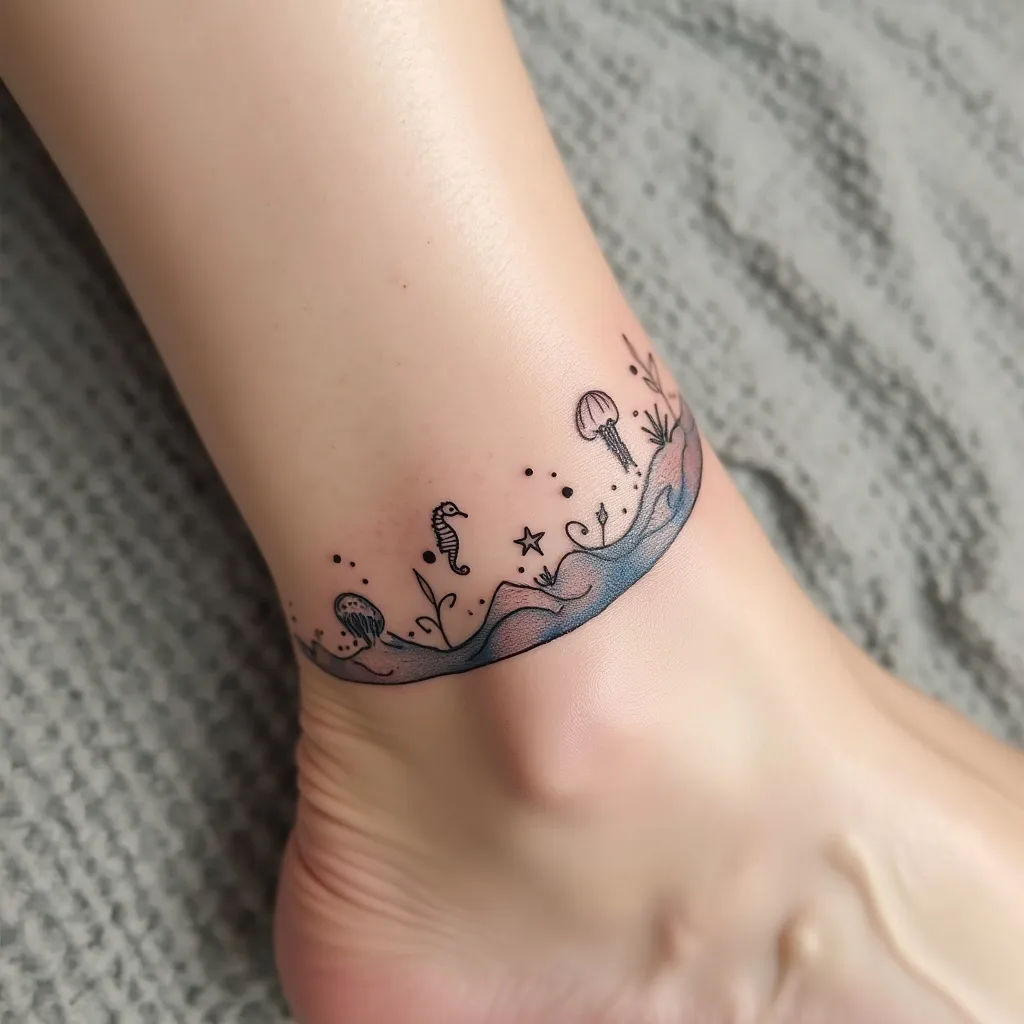
Oceanic Elegance: Ankle Waves - Flux.1 pro
Indicador
Create a delicate wave design tattoo for the ankle, featuring a graceful, curving line that wraps around the lower part of the leg. Incorporate small, stylized sea creatures such as tiny seahorses, starfish, and jellyfish seamlessly into the wave pattern. Use a minimalist, line-art style with occasional dotwork for texture. The tattoo should start just above the ankle bone, curving upwards and around the leg, ending about 3 inches above the starting point. Keep the overall width narrow, about 1-1.5 inches at its widest. Use a monochromatic palette of deep blue ink to evoke the depths of the ocean. Add subtle shading techniques to create a sense of movement and fluidity in the wave. Include small, abstract bubbles rising from the sea creatures to enhance the underwater feel. The design should convey a serene, dreamy aesthetic, reminiscent of the ebb and flow of tides. Ensure the placement allows for natural movement with the ankle's contours, creating a harmonious flow with the body's lines.
Análisis Detallado del Prompt de Imagen de Flux IA
Analiza el prompt detallado utilizado para generar la imagen con Flux IA Image Generator.
Explorar Mensajes para Flux IA
Cómo generar una imagen por Flux.1 pro
Sigue estos cuatro sencillos pasos para crear la imagen que deseas.
Paso 1: Ingresa tu texto (No dudes en refinar tu prompt para mejores resultados)
Paso 2: Elige la relación de aspecto de la imagen
Paso 3: Selecciona tu modelo Flux:
Paso 4: Haz clic en el botón Generar y espera unos segundos para tu imagen
Herramientas Flux IA relacionadas para prompts sobre Flux.1 pro
Descubre herramientas avanzadas de Flux IA para potenciar tu flujo de trabajo creativo.