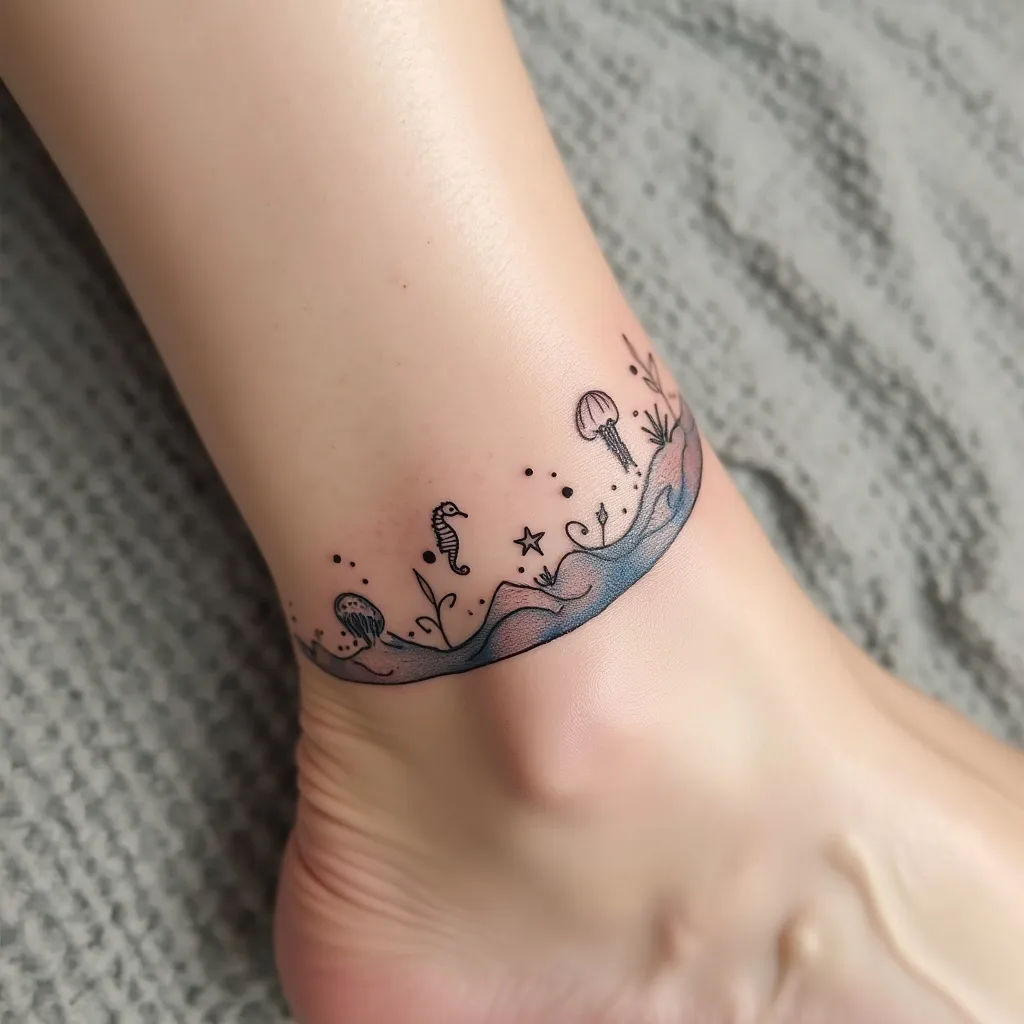
Oceanic Elegance: Ankle Waves - Flux.1 pro
Invite
Create a delicate wave design tattoo for the ankle, featuring a graceful, curving line that wraps around the lower part of the leg. Incorporate small, stylized sea creatures such as tiny seahorses, starfish, and jellyfish seamlessly into the wave pattern. Use a minimalist, line-art style with occasional dotwork for texture. The tattoo should start just above the ankle bone, curving upwards and around the leg, ending about 3 inches above the starting point. Keep the overall width narrow, about 1-1.5 inches at its widest. Use a monochromatic palette of deep blue ink to evoke the depths of the ocean. Add subtle shading techniques to create a sense of movement and fluidity in the wave. Include small, abstract bubbles rising from the sea creatures to enhance the underwater feel. The design should convey a serene, dreamy aesthetic, reminiscent of the ebb and flow of tides. Ensure the placement allows for natural movement with the ankle's contours, creating a harmonious flow with the body's lines.
Analyse Détaillée du Prompt d'Image Flux IA
Analysez le prompt détaillé utilisé pour générer l'image avec Flux IA Image Generator.
Explorez les invites Flux IA
Comment générer une image par Flux.1 pro
Suivez ces quatre étapes simples pour créer l'image désirée.
Étape 1 : Entrez votre texte (N'hésitez pas à affiner votre prompt pour de meilleurs résultats)
Étape 2 : Choisissez le ratio d'aspect de l'image
Étape 3 : Sélectionnez votre modèle Flux :
Étape 4 : Cliquez sur le bouton Générer et attendez quelques secondes pour votre image
Outils Flux IA liés aux prompts sur Flux.1 pro
Découvrez des outils avancés de Flux IA pour booster votre flux de travail créatif.