Here's a unique 10-word Cyberpunk scene that avoids repeating phrases from th... - Flux.1 pro
Indicador
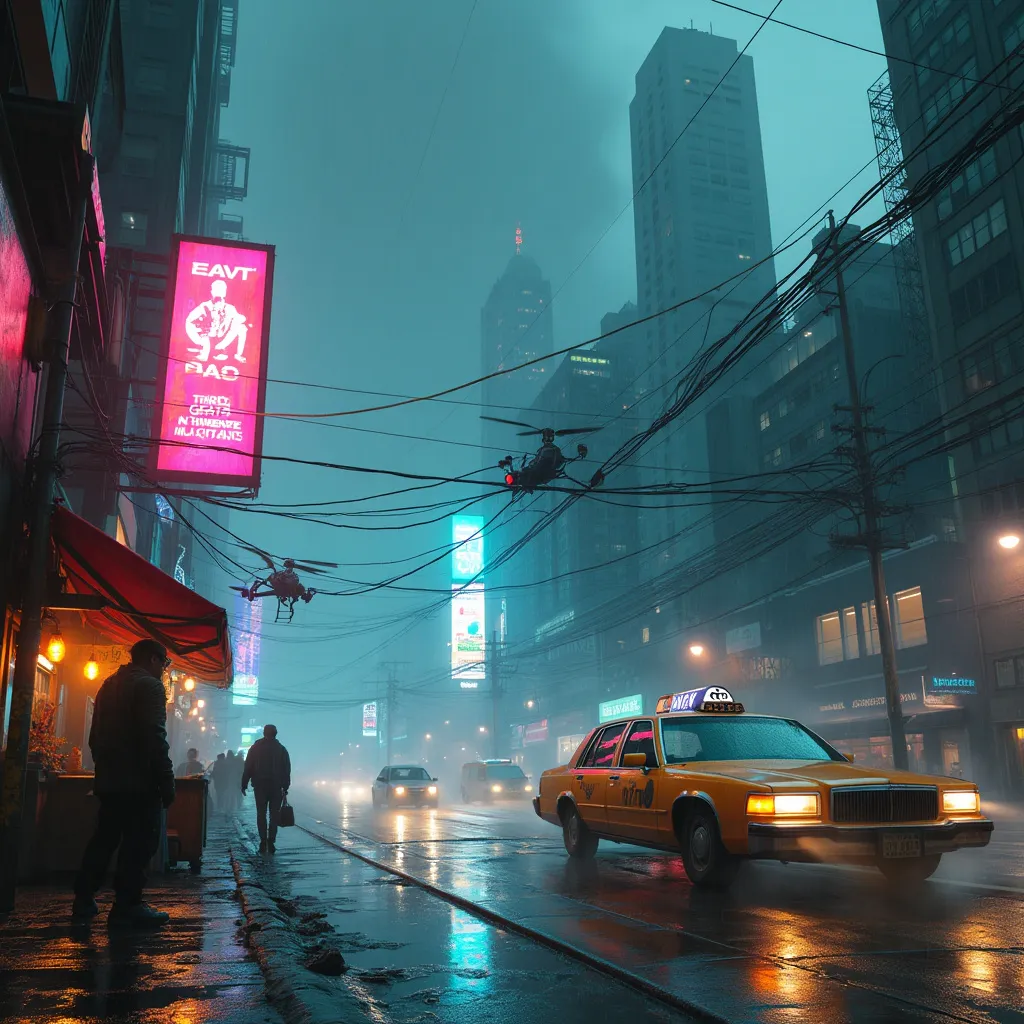
Neon-tinged mist swirls around towering holographic billboards, casting an eerie glow on the rain-slicked streets below. Augmented street vendors hawk biotech implants from cramped stalls, their wares glinting under flickering LED strips. A sleek hover-taxi glides silently past, its windows tinted to obscure the silhouettes of secretive passengers. In the foreground, a rogue hacker crouches beside a sparking data terminal, fingers dancing across a holographic keyboard as lines of code reflect in their cybernetic eyes. Nearby, a hulking cyborg bouncer stands guard outside a seedy underground club, neon tattoos pulsing beneath translucent skin. Overhead, a web of fiber optic cables crisscrosses between skyscrapers, forming a luminous canopy against the smog-choked night sky. In the distance, the imposing headquarters of a megacorporation looms, its façade adorned with ever-changing digital murals. The air thrums with the low hum of hidden surveillance drones, their red sensor lights barely visible through the haze.
Análisis Detallado del Prompt de Imagen de Flux IA
Analiza el prompt detallado utilizado para generar la imagen con Flux IA Image Generator.
Explorar Mensajes para Flux IA
Cómo generar una imagen por Flux.1 pro
Sigue estos cuatro sencillos pasos para crear la imagen que deseas.
Paso 1: Ingresa tu texto (No dudes en refinar tu prompt para mejores resultados)
Paso 2: Elige la relación de aspecto de la imagen
Paso 3: Selecciona tu modelo Flux:
Paso 4: Haz clic en el botón Generar y espera unos segundos para tu imagen
Herramientas Flux IA relacionadas para prompts sobre Flux.1 pro
Descubre herramientas avanzadas de Flux IA para potenciar tu flujo de trabajo creativo.