Neon Shadows: Rogue Mechanic's Realm - Flux.1 dev
Indicador
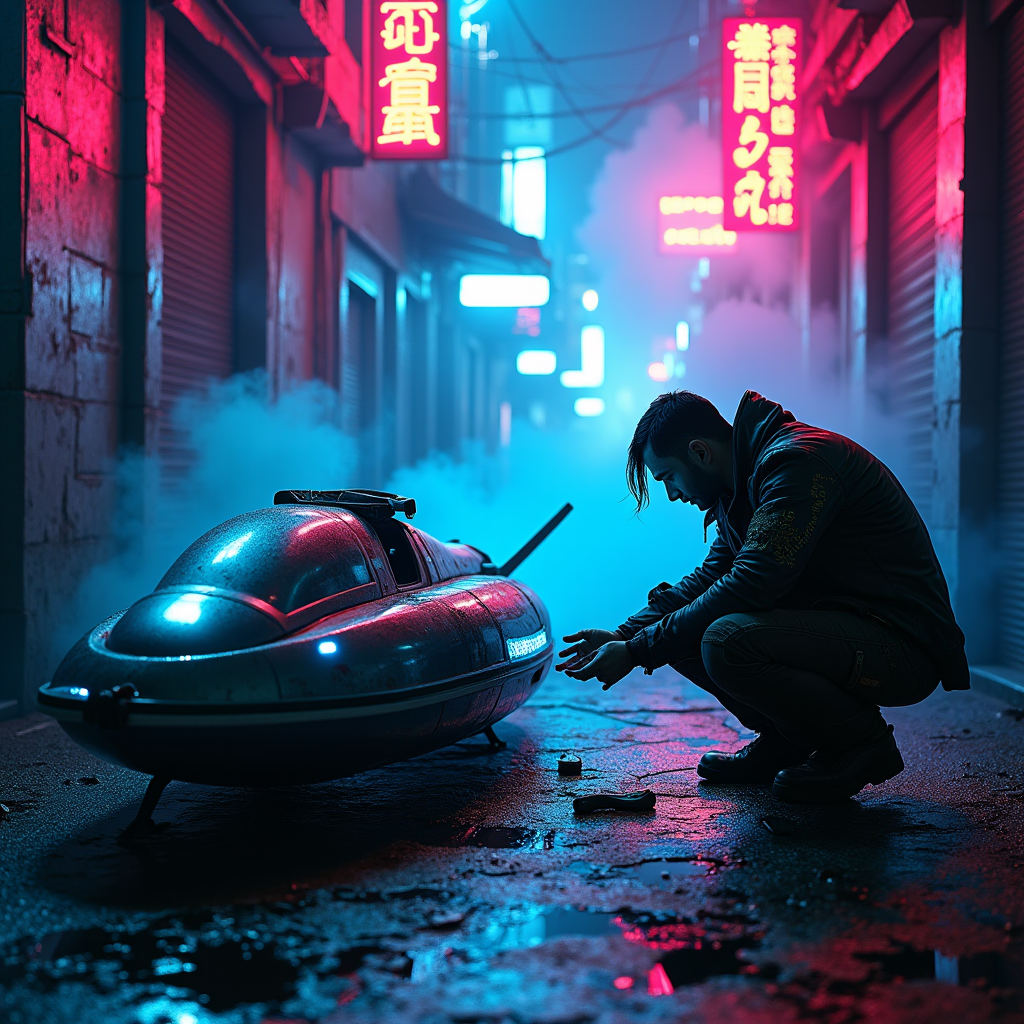
In a dimly lit cyberpunk alley, neon fog swirls around the cracked pavement, casting an ethereal glow in shades of electric blue and vibrant magenta. Shadows dance as a rogue mechanic, clad in a tattered leather jacket adorned with glowing circuit patterns, crouches beside a glitching hovercraft, its sleek metallic body flickering with erratic lights. The mechanic's hands, stained with oil and grime, deftly manipulate a holographic interface, surrounded by scattered tools and glowing gadgets. Above, flickering neon signs in foreign scripts illuminate the scene, their reflections shimmering in puddles on the ground. Wisps of fog curl around the mechanic's silhouette, enhancing the air of mystery, while distant sirens wail and the hum of the city pulses in the background, creating an atmosphere thick with tension and possibility, inviting the viewer to step into this dystopian world of innovation and rebellion.
Análisis Detallado del Prompt de Imagen de Flux IA
Analiza el prompt detallado utilizado para generar la imagen con Flux IA Image Generator.
Explorar Mensajes para Flux IA
Cómo generar una imagen por Flux.1 dev
Sigue estos cuatro sencillos pasos para crear la imagen que deseas.
Paso 1: Ingresa tu texto (No dudes en refinar tu prompt para mejores resultados)
Paso 2: Elige la relación de aspecto de la imagen
Paso 3: Selecciona tu modelo Flux:
Paso 4: Haz clic en el botón Generar y espera unos segundos para tu imagen
Herramientas Flux IA relacionadas para prompts sobre Flux.1 dev
Descubre herramientas avanzadas de Flux IA para potenciar tu flujo de trabajo creativo.