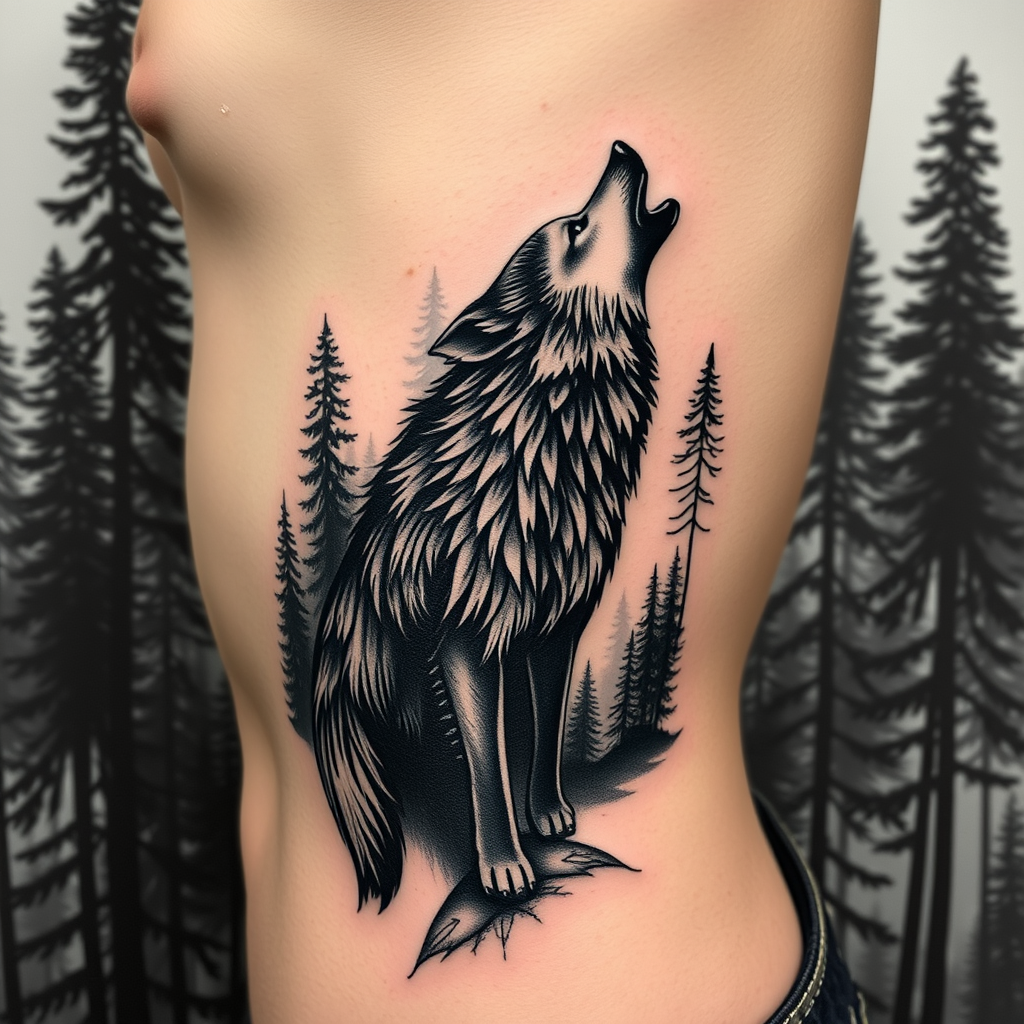
Howling Guardian: Wild Harmony - Flux.1 schnell
Indicador
Design a tattoo for the side of the ribcage featuring a realistic wolf silhouette, poised gracefully amidst a dense forest backdrop. The wolf, depicted in mid-howl, should showcase intricate details in its fur, capturing the wild essence of the animal. Surrounding the wolf, a blend of tall, shadowy pine trees creates depth, with subtle hints of mist weaving through the branches. The artistic style should be hyper-realistic, emphasizing the textures of fur and bark, while the overall size spans from the lower ribs to just below the armpit, wrapping slightly around the torso. Opt for a monochromatic palette in deep blacks and grays, enhancing the contrast between the wolf and the forest. Incorporate subtle geometric patterns within the forest elements to symbolize harmony with nature. The overall mood should evoke a sense of mystery and strength, reflecting the spirit of the wolf as a guardian of the wild.
Análisis Detallado del Prompt de Imagen de Flux IA
Analiza el prompt detallado utilizado para generar la imagen con Flux IA Image Generator.
Explorar Mensajes para Flux IA
Cómo generar una imagen por Flux.1 schnell
Sigue estos cuatro sencillos pasos para crear la imagen que deseas.
Paso 1: Ingresa tu texto (No dudes en refinar tu prompt para mejores resultados)
Paso 2: Elige la relación de aspecto de la imagen
Paso 3: Selecciona tu modelo Flux:
Paso 4: Haz clic en el botón Generar y espera unos segundos para tu imagen
Herramientas Flux IA relacionadas para prompts sobre Flux.1 schnell
Descubre herramientas avanzadas de Flux IA para potenciar tu flujo de trabajo creativo.