Neon Shadows: Data Heist in Rain - Flux.1 dev
Indicador
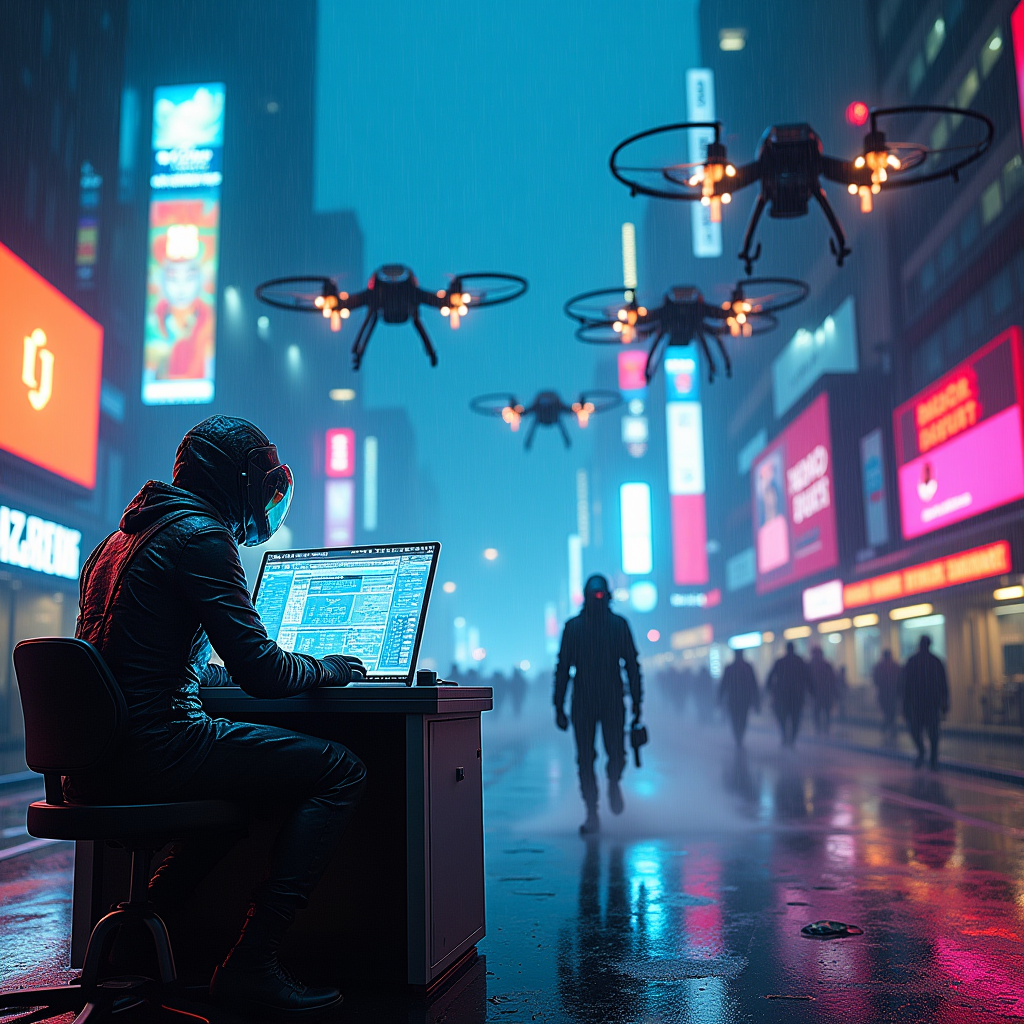
In a sprawling cyberpunk metropolis, drones whir overhead, their metallic bodies glinting under the pulsating glow of neon lights. The scene is set in a rain-soaked alley, slick pavement reflecting vibrant hues of electric blue and hot pink. Shadowy figures, clad in sleek, form-fitting gear adorned with glowing circuitry, work frantically at a high-tech terminal, fingers dancing over holographic interfaces. Their visors shimmer with data streams, casting an eerie luminescence on their determined faces. In the background, towering corporate skyscrapers loom, their glass facades adorned with flickering advertisements and digital billboards, creating a chaotic tapestry of color. Wisps of steam rise from grates, swirling around the hackers as they siphon data from a fortified vault, the air thick with tension and the faint hum of machinery. The atmosphere is charged, a fusion of danger and exhilaration, as the city pulses with life beneath the watchful eyes of the drones.
Análisis Detallado del Prompt de Imagen de Flux IA
Analiza el prompt detallado utilizado para generar la imagen con Flux IA Image Generator.
Explorar Mensajes para Flux IA
Cómo generar una imagen por Flux.1 dev
Sigue estos cuatro sencillos pasos para crear la imagen que deseas.
Paso 1: Ingresa tu texto (No dudes en refinar tu prompt para mejores resultados)
Paso 2: Elige la relación de aspecto de la imagen
Paso 3: Selecciona tu modelo Flux:
Paso 4: Haz clic en el botón Generar y espera unos segundos para tu imagen
Herramientas Flux IA relacionadas para prompts sobre Flux.1 dev
Descubre herramientas avanzadas de Flux IA para potenciar tu flujo de trabajo creativo.