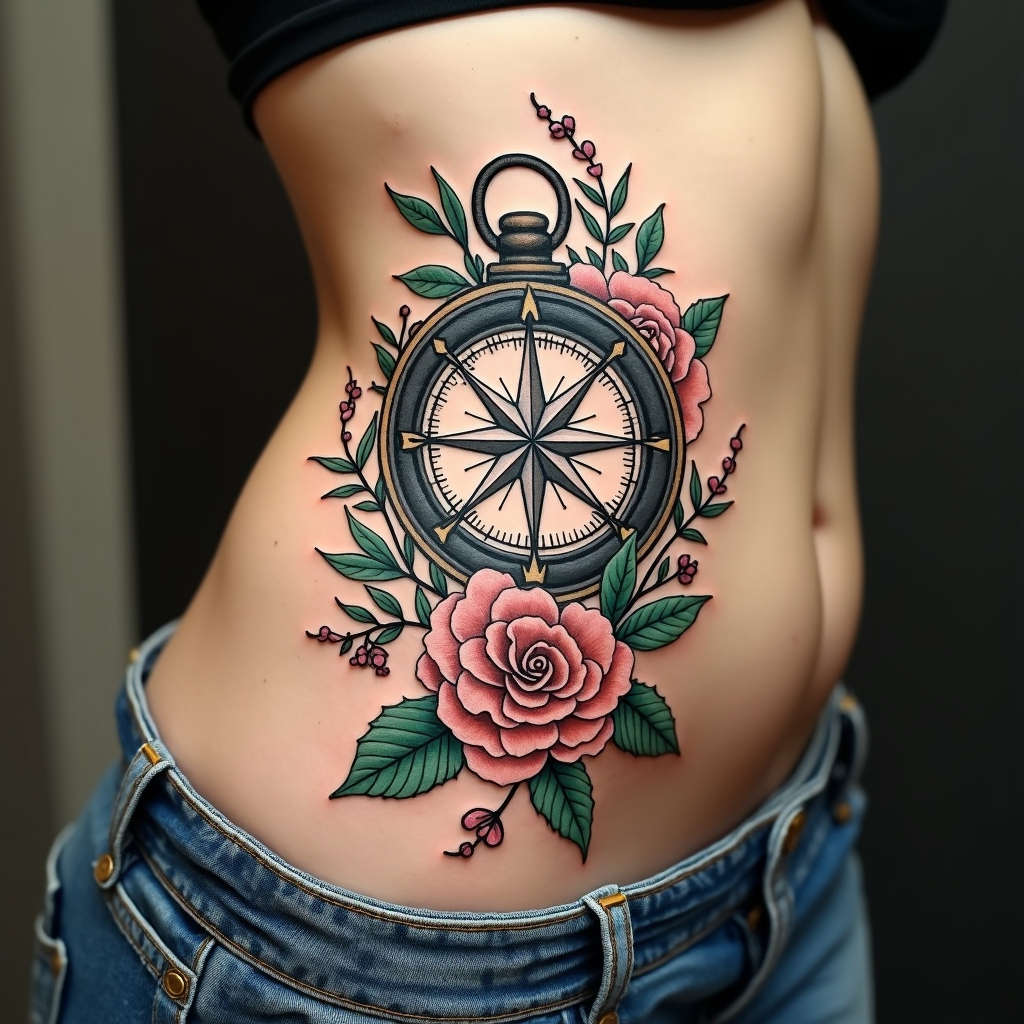
Floral Compass: Navigate Nature - Flux.1.1 pro
Indicador
Create a tattoo design for the side of the abdomen featuring a stylized compass at its center, surrounded by intricate floral elements such as roses, peonies, and vines that weave gracefully around the compass. The compass should have ornate, vintage detailing, with a mix of sharp and soft lines, reflecting a traditional artistic style. The design should be medium to large in scale, allowing the compass to be approximately 6 inches in diameter, with the floral motifs extending outward to create a cohesive flow along the curves of the body. Use a color palette of deep navy, rich emerald green, and soft blush pink, contrasted with bold black outlines for depth. Incorporate delicate textures within the flowers and compass, giving them a lifelike quality. The overall mood should evoke a sense of adventure and connection to nature, symbolizing guidance and exploration.
Análisis Detallado del Prompt de Imagen de Flux IA
Analiza el prompt detallado utilizado para generar la imagen con Flux IA Image Generator.
Explorar Mensajes para Flux IA
Cómo generar una imagen por Flux.1.1 pro
Sigue estos cuatro sencillos pasos para crear la imagen que deseas.
Paso 1: Ingresa tu texto (No dudes en refinar tu prompt para mejores resultados)
Paso 2: Elige la relación de aspecto de la imagen
Paso 3: Selecciona tu modelo Flux:
Paso 4: Haz clic en el botón Generar y espera unos segundos para tu imagen
Herramientas Flux IA relacionadas para prompts sobre Flux.1.1 pro
Descubre herramientas avanzadas de Flux IA para potenciar tu flujo de trabajo creativo.